gadgets

  • My Favorite Android Apps

    When I got my Droid, one of the first things I did was tap into Android’s vast app market  to check out apps and widgets (modules you can throw on one of your home screens for instant access to some app or information). I’ve had the device about a month now and there are a few apps that have proved themselves useful and/or awesome. Here is a list of my favorites. (more…)

  • Droid Does

    droid

    Those of you who know me might be surprised that I got a Droid less than one year after I got the Blackberry Storm. Those of you who really know me aren’t surprised one bit. As soon as I saw an Android phone come to Verizon, I was interested. I’m highly dependent on Google (Gmail, Contacts, Calendar, etc. etc.), I missed a physical keyboard, and I did my thesis on Android, which means I can program on the platform. I’ve had it for about 3 weeks now- here are my thoughts.

    (more…)

  • Using Google Voice for Business

    google voice logoAs a freelancer, I don’t have an office, or employees, or all the extra stuff that one might have as a business. I work from home, with my laptop, my cell phone, and if I need to offload some work, I have a group of subcontractors I can call. This of course makes it harder to separate personal and professional life, especially if I’m giving people my cell phone number as a means of contact. That has changed with Google Voice.

    (more…)

  • QT: Manage Your Blackberry Email Online

    This is for all of use Blackberry (possibly only on Verizon Wireless) users. The Blackberry Web Panel allows you to manage (add/edit/delete and filter) all of the email addresses going to your blackberry device. You can also change PINs if you ever switch devices. I use it to skip sending emails I send to my device, as well as a few filters to make sure I don’t get repeat emails. I strongly recommend taking a look at it if  you have several email addresses forwarding to your Blackberry.

  • iPod Shuffle: So Small, So Complex

    Image courtesy of Apple
    Image courtesy of Apple

    With all the news in politics happening lately, I’ve almost forgotten why I started this blog: to talk tech. It’s what I know best. Well, here you go: My thoughts on Apple’s newest iteration of the iPod Shuffle.

    I’ve posted thoughts on Apple and their precious iPod before, but this is pretty baffling. This shuffle is the smallest it’s ever been at 1.8″ tall and 0.3″ in thickness. That’s smaller than a key, which is pretty cool. However, when you need a guide to controlling the thing, there is a problem. 1 click to play/pause, 2 clicks to go forward, 3 clicks to go back. Other controls to traverse through playlists. I mean it’s cool that it talks to you and all since there is no screen on the device, but there is actually nothing on the device.

    Right- the controller is actually on the headphones, and that is where my main problem lies. This new shuffle is limiting you to using Apple’s proprietary headphones or paying extra to buy an adapter to use your own. You need an adapter to use different headphones for your own mp3 player.

    Apple touts all of this as innovative- small because it should be small; convenient, easy-to-use controls. But nixing a back and forward button is not innovative- it’s making something overly complicated and saying it’s innovative because no one has done it. And believe me, there is a reason.

  • The Mac is Just Another Computer

    mac.jpg

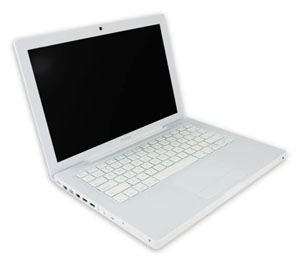
    Those of you who’ve known me for a while know I used to take a hard line against Apple. It was mostly the fan boys who would buy things solely because they were made by Apple that annoyed me. Then a little over a year ago, I made the switch from Windows to Mac. I was caught up in the shine of this new relationship and new OS and everything was new and excited, and new. But I’ve got some news for you: the Mac is just another computer.

    Let me start by saying this: I like my Mac. It’s nice- it’s got great features and very cool ways to navigate through applications and Coda, a Mac only program, has changed my life. However, I miss Windows’ superior file system and resource management, as well as it’s overall compatibility with more things. Essencially, though, I think the Mac is just a grossly overpriced PC.

    Anyone who has ever said they’ve never had a problem with their Mac falls into one of three categories: They just got it, they don’t use it that much/for that much, or they are a liar. I’ve had to restart mine several times because it has frozen on me, I constantly get bothered for updates, and sometimes it runs slow as hell. Two of friends, whom I see on a regular basis, have had theirs crash on them. That’s just the nature of having a computer, and a Mac is just a computer.

    It’s for that reason that I still don’t recommend them for general use. If you’re doing some very specialized thing, maybe it’s for you. Good luck upgrading it when you want to though- that is a huge problem for me. I will keep my Mac until it dies and I can’t say for sure if I am going to buy a new one. I am building a new PC soon, and am very excited to try Windows 7. If Windows 7 works for me, probably not. I can guarantee that I will probably never be a solely Mac OS person.

  • Favorites of 2008

    So this may be a little late, but hey- I wanted to be sure about what I was writing; and this year there were a couple late-in-the-game entries. Here is my first [annual?] favorites post. Covered this time around: new tech toy, website, software, movie, music.

    Favorite Tech Toy: Blackberry Storm
    This was a tough one considering: A- I’ve only had the Storm for 1.5 weeks and B- I got my first Mac this year. But the Storm is the best little device I’ve ever used. The UI is easy to get used to, it’s very versatile, and it can do a lot. I love the full browser and 3.2MP Camera, which my old blackberry lacked. And I know, the iPhone has had it forever. But it doesn’t have a click-screen or several options for an onscreen keyboard, which IMHO is a big plus. Because of the Storm, I could sell my old Blackberry, and my iPod Touch.
    Favorite Website: Freelance Switch
    As a freelancer, I am constantly looking for advice and tips on accounting/financial, legal, and client issues. Freelance Switch is a great resource with authors writing about all that and more. Plus, they have freelance job boards, forums, and ebooks, making the site a one stop shop for any freelancer.
    Favorite Software: Coda
    The ultimate Web Development IDE and one of the top reasons I’m a Mac user. Along with your run of the mill highlighted syntax, it suggests php functions, HTML tags, and CSS elements and attributes. It also has a visual CSS editor, built in shell for SSH, access to ebooks, and built-in FTP. It makes web development 100x more efficient.
    Favorite Move: The Curious Case of Benjamin Button
    All the way up until Christmas, when I saw this movie, I was sure The Dark Knight was my favorite movie of ’08. However, Benjamin Button is a fascinating story that takes you through the 20th century via the tale of a boy born an old man and aging backwards. It’s skillfully done, Pitt and Blanchett are awesome, and the movie raises some interesting points about relationships of all kinds. A must see.
    Favorite Music: Anberlin
    I’ve liked Anberlin as long as I’ve heard of them, but 2008 was different. They put out a new album, which I love. I saw them at an amazing show in Philly, and they are actually getting radio play. My brother will be disappointed I didn’t pick Guns N’ Roses and the release of their long awaited CD, Chinese Democracy (which I’d also recommend), but Anberlin wins it this year.

    So there you have it. My five favorites of 2008. What do you think?

  • Acer Aspire One: Review

    Acer Aspire One

    Two weeks ago Tuesday I decided to purchase something I’ve been looking at for a long time: a netbook. Tiny, cheap, a little weak on performace, but perfect for doing web based stuff. After two weeks with the Acer Aspire One, I’d say for $400 this little machine is worth it. For reference, the main specs are: Windows XP, 1.6Ghz Intel Atom CPU, 1GB RAM, 3-cell battery, 120GB hard drive, 8.9″ display.

    Let me get the gripes out of the way first: The keyboard and trackpad are a little tough to get used to, which should be expected. The battery life could be a little better, but I could always buy a spare. And the WiFi at times is flaky, a problem that can be solved by restarting (which solves most problems in Windows). Other than that, I’ve had a very pleasent experience.

    When I got this I was curious to see if I could manage with just this during the day while I was on campus. My day-to-day work includes web development and other programming, instant messanging, checking email, and listening to music. The last three can be taken care of on the web, using Meebo for IM, GMail for email, and Pandora for music. My concern was the software development stuff. Eclipse, my IDE of choice, is pretty heavy duty stuff. As it turns out, Eclipse takes a little while to start up and at times runs slower than desired, but it doesn’t hinder my productivity. I actually slightly underestimated the performance of this little machine.

    However, there are some things to consider. As I mentioned, I run a lot of programs from the browser. I can do email, IM, music, Office (using GoogleDocs), and much more using just my web browser; and for that I use Google Chrome (which is by far the fastest browser I’ve used). So being concious of performance constraints, I was able to come up with some easy work-arounds and get more bang for my buck.

    There are several limitations working on a netbook. For one, if you can’t work on a small display, this might not work for you. Also, I haven’t tried running more than Google Chrome and my development environment on it- but I don’t have a lot of faith. While my development environment is pretty demanding, I have a feeling once you read more than four major applications- IE or Firefox, AIM, Microsoft Word, and iTunes for example- you will see a big degradation in performance. That’s why my work around relies heavily on my broswer. If you don’t use a lot of web based resources, you might want to look into them before purchasing a netbook.

    My conclusion is just what I thought it would be: this is great machine for web based stuff (and even some heavy lifting), but I could never make it my primary computer. I have several tools on my primary computer that just wouldn’t work on this netbook, and furthermore goes beyond what I think the netbook was created for. All-in-all, it was a very good purchase for me, and I think it would be a good purchase for someone looking for a cheap second machine.

  • Tech Lust

    Hi. My name is Joe Casabona, and I have an technology addiction. Over that last few weeks I’ve been accumulating a list of tech stuff I really want, and subsequently try to justify buying. Of course, money is also a contributing factor, but I can probably move some funds around, right?

    The short list of stuff includes:

    • The Dell Mini PC– This one I think I can justify buying because it’s a cheap laptop that runs Windows, an OS I currently lack. I have reservations about dual booting my Mac or running a program like parallels. I want to keep the two separate and run them simultaneously. This would allow me to browser test in IE, as well as do somethings I can’t do (or do well) on my Mac (I’m talking to you, Blackberry). Speaking of…
    • The Blackberry Bold– I am waiting on baited breath for the day this phone comes to Verizon Wireless users. This phone has literally everything my Blackberry does not- better (full) browser, updated OS, camera, WiFi, regular sized headphone jack. I cannot wait for this one.
    • Sega Dreamcast– I was in my local video game shop the other day, reserving The Force Unleashed, which I got a feeling of nostalgia for the great but underrated gaming console. Looks like I’ll be scouring ebay soon.

    Of course, there are plenty of other things, like a bluetooth receiver for my iPod Touch, etc, etc. Those things I can probably buy on a whim depending on how good I fee. And what, might I ask, are the tech things you really want to buy?