
|

Initial Impressions on the Kindle Scribe

I’ve long considered getting a reMarkable 2 but have never pulled the trigger on it.

Part of the reason was I’ve always been partial to reading Kindle books and taking notes on them, and my iPad Mini does that fine.
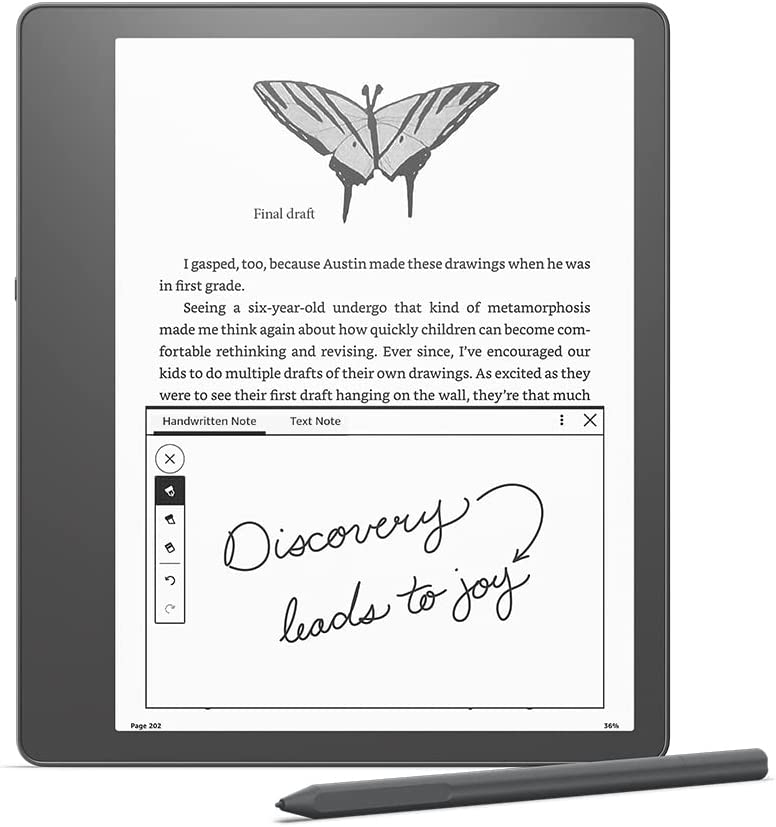
Then Amazon announced the Kindle Scribe. More affordable, initial deal for Prime members and a good trade-in price for my Kindle Oasis and the $500 device got down to $280. So I bought it. Here are my initial impressions:

  • It’s big, but I don’t think too big. And I love the extra space on one side to grip the device.
  • Reading on it is nice. I can crank up the font size without feeling crowded.
  • I love the notebooks feature. I’ve been using it as my primary note taking device this week and it’s been great.
  • The pen is light and super neat. There’s an “eraser” on the other end, and a shortcut button you can configure. I use mine to highlight.
  • Writing on it feels the most paper-like I’ve experienced on a digital device.
  • If there is lag, I don’t notice it.
  • You can directly markup PDFs. So. Good.
  • The battery life is incredible.

If there’s one shortcoming, is the lack of ability to get my RSS feeds on the device. I’d love to make this my one and only reading device, but it’s tough.

That’s not really the Kindle’s fault either. Articles written for the web don’t work well on a book medium.

If you’d like to see a video demo, become a How I Built It Pro member.

Similar Posts

  • | |

    How To Host A Live Stream (Or Webinar)

    One of my goals for 2020 is to do more in front of the camera. I’ve been posting regularly to my YouTube channel. I also want more of my courses to include in-front of the camera work. But beyond that, my intention was to do more live streams, office hours, and webinars. This was true…

  • | | | |

    My Online Development Resources

    Note: This article was published while I was in my early 20s. I was much younger and dumber. Please don’t hold it against me. One of the perils of having a 20+ year old website!Recently, I made it practice to keep my most important web development resources in my bookmarks bar in Google Chrome (which…

  • | |

    Rock-Solid WordPress 3.0 Themes using Custom Post Types

    Note: This article was published while I was in my early 20s. I was much younger and dumber. Please don’t hold it against me. One of the perils of having a 20+ year old website!The good people over at Nettuts+ have published a tutorial I wrote for them called Rock-Solid WordPress 3.0 Themes using Custom…

  • |

    Useful Sites for Mobile Web

    Note: This article was published while I was in my early 20s. I was much younger and dumber. Please don’t hold it against me. One of the perils of having a 20+ year old website!I remember a time where PDAs and smart phones were a sign of status- you were either a business man or…