
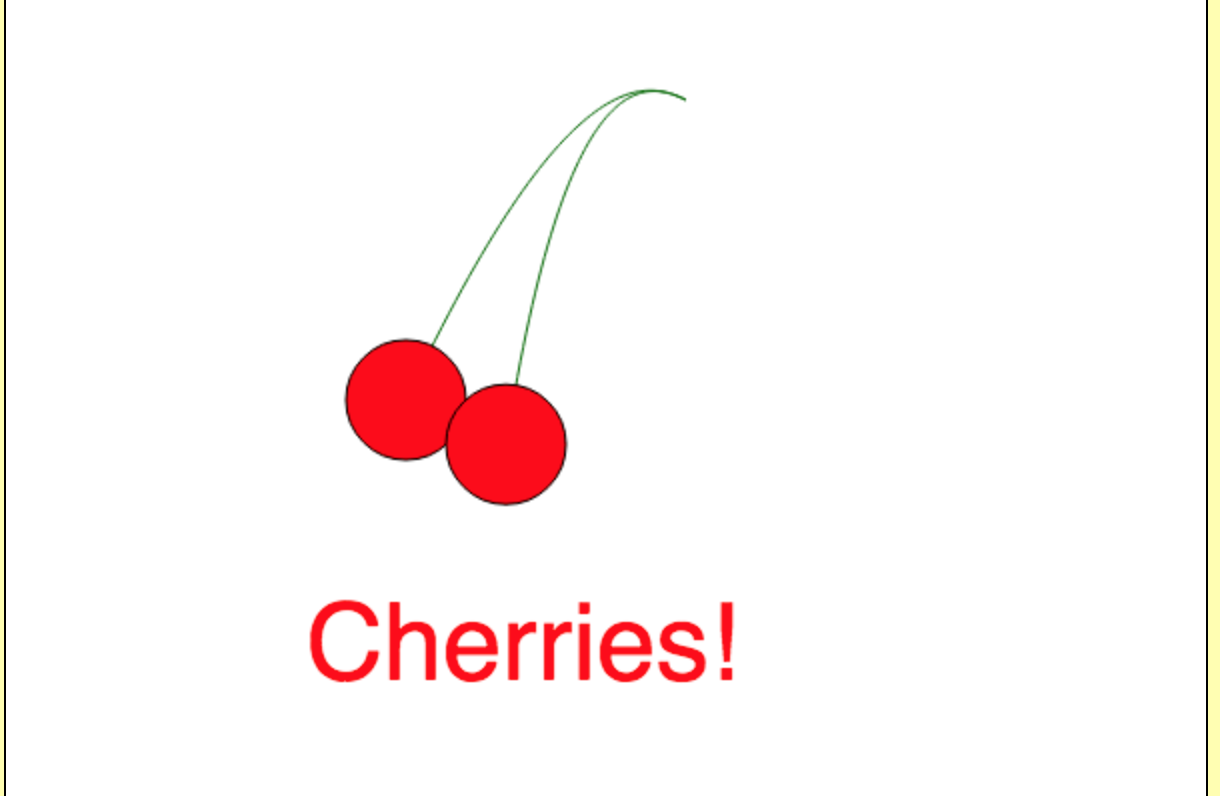
Draw Cherries using HTML5 Canvas
I’m teaching a class on 2D Animation this semester and opted to use web technologies such as HTML5 Canvas, CSS Transitions, and Javascript. In this tutorial we are going to use the canvas element to draw 2 cherries with stems. I’m having my class use CodePen for their assignments, so this tutorial kind of assumes that. If you want to see the final product, head on over here.
Define Canvas:
First we will define our canvas area. I gave it an ID of “cherries.” It’s also important to note the width and the height. Apply these with CSS may give you varies (or really weird looking) results. Add this to the HTML section:
The rest of our code will be javascript. First we define the canvas in JS and tell it we will be working in a 2D space:
var canvas = document.getElementById('cherries');
var context = canvas.getContext('2d');
Draw first Cherry:
For any object on the canvas, we need to tell it where start our drawing. Here, we’re going to find the center(ish) of the canvas for both the starting point of our cherry and its stem. We will also define the size of the cherry. Anything we draw will start with context.beginPath() to let canvas know we will start drawing:
context.beginPath();
var centerX1 = canvas.width / 3;
var centerY1 = canvas.height / 2;
var radius = 30;
Since we want the stem to show ‘behind’ the cherry, we draw that first, using a bezierCurve. This will start at our center, then draw a line to the midpoints we define. Here, we have 3 points (x1, y1, x2, y2, x3, y3):
context.moveTo(centerX1, centerY1);
context.bezierCurveTo(280, 30, 320, 40, 340, 50);
context.lineWidth = 1;

context.strokeStyle = '#006600';
context.stroke();
Now we draw the cherry by drawing a red circle with a black border. We will use canvas’ arc function to draw a full, closed circle. There’s a bit of math we need to use to make this work. There is a nice explanation of the arc function over at HTML5 Canvas Tutorials.
context.beginPath();
context.arc(centerX1, centerY1, radius, 0, 2 * Math.PI, false);
context.fillStyle = 'red';
context.fill();
context.lineWidth= 1;
context.strokeStyle= '#000000';
context.stroke();
Draw 2nd Cherry:
Now time for the 2nd cherry. We want that to just touch the first cherry, while making it clear there are 2 objects. We we do here is slightly change the starting X and Y points to be a bit more to the right, and lower. The radius will stay the same.
var centerX2 = canvas.width / 2.4;
var centerY2 = canvas.height / 1.8;
var radius = 30;
Once again, we draw the stem first, follow the same path as above so they end up at the same x3, y3.
context.beginPath();
context.moveTo(centerX2, centerY2);
context.bezierCurveTo(280, 30, 320, 40, 340, 50);
context.lineWidth = 1;

// line color
context.strokeStyle = '#006600';
context.stroke();
And the 2nd cherry:
context.beginPath();
context.arc(centerX2, centerY2, radius, 0, 2 * Math.PI, false);
context.fillStyle = 'red';
context.fill();

context.lineWidth = 1;
context.strokeStyle = '#000000';
context.stroke();
Now let’s give it a text label:
context.font = '40pt helvetica';
context.fillStyle = 'red';
context.fillText('Cherries!', 150, 340);
Conclusion
And there you have it! 2 cherries, with the stems. I’m sure I’ll get more refined at this process as I go along; I’m doing a bit of learning along with my students, but I think this demonstrates nicely some of things you can do with canvas.
