Gear

  • Make Twitter Work for You

    twitter

    I’ve noticed lately a lot of my friends joining Twitter, the very popular micro blogging site. I feel like (and this is by all means non-scientific) interest peaked when Facebook rolled out it’s new design, people called it, “a lot like Twitter” and others got curious. The number one comment about Twitter I’m hearing/reading now is, “I don’t get it.” So to all my friends and those new to Twitter, here’s how you can make Twitter work for you.

    The first thing you need to know is that Twitter is a communication tool. You can use it however you want. I describe it to people like this:

    You know the status update feature in Facebook? It’s like that- but only that.

    The people I describe it to have a hard time finding the use in just that, so here are a few suggestions:

    • Follow people in your profession. This might be easier for me because I am a web developer, but if you know big names in the business you happen to be in, see if  they are on Twitter. They usually post interesting links, thoughts, and tips that can be very helpful to you.
    • Stay on top of the news. I follow CNN News Breaks via Twitter, and have Twitter txt message me when CNN updates, so I get breaking news as soon as it happens. Here is a pretty good list of news organizations on Twitter. Chances are you’re favorite one is also on Twitter, even if it’s not listed there.
    • Stay in the loop with companies and organization you like. Twitter is quickly becoming a services companies are using to advertise and reach new markets. This is most apparent with Skittles, but can be seen by other companies too. Try a Google Search of your favorite companies to see what you can find.
    • Straw Polls. Ask a question, people are bound to answer you.
    • Celebs. I won’t hide the fact that I follow both Shaq and John Mayer on Twitter. They are entertaining, and it’s interesting to get a peek into the lives of people that seem like they are in a completely different world from yours. Here is a list of more celebrities on Twitter.
    • Third Party Services. Twitter was smart in making it so developers can access what they have to provide. This has spawned a number of 3rd Party services that extend what Twitter can do. Check out some of them here or simply google “Twitter Apps.”

    And this is a short list- like I said, Twitter is a communication tool. People are coming up with more apps and ideas for Twitter everyday, and it’s being integrated into more and more well established websites and services.

    If you’re interested, my Twitter username is @jcasabona. Feel free to follow.

  • iPod Shuffle: So Small, So Complex

    Image courtesy of Apple
    Image courtesy of Apple

    With all the news in politics happening lately, I’ve almost forgotten why I started this blog: to talk tech. It’s what I know best. Well, here you go: My thoughts on Apple’s newest iteration of the iPod Shuffle.

    I’ve posted thoughts on Apple and their precious iPod before, but this is pretty baffling. This shuffle is the smallest it’s ever been at 1.8″ tall and 0.3″ in thickness. That’s smaller than a key, which is pretty cool. However, when you need a guide to controlling the thing, there is a problem. 1 click to play/pause, 2 clicks to go forward, 3 clicks to go back. Other controls to traverse through playlists. I mean it’s cool that it talks to you and all since there is no screen on the device, but there is actually nothing on the device.

    Right- the controller is actually on the headphones, and that is where my main problem lies. This new shuffle is limiting you to using Apple’s proprietary headphones or paying extra to buy an adapter to use your own. You need an adapter to use different headphones for your own mp3 player.

    Apple touts all of this as innovative- small because it should be small; convenient, easy-to-use controls. But nixing a back and forward button is not innovative- it’s making something overly complicated and saying it’s innovative because no one has done it. And believe me, there is a reason.

  • The Mac is Just Another Computer

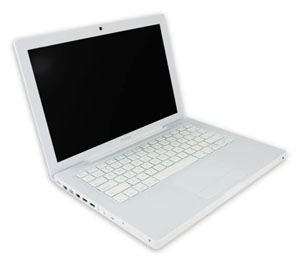
    mac.jpg

    Those of you who’ve known me for a while know I used to take a hard line against Apple. It was mostly the fan boys who would buy things solely because they were made by Apple that annoyed me. Then a little over a year ago, I made the switch from Windows to Mac. I was caught up in the shine of this new relationship and new OS and everything was new and excited, and new. But I’ve got some news for you: the Mac is just another computer.

    Let me start by saying this: I like my Mac. It’s nice- it’s got great features and very cool ways to navigate through applications and Coda, a Mac only program, has changed my life. However, I miss Windows’ superior file system and resource management, as well as it’s overall compatibility with more things. Essencially, though, I think the Mac is just a grossly overpriced PC.

    Anyone who has ever said they’ve never had a problem with their Mac falls into one of three categories: They just got it, they don’t use it that much/for that much, or they are a liar. I’ve had to restart mine several times because it has frozen on me, I constantly get bothered for updates, and sometimes it runs slow as hell. Two of friends, whom I see on a regular basis, have had theirs crash on them. That’s just the nature of having a computer, and a Mac is just a computer.

    It’s for that reason that I still don’t recommend them for general use. If you’re doing some very specialized thing, maybe it’s for you. Good luck upgrading it when you want to though- that is a huge problem for me. I will keep my Mac until it dies and I can’t say for sure if I am going to buy a new one. I am building a new PC soon, and am very excited to try Windows 7. If Windows 7 works for me, probably not. I can guarantee that I will probably never be a solely Mac OS person.

  • Gloss WordPress Plugin

    Today, I officially released my first public WordPress plugin, Gloss. Gloss is a dictionary/glossary management plugin I decided to build which upgrading Manifest Development (more on that later).

    It’s a fairly simple plugin that’s still very much in beta as I’m looking to do user testing on it, since all my WordPress blogs are 2.7 and on the same server. I’ve created a page for it here with some extra instructions, to do list, and feedback form. If you have WordPress, give it a try! It’s much appreciated and I’d love to hear your feedback. Thanks!

  • Favorites of 2008

    So this may be a little late, but hey- I wanted to be sure about what I was writing; and this year there were a couple late-in-the-game entries. Here is my first [annual?] favorites post. Covered this time around: new tech toy, website, software, movie, music.

    Favorite Tech Toy: Blackberry Storm
    This was a tough one considering: A- I’ve only had the Storm for 1.5 weeks and B- I got my first Mac this year. But the Storm is the best little device I’ve ever used. The UI is easy to get used to, it’s very versatile, and it can do a lot. I love the full browser and 3.2MP Camera, which my old blackberry lacked. And I know, the iPhone has had it forever. But it doesn’t have a click-screen or several options for an onscreen keyboard, which IMHO is a big plus. Because of the Storm, I could sell my old Blackberry, and my iPod Touch.
    Favorite Website: Freelance Switch
    As a freelancer, I am constantly looking for advice and tips on accounting/financial, legal, and client issues. Freelance Switch is a great resource with authors writing about all that and more. Plus, they have freelance job boards, forums, and ebooks, making the site a one stop shop for any freelancer.
    Favorite Software: Coda
    The ultimate Web Development IDE and one of the top reasons I’m a Mac user. Along with your run of the mill highlighted syntax, it suggests php functions, HTML tags, and CSS elements and attributes. It also has a visual CSS editor, built in shell for SSH, access to ebooks, and built-in FTP. It makes web development 100x more efficient.
    Favorite Move: The Curious Case of Benjamin Button
    All the way up until Christmas, when I saw this movie, I was sure The Dark Knight was my favorite movie of ’08. However, Benjamin Button is a fascinating story that takes you through the 20th century via the tale of a boy born an old man and aging backwards. It’s skillfully done, Pitt and Blanchett are awesome, and the movie raises some interesting points about relationships of all kinds. A must see.
    Favorite Music: Anberlin
    I’ve liked Anberlin as long as I’ve heard of them, but 2008 was different. They put out a new album, which I love. I saw them at an amazing show in Philly, and they are actually getting radio play. My brother will be disappointed I didn’t pick Guns N’ Roses and the release of their long awaited CD, Chinese Democracy (which I’d also recommend), but Anberlin wins it this year.

    So there you have it. My five favorites of 2008. What do you think?

  • Acer Aspire One: Review

    Acer Aspire One

    Two weeks ago Tuesday I decided to purchase something I’ve been looking at for a long time: a netbook. Tiny, cheap, a little weak on performace, but perfect for doing web based stuff. After two weeks with the Acer Aspire One, I’d say for $400 this little machine is worth it. For reference, the main specs are: Windows XP, 1.6Ghz Intel Atom CPU, 1GB RAM, 3-cell battery, 120GB hard drive, 8.9″ display.

    Let me get the gripes out of the way first: The keyboard and trackpad are a little tough to get used to, which should be expected. The battery life could be a little better, but I could always buy a spare. And the WiFi at times is flaky, a problem that can be solved by restarting (which solves most problems in Windows). Other than that, I’ve had a very pleasent experience.

    When I got this I was curious to see if I could manage with just this during the day while I was on campus. My day-to-day work includes web development and other programming, instant messanging, checking email, and listening to music. The last three can be taken care of on the web, using Meebo for IM, GMail for email, and Pandora for music. My concern was the software development stuff. Eclipse, my IDE of choice, is pretty heavy duty stuff. As it turns out, Eclipse takes a little while to start up and at times runs slower than desired, but it doesn’t hinder my productivity. I actually slightly underestimated the performance of this little machine.

    However, there are some things to consider. As I mentioned, I run a lot of programs from the browser. I can do email, IM, music, Office (using GoogleDocs), and much more using just my web browser; and for that I use Google Chrome (which is by far the fastest browser I’ve used). So being concious of performance constraints, I was able to come up with some easy work-arounds and get more bang for my buck.

    There are several limitations working on a netbook. For one, if you can’t work on a small display, this might not work for you. Also, I haven’t tried running more than Google Chrome and my development environment on it- but I don’t have a lot of faith. While my development environment is pretty demanding, I have a feeling once you read more than four major applications- IE or Firefox, AIM, Microsoft Word, and iTunes for example- you will see a big degradation in performance. That’s why my work around relies heavily on my broswer. If you don’t use a lot of web based resources, you might want to look into them before purchasing a netbook.

    My conclusion is just what I thought it would be: this is great machine for web based stuff (and even some heavy lifting), but I could never make it my primary computer. I have several tools on my primary computer that just wouldn’t work on this netbook, and furthermore goes beyond what I think the netbook was created for. All-in-all, it was a very good purchase for me, and I think it would be a good purchase for someone looking for a cheap second machine.

  • Updated: What Android Means for the iPhone

    Android Logo

    I could go on to talk about all of the nuances in Android, what I have seen and why I think it’s better than the iPhone, but I feel that would be an exercise in futility. Those in the iPhone camp will think what they want about the user interface (UI) and features no matter what. That goes the same for people in the Android camp. However, there is one very important thing Google did that Apple did not. They made Android completely and unconditionally Open Source (OS). What does this mean for the consumer? Well before I get to that, I want to talk about what it means for the developer.

    As a developer, I really like ease of use and writing an application for the iPhone is anything but. I have to apply to the iPhone Developer’s program. I have to download a pretty hefty program (called a Software Development Kit or SDK) in order for me to write an application. And there are limitations as to what I can access on the iPhone to write my app. Then if I want to submit it to the iTunes App Store (the only place I am allowed to distribute my app), I have to pay the iPhone Developers fee. They will also take 30% of my asking price. Oh and by the way, I can only do all of this if I have a Mac. Then I have to hope Apple lets me keep my app in the store. While this is likely, there have been a few incidences where apps have been taken out of the app store with no reason given. My point is this: Apple holds a pretty tight leash on the entire development process. This is in stark contrast to developing for Android.

    I was up and running in literally minutes with Android’s SDK. Download the fairly lightweight program, follow the direction on the Android SDK’s site, and moments later, I had the sample program running. I can write an app to do whatever I want; even replace the dial screen, address book, or anything. When the G1 debuts, developers will be able to add their app to the Android Marketplace at no cost. However, if you want to distribute your app via some other avenue, that’s fine too. The point: it’s all up to the developer. So back to the original question- what does this mean for the consumer?

    There is more incentive to release free apps. iPhone developers face a higher financial risk because it’s costing them money right off the bat. Why should they write an app for free? With Android, there is no risk. The only cost to the developer is time. Plus, there are virtually no restrictions on developing for Android. I can write an app on any computer (PC or Mac), to do whatever I want, and distribute however I want. That’s convenient for the developer and therefore convenient for the consumer.

    My bottom line is this- Android gives developers the power to do whatever it is they want to do with Android. That means the world’s first phone that can be tailored precisely to your liking. I think it was Morgan Freedman who said it best- “My my, isn’t that something?”

    *This was originally published on Oct. 2nd in my school’s student run newspaper, The Aquinas.

    Update: The G1 is out today! And, Google has released Android’s Source Code

  • Tech Lust

    Hi. My name is Joe Casabona, and I have an technology addiction. Over that last few weeks I’ve been accumulating a list of tech stuff I really want, and subsequently try to justify buying. Of course, money is also a contributing factor, but I can probably move some funds around, right?

    The short list of stuff includes:

    • The Dell Mini PC– This one I think I can justify buying because it’s a cheap laptop that runs Windows, an OS I currently lack. I have reservations about dual booting my Mac or running a program like parallels. I want to keep the two separate and run them simultaneously. This would allow me to browser test in IE, as well as do somethings I can’t do (or do well) on my Mac (I’m talking to you, Blackberry). Speaking of…
    • The Blackberry Bold– I am waiting on baited breath for the day this phone comes to Verizon Wireless users. This phone has literally everything my Blackberry does not- better (full) browser, updated OS, camera, WiFi, regular sized headphone jack. I cannot wait for this one.
    • Sega Dreamcast– I was in my local video game shop the other day, reserving The Force Unleashed, which I got a feeling of nostalgia for the great but underrated gaming console. Looks like I’ll be scouring ebay soon.

    Of course, there are plenty of other things, like a bluetooth receiver for my iPod Touch, etc, etc. Those things I can probably buy on a whim depending on how good I fee. And what, might I ask, are the tech things you really want to buy?

  • Google Chrome

    I wasn’t going to formulate any real thoughts on this. I am solely a Mac user so I have to wait a little longer to use Google Chrome, but after reading this helpful comic and giving it some thought, I can make some speculations as to what Google Chrome means for Google, and browsing in general.

    First, Chrome is a lot like an operating system in a lot of ways. Multi-threads, each tab has its own process, a javascript virtual machine with better garbage collection (among other things), and its own task manager. Over the years there has been a lot of speculation of a Google OS and this I think, brings us one step closer to that. I can easily see it having better integration for Google Products and for core Google users, that would be clutch.

    Also, it has better Gears integration. Now this one is a more whimsical thought, however with the advent of Gears and being able to browse offline, there might be some intention to allow for offline browsing of any site you’ve visited. This would be especially useful for those of use who rely on web apps on a regular basis and may be stuck without an internet connection.

    I only know this for certain- everything Google does is a measure and calculated act. Especially considering their great relationship with Mozilla, there is a lot of motive behind Google Chrome and I think we will begin to see what it is in the coming months.

  • Cuil: First Impression

    Cuil Result for Joe Casabona

    The buzz today has been about Cuil, a new search engine that is challenging the current champion of the interwebs, Google. Pronounced “cool,” Cuil makes the claim to have indexed more pages than Google, and in a better way too! That’s quite the claim, and IMHO, Cuil needs to heat up a bit (sorry).

    Even though I am pretty biased towards Google, if you’re going to challenge them, you better come up big. Cuil certainly does not. My first search was my name, Joe Casabona. The first five results that came up were comments I made on sites, or my name mentioned on another page. The next one was finally my personal site and Google’s first result, Casabona.Org. But as you can see by the pic on the right, they botched that too. The photo with the result, while it kinda sorta looks like me, is not me. I don’t even host that picture. In a Google Image Search of my name, that pic isn’t in the first three pages. What gives?

    The design isn’t that great either. My eyes bounce back and forth between the columns of results, making it difficult to easily find what I’m looking for. And the site is pretty slow. I understand maybe you’re getting more traffic than you expected, but I’m holding you to the fact that you’re claiming to be better than Google.

    Over all, I didn’t have a great experience with Cuil. Besides, since they are ‘changing search,’ what does that mean for my current sites and the way I Search Engine Optimize?