Gear

  • Since I started running again last month, a number of folks told me they listen to podcasts to make the run go by faster.

    I’ve always been a music listener because I tend to run to the beat, use it to get my pumped up, etc.

    But I’m always open to new ideas!

    Anyway, Overcast has been my long-time podcast app of choice, but the experience with downloading episodes to the Apple Watch has been incredibly frustrating and unpredictable. And I’m only taking my watch with me on runs.

    Turns out, I’m a lifetime member of Pocket Casts +, which means I’m privy to some great features, including Watch support. So I’ve decided to switch over to that for a week or so to see if it’s better.

    I’ll likely do a comparison write-up in the near future, either here or over on Podcast Liftoff.

    If there’s anything you want to know, leave a comment!
  • One Week with the Apple Watch Ultra

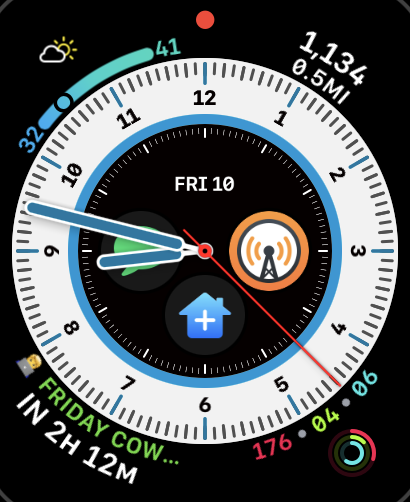
    It’s been a week with the Apple Watch Ultra and I love it.

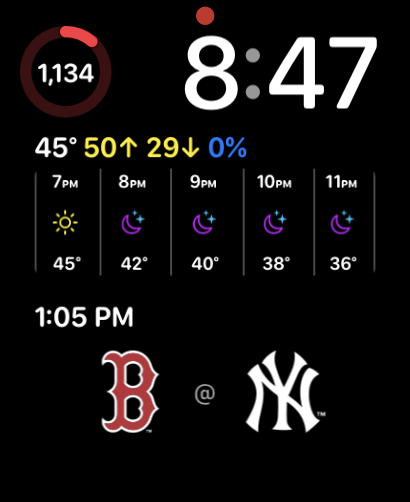
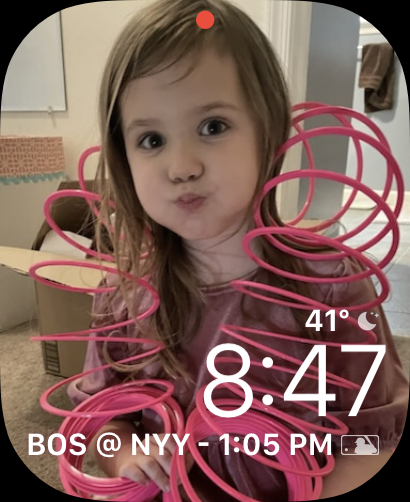
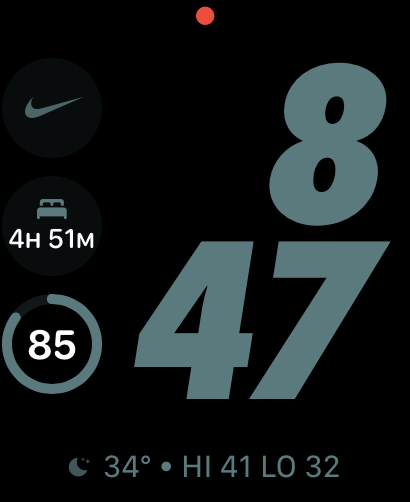
    I like big watches in general, so the extra screen real estate is clutch. I have a few faces I’ve been using with it, depending on Focus Mode and Context:

    There are a few things I really love about this watch, outside of the bigger face:

    • The incredible battery life. I can get about 2 days without charging it at all. Which means I get to use another new-to-me feature
    • Sleep tracking. I’ve never been much of a sleep tracker, but at the end of this month, I’m doing a sleep study where I’ll certainly be diagnosed with sleep apnea. I’m excited to compare the data on the watch to data from a proper study.
    • The Action Button. Right now I have it executing my “idea” shortcut, but I might change that (see below).
    • The Swipe Keyboard. I like that I don’t always have to talk to my watch.

    There are a few quibbles I have, which might have less to do with the hardware, and more to do with the software:

    • Forced keyboard usage for input. I’d much rather the watch default to talking (or at least make it a setting). Because of that, I might change the Action Button, since that forces the keyboard and using voice to execute the shortcut does not.
    • No Battery Tracking. This was an issue I had on the Series 5 too. I like that I can see battery stats on my iPhone. I wish I could see it on the watch too. Some app (I think Overcast) went haywire and crushed my battery at one point.

    Those are it though! Since the battery life is so good, I’ve decided I’m also going to experiment with leaving my phone at home more and rely on the watch for communication and notes. We’ll see how long it lasts.

  • The Peak Design Everyday Case

    I have never been a big fan of cases. I don’t like my phone1 to be bulkier than it needs to be.

    And for a long time, I didn’t need them. I was flummoxed by people who broke their phones. The first time I had to use phone insurance for a shattered device, my wife, then girlfriend dropped it2.

    But recently, I find myself dropping my device a lot. I’m trying to do too many things, multitasking while also trying to be a dad to 3 small kids, and my phone gets dropped (or picked up by my children, and then dropped).

    Suffice to say, I’m willing to invest in a $12-50 case if it means I don’t have to pay $100 to get it repaired before trading it in.

    I wanted a good mix of sleekness and protection, and thought I’d go with the Caudable Sheath, which has been drop tested up to 6.6 feet. I’ve used it before and really liked it.

    But I also decided to try the Peak Design Everyday Case. I like their bags and other gear, it looked nice, and they have a whole accessories system3.

    And my friends…I’ve seen the Promised Land of phone cases. It’s so good.

    photo from peakdesign.com

    It’s slimmer than the Sheath and nearly as protective – 6 feet vs. the Sheath’s 6.6 feet.

    It’s sturdy with all of my current MagSafe accessories, and I also got the mini tripod. It’s great for photos, as well as watching or hands-free reading.

    If you’re in the market for a new phone case, I highly recommend the Peak Design Everyday Case. It’s won me over. It will be the case I buy for new phones as long as they make it.

    1. Or any of my devices for that matter ?
    2. She is a phone assassin. I call her that to her face. ?
    3. I love phone accessories. ?
  • The Belkin MagSafe Mount for Studio Display

    I ordered the Belkin iPhone Mount with MagSafe for Mac desktops and displays in December, and it came in last week. My initial impression: it’s nice — way nicer than the laptop one.

    Here’s the shot from my iPhone on the mount, first with, then without, Center Stage:

    Here’s what I like about it:

    • It’s compact and folds up nicely
    • It’s fully adjustable for tilt, and the head slides so you can adjust the phone to sit closer or further from you.
    • It can be mounted on a tripod. This will likely replace All of the other phone tripod mounts I have.
    • The MagSafe is quite strong. I have the Peak Design case1 and the phone stayed mounted no problem.

    All-in-all I’m really happy with this purchase. I highly recommend it if you have a monitor and want to use your iPhone as a webcam — whether or not you use Continuity Camera to do it.

    Want a video demo? Join How I Built It Pro

    Here are a few more photos of the mount:

    1. Also MagSafe. More on that later. ?
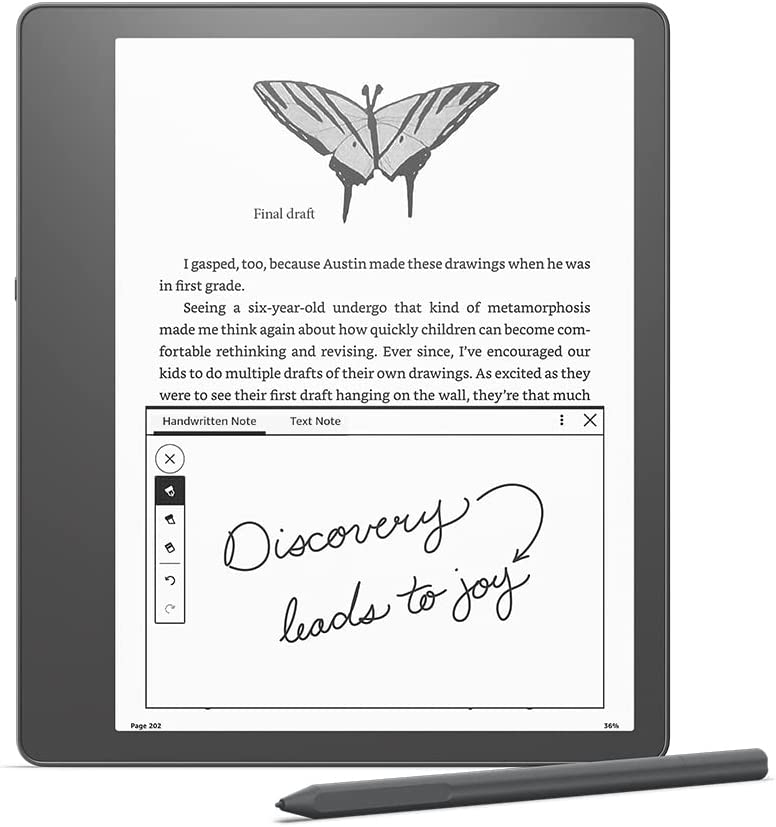
  • Initial Impressions on the Kindle Scribe

    I’ve long considered getting a reMarkable 2 but have never pulled the trigger on it.

    Part of the reason was I’ve always been partial to reading Kindle books and taking notes on them, and my iPad Mini does that fine.

    Then Amazon announced the Kindle Scribe. More affordable, initial deal for Prime members and a good trade-in price for my Kindle Oasis and the $500 device got down to $280. So I bought it. Here are my initial impressions:

    • It’s big, but I don’t think too big. And I love the extra space on one side to grip the device.
    • Reading on it is nice. I can crank up the font size without feeling crowded.
    • I love the notebooks feature. I’ve been using it as my primary note taking device this week and it’s been great.
    • The pen is light and super neat. There’s an “eraser” on the other end, and a shortcut button you can configure. I use mine to highlight.
    • Writing on it feels the most paper-like I’ve experienced on a digital device.
    • If there is lag, I don’t notice it.
    • You can directly markup PDFs. So. Good.
    • The battery life is incredible.

    If there’s one shortcoming, is the lack of ability to get my RSS feeds on the device. I’d love to make this my one and only reading device, but it’s tough.

    That’s not really the Kindle’s fault either. Articles written for the web don’t work well on a book medium.

    If you’d like to see a video demo, become a How I Built It Pro member.

  • My Live Stream Kit

    I routinely get questions about my live stream setup – I use and how it all works, so I thought I’d put together this quick post. If you have any questions, let me know!

  • How to Point a Custom Domain to ConvertKit

    My favorite Email Service Provider for creators is ConvertKit.

    It’s flexible and has a ton of features for sorting, tagging, and even selling products. In fact, if I need to spin up something quickly to sell a digital product, chances are I’m using ConverKit.

    A big contributing factor to that is the ability to point to custom domains. Imagine having a website where you can sell digital products without having to actually build a website? That’s what ConvertKit allows you to do. So today I’m sending you a video tutorial on how to point a custom domain to ConvertKit, which you can use for landing pages, eCommerce, a members-only newsletter, or anything else you can think of.

    I’d love to hear your thoughts. How can this help you? Let me know!

  • 3 StoreBuilder Features That Make it the Best eCommerce Solution

    Ah, the age-old question: do you want ease of use, or the freedom to do with you want with your eCommerce store? Shopify is easy but expensive (especially since they take a transaction cut). But WooCommerce and other self-hosted platforms are hard to set up and harder to maintain…until now.

    With Nexcess’ StoreBuilder, you can have the best of both worlds: the ease of use from Shopify, and the freedom and flexibility of WordPress/WooCommerce. Here are my Top 3 features of StoreBuilder:

    1. A simplified WordPress Dashboard menu. The Dashboard can get extremely messy – especially when you add in WooCommerce. With StoreBuilder, the team rebuilt the menu to make it more simplified, which in turn makes it easier to find the crucial areas you need to run your online store.
    2. A vastly improved Setup Wizard. The WooCommerce wizard is fine, but the StoreBuilder wizard is next level. You can choose from tons of great designs, make customizations, and set up your shop in a few clicks. Plus, you don’t have to worry about upsells! It even includes helpful videos from WP101 directly inline, to help you along.
    3. Access to lots of premium plugins. One of the great things about StoreBuilder is that you get access to premium plugins you’d otherwise need to pay for. From security and backups, to abandoned cart plugins, you get everything you need without any fuss.

    Try StoreBuilder risk-free for 30 days. Then it’s just $19/mo.