Computer Stuff

  • Use Google Docs to convert MS Works to Word

    A lot of people who use Windows have access to Microsoft Works, Microsoft’s free ‘solution’ to Office. Today my brother asked me how he would convert a Works word processing document (.wps) to a Word document (.doc), since he did his homework using Works but didn’t have access to that at school- they only have Office. I have Works and was going to convert it using that when I noticed GMail gave the option of opening the .wps using GoogleDocs. As it turns out, GoogleDocs supports .wps documents, which you can then convert to .doc by going to File->Download file as->.doc. It’s as simple as that!

    While it may not always be an option people go to (since you can save a .wps as a .doc in Works), it is one that is readily available just so long as you have an Internet connection. I feel it’s one of many smaller features Google adds into the products that give the user a whole lot of convenience.

  • Updated: What Android Means for the iPhone

    Android Logo

    I could go on to talk about all of the nuances in Android, what I have seen and why I think it’s better than the iPhone, but I feel that would be an exercise in futility. Those in the iPhone camp will think what they want about the user interface (UI) and features no matter what. That goes the same for people in the Android camp. However, there is one very important thing Google did that Apple did not. They made Android completely and unconditionally Open Source (OS). What does this mean for the consumer? Well before I get to that, I want to talk about what it means for the developer.

    As a developer, I really like ease of use and writing an application for the iPhone is anything but. I have to apply to the iPhone Developer’s program. I have to download a pretty hefty program (called a Software Development Kit or SDK) in order for me to write an application. And there are limitations as to what I can access on the iPhone to write my app. Then if I want to submit it to the iTunes App Store (the only place I am allowed to distribute my app), I have to pay the iPhone Developers fee. They will also take 30% of my asking price. Oh and by the way, I can only do all of this if I have a Mac. Then I have to hope Apple lets me keep my app in the store. While this is likely, there have been a few incidences where apps have been taken out of the app store with no reason given. My point is this: Apple holds a pretty tight leash on the entire development process. This is in stark contrast to developing for Android.

    I was up and running in literally minutes with Android’s SDK. Download the fairly lightweight program, follow the direction on the Android SDK’s site, and moments later, I had the sample program running. I can write an app to do whatever I want; even replace the dial screen, address book, or anything. When the G1 debuts, developers will be able to add their app to the Android Marketplace at no cost. However, if you want to distribute your app via some other avenue, that’s fine too. The point: it’s all up to the developer. So back to the original question- what does this mean for the consumer?

    There is more incentive to release free apps. iPhone developers face a higher financial risk because it’s costing them money right off the bat. Why should they write an app for free? With Android, there is no risk. The only cost to the developer is time. Plus, there are virtually no restrictions on developing for Android. I can write an app on any computer (PC or Mac), to do whatever I want, and distribute however I want. That’s convenient for the developer and therefore convenient for the consumer.

    My bottom line is this- Android gives developers the power to do whatever it is they want to do with Android. That means the world’s first phone that can be tailored precisely to your liking. I think it was Morgan Freedman who said it best- “My my, isn’t that something?”

    *This was originally published on Oct. 2nd in my school’s student run newspaper, The Aquinas.

    Update: The G1 is out today! And, Google has released Android’s Source Code

  • Google Chrome

    I wasn’t going to formulate any real thoughts on this. I am solely a Mac user so I have to wait a little longer to use Google Chrome, but after reading this helpful comic and giving it some thought, I can make some speculations as to what Google Chrome means for Google, and browsing in general.

    First, Chrome is a lot like an operating system in a lot of ways. Multi-threads, each tab has its own process, a javascript virtual machine with better garbage collection (among other things), and its own task manager. Over the years there has been a lot of speculation of a Google OS and this I think, brings us one step closer to that. I can easily see it having better integration for Google Products and for core Google users, that would be clutch.

    Also, it has better Gears integration. Now this one is a more whimsical thought, however with the advent of Gears and being able to browse offline, there might be some intention to allow for offline browsing of any site you’ve visited. This would be especially useful for those of use who rely on web apps on a regular basis and may be stuck without an internet connection.

    I only know this for certain- everything Google does is a measure and calculated act. Especially considering their great relationship with Mozilla, there is a lot of motive behind Google Chrome and I think we will begin to see what it is in the coming months.

  • How to Learn a New Programming Language

    As I said in the last two posts, Google I/O was truly inspiring. It got me to thinking about how I program, what languages I chose to do it in, and what I can do to become a better software developer. Two things I will be doing are getting more proficient with Java (especially for my Master’s Thesis) and learning Python. I’ve begun going through and learning some of the syntax and nuances of Python and found I follow a pretty similar (and effective) pattern for each language I learn. (It’s worth noting that in the following, I assume the reader has at the very least read about programming and has some language to learn in mind.)

    First, pick up a book. I usually go with the for the Absolute Beginner series. It taught me PHP/MySQL and did it in a very effective, modular way. The authors don’t assume you know how to program, but the books aren’t so slow that if you have, you’re bored. They also provide the tools you need to set up your environment, resources, and all of the book’s sample code on a CD. Each chapter takes you through 2 or 3 smaller programs, and builds a full one at the end. In my opinion, they have the perfect combo of code and text.

    Then, build one program. Just one- and continue to expand it as you learn new syntax. I build a “Guess the number” game. It’s a simple problem with an easy solution that you can expand on. My plan of action for this program goes like this, following along with the book I’m using.

    • Basic print statement. Something like "I'm thinking of a number..."
    • Variable assignment. Hard code the first number you want the user to guess. That way you know the right number and can check your logic for the next step. x= 3.
    • Get input from the user/store it in a variable. guess= get_input("What's your guess").
    • If statements. If guess == x: print something, else: print something else.
    • While loop. Do something like prompt to user to see if they want to guess again, accepting yes or no. while keepGoing != no: doing it again

    These five basic steps show you the important basics- input, output, and flow of control. The next few steps could be language dependent, but you can also take some liberties and get creative.

    • Change x to a random value. If the user wants to guess again, the number will now change. x= rand(0, 10).
    • Allow the user to enter five guesses at a time. This will do a couple of things for you- make use of an array, and use a for loop.
    while i <= 5: 
       guesses[i]= get_input("What's one of your guesses?")
       i= i+1
    				
    for guess as guesses: 
       if guess == x: print something, 
       else: print something else
    
    • Write a function/method to check if the guess is correct. It might be a trivial thing to do here, but you're really just doing it to learn the syntax.
    • Create a 'Guesser' class. This of course assumes you're using an object oriented language. Write one class with functions to prompt the user, store the input and make the guess, etc.
    • Finally, try storing the results in a file. Keep a counter for how many times the user, plays, and for each time, store each guess, the actual answer, and if they got it right or not.

    With these steps, you're learning a new control structure, how to use arrays, write to files, and most importantly how to modularize your code through functions and classes. I think with that, you will know enough basic stuff about the language to go off and write some other less trivial programs.

    After that, it's really up to you to dig deeper into the particular language you are learning to really make use of its power. The Absolute Beginner books take you beyond the above exercises and do some language specific things. With PHP, it was creating a web app and connecting to a MySQL database. With Python, it looks like you build a basic game. With Java, you should probably explore Generics or threads. Either way, once you learn the basic syntax, it's time to harness the true power of the language.

    My last piece of advice is to pick up the O'Reilly cookbook for that particular language. They're usually for a more advanced user of the language, but are extremely helpful in doing specific things. The PHP and Java Cookbooks have helped me immensely.

  • The Switch

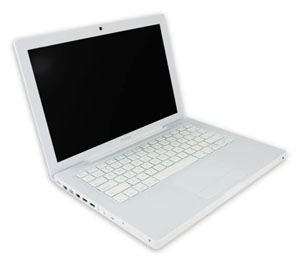
    macbook

    Surprise, shock and amazament are just some of the reactions I got when I told my friends this: “I made the switch to a Mac.” Now I’ve express my excitement about Macs before, but never actually thought I’d make the switch. The catalyst was that my third Windows laptop in 5 years crapped out on me. I knew it was time for a change.

    There are probably numerous articles out there about ‘making the switch’ and peoples’ experiences, good and bad, about it, So I won’t do that. I will be writing more frequently about stuff for Mac, and more than likely comparing them to stuff for Windows, because deep down I’m still a Microsoft man. But at four days, I will give my first impressions.

    • This will obviously take some getting used to. The interface is drastically different from Windows and I was actually able to pick up on stuff pretty quickly. But the whole file system, app navigation, etc. is not native to me (but I’ve got to say the app navigation is awesome).
    • Spaces and Expose are my best friends. It makes app navigation so easy. Also, F3, which shrinks all of the windows so you can easily select one- genius.
    • The Dashboard. The widgets are great. I thought I had everything at my fingertips with a simple Google search. Now I literally have all the info I want with the push of a button.
    • As a programmer I feel the development environment will be very different, and hard to adjust.
    • However, with amazing Mac only programs like Coda and Things, I think I’ll survive.
    • I still hate iTunes. Sorry guys, I just don’t like it. I need to find a good alternative (hopefully Microsoft will get on releasing WMP 11 or Zune Player for Mac soon, but I won’t count on it).
    • Syncing my Blackberry seems to be a pain. I did it once successfully and now it gets stuck when I try to sync my Tasks. I’ll have to do something about that. I hope PocketMac supports Entourage 12 (2008) soon.

    Well those are my first impressions. I’d like to do a write up on Coda, Things, and some other applications when I have time, but with the Spring semester starting in less than two weeks, I can’t promise anything.

  • A List Apart Web Design Survey

    ALA 2007 Survey

    Last week, popular web development website A List Apart (ALA) released the results of it’s 2007 Web Design Survey. I’ve spent the last few days reading over the 82 page document and found a good amount of the results interesting.

    • Over 80% of the respondents were White Males
    • 48% came from the USA
    • When asked if they were excited by their field, 43.6% said Fequently, 35% said Very Frequently, meaning 78.6% like what they do most of the time.
    • About 20% want to start their own business as their next move.
    • Of that 20%, 89.9% were men.
    • 47.9% are in the salary range of $20,000 – $80,000, where 52.3% have been in the industry 5 years or less.
    • 1/2 of the people in my age group (21-24) make less than $20,000. Something to consider is most people who graduate college are 21 or 22.
    • ALA found that Job Satisfaction increases with age. I think this is because when starting out, (for me anyway), you’re not doing the cool and exciting stuff you’d like to. My internships consisted mostly of fixing HTML, and not any real development.
    • Of those who saw an age bias, Under 21 and 21-24 combined made up for 70.2% of the respondents.
    • 22% of female respondents saw gender bias, where only 1.5% of male respondents did. (NOTE- that is 22% of the females, which made up ~16% and 1.5% of the males, which made up ~84%).

    What was most surprising to me was how big the gap between male and female respondents is. I knew the computing field is male dominated, but I didn’t think it was that one sided. This survey also gave me a pretty good idea of what I can expect as a salary once I get out of Grad School. You can download and review the results here, and if you are a web professional, I strongly recommend it. It’s extremely informative.

  • How to Develop a Website pt. I

    Design a Website

    Over the summer I did a good amount of web design. I have been developing websites for almost 7 years now and have been inventing and reinventing my process as I’ve gotten older, more mature, and a better developer. This summer I got to evaluate my process to see what I should change about it- how I can make it better. I’ve come up with a five step process to take me from start to finish. Number one, Planning, is by far the most important part.

    A problem I often run into is that user requirements, what a client defines as necessary for their website, change a lot. Recently one client I was working with changed the entire scope of the site, changing the necessary information being posted on it and thus changing just about everything about the site. That is why it is critical to nail down the details as much as possible before any coding starts. Sit down with your client, face-to-face when possible, and ask them to describe in as much detail as possible what they want their website to accomplish. Take down notes and write any of your questions or thoughts down. Then try to formulate something for them. This doesn’t have to be on the spot, and probably shouldn’t be. Schedule a follow-up meeting to make sure you interpreted what the client said correctly.

    At the follow-up meeting, propose something. Most clients will not be computer savvy and will rely on your input. Don’t be afraid to make suggestions as to what you think will work or more importantly, what won’t. They see you as the expert (because you are) and the input is usually welcomed and valued. It’s also important at this follow-up to make any final pre-development changes and tie up lose ends. Add the proposed website/requirements to a contract and both of you sign it and initial each page.

    Once this happens, and you have requirements nailed down and decided on, it’s time to move to part II- the mock up.

  • Twitter & Productivity

    Twitter

    Twitter, a website that allows you to post short (140 characters or less) updates, has been becoming more and more of a productivity tool. I have been a Twitter user since April, but haven’t really started using it until just recently. With integration for Google Calendar, Remember the Milk and GTalk among other things, using Twitter isn’t just a fun little app anymore. It’s a tour de force of productivity for those who use it right.

    First thing first: Anything I can do from IM is a great thing. While it’s AIM support has been on and off and is currently off indefinitely, the recently added GTalk support is awesome. I can send updates from GMail or my desktop quite easily now, as well as eliminate those direct message emails I get by just allowing Twitter messages to go to IM. Plus, I have GTalk for my Blackberry, which is an added bonus.

    With a number of different bots, I have all the information I want at my fingertips. Weather, sports, headlines, etc. Not to mention an alarm with Twitter Timer, integration with GCal and especially Remember the Milk. My favorite Tasks web app got better because now I can easily, from anywhere, send a task to my phone.

    Finally, with TwitterBerry, I can easily send updates from my blackberry, without the extra resources required for GTalk. This program was the final nail in the “Use Twitter to GTD” coffin. In the coming days I will be scouring the internet for more Twitter Resources, and frequently checking Retweet for news on new Twitter Bots. So…How do you use Twitter?

  • Desktop Publishing

    I have been doing a lot of desktop publishing lately- Quark Xpress, Publisher, Photoshop for info graphics and the like. I’ve got to say it has been a nice change of pace from the normal coding sessions I have been doing the past few weeks. Once some of the stuff I have been working on is finalized I will add it to my Projects page. As much as I love coding, it’s been nice to do some design work lately. I can only take so many lines of PHP (and recently those lines have been hitting the thousands).

    PS- Once I get time, I’ll be posting some of those projects too!

  • Prey by Michael Crichton

    Prey by Michael Crichton is a SciFi book that focuses on the possibilities of evolutionary programming and nano technology. Problems arise at a nano technology company call Xymos when they lose control of a nano particle swarm. Jack Foreman is called in to help. They used his genetic algorithm, PREDPREY, to program the swarm, and hoped he would be able to get it under control. When Jack arrives, he begins to find out that there is much more to the story than what he has been told. The swarm that has broken free is evolving and fast. They also seem to be reproducing. If they don’t do something fast, they are in a lot of trouble.

    This book was appealing to me for two reasons: It’s a good story, and it goes pretty in depth about genetic algorithms, evolutionary programming, and programming in general. What we see in Prey seems pretty real, possible, and close to being done. Genetic Algorithms are something I have learned about in school and have started to program. Right from the beginning we start hearing about the kind of work that Jack does, and how he views the world, how he thinks, etc. This is a surprisingly accurate representation of the typical programmer. Crichton really did his research. The story also starts to pick up right at the beginning. Jack’s wife is a VP of Xymos, and has been working long hours lately. Her character has changed and he can’t put is finger on why. There is suspicion of cheating. Things start to get weird at home. That’s when Jack is called into Xymos, and goes against his wife’s wishes.

    All in all, it’s a pretty fast read. The continued plot twists, surprises and frightening reality of it all makes it quite the page turner. And the references to programming don’t hurt either.