
Building a Monthly Digest Engine
Earlier this month I made two decisions about the newsletter that you may have noticed:
- I got rid of the “Quick Hits” section (which was mostly my own content) in favor of a 300-500 word section on some top of mind topic.
- I added a monthly digest of all the content I put out during the month, sent on the last weekday of the month,.
The two are related. I still want a way to let my newsletter subscribers know about the content I’ve put out, in-case they missed it. But it also serves 2 other purposes:
- It allows me to promote the month’s podcast episodes one more time.
- The sponsors get one more mention in the newsletter each month.
After putting it together manually, I knew there had to be a better way, so I built version one of a Monthly Digest Engine, designed to aggregate and format all of my links, which I can then add to ConvertKit.
Here’s how I built it.
Version 1 of the Monthly Digest Engine
I should mention that this is definitely a v1, or even a beta, because it’s not where I’d like it to be.
But as you’ve heard my say before, automation is iterative.
First I’ll tell you what it does, and then I’ll tell you what I want it to do.
Constraints
I should also mention that there are a couple of constraints — one can be overcome with a little more research. One appears to be insurmountable.
- You cannot pass HTML to a Google Doc when you append text. It’s very annoying.
- I want multiple sources supported, with sections for each content property.
The Google Docs Setup

First, I knew I wanted to capture content from several sources: my personal site, the podcast, and my podcasting articles and workflows. I also wanted to log interesting links.
Because there’s not an obvious way to create sections in a Google Doc, I decided for Version 1 to have discreet documents for each content property.
These all exist in a folder, but the folder which may come into play in the future.
It’s also worth nothing that I’ve added a blank unordered list to each document. You’ll see why in a second.
Building the Automations
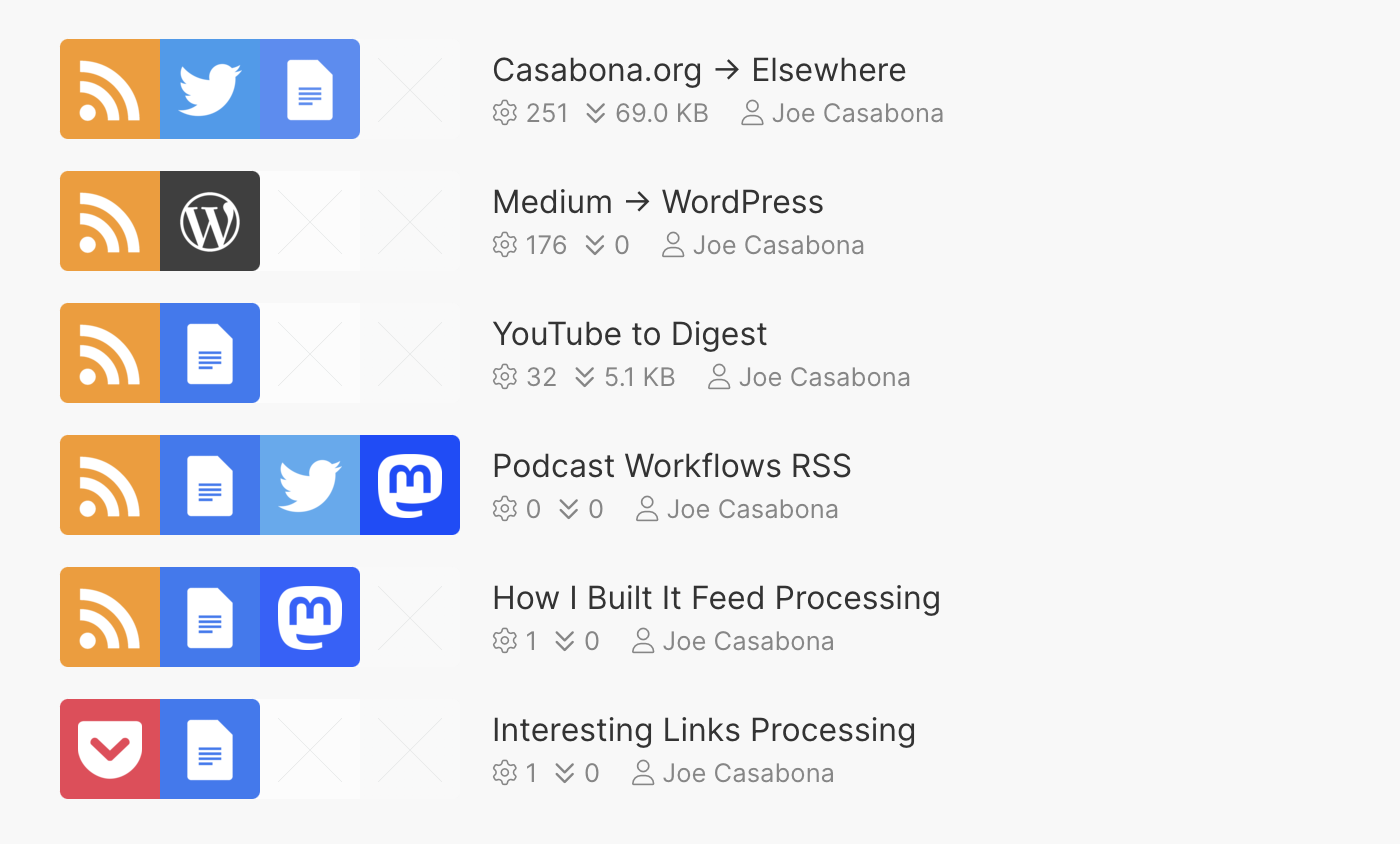
That means on the automation side, I need a single scenario for each content source (mostly RSS feeds, but also Pocket for interesting links).
One of the things I miss in my move from Zaiper to Make is Zapier supports multiple RSS sources in a single Zap.
I feel like that could have been very useful here.
Nonetheless, I have a working solution for capturing the new content as they publish to the feeds.
Sending the Links and Titles to the Proper Google Doc
Once an RSS feed get a new item, the process across automations is basically the same:

I capture the feed into, send it to the appropriate document, and format the text as such:
[Title](URL)
I do this using the “Append paragraph” module.
The second frustrating thing about Make’s Google Docs integration (perhaps a limitation of Google’s API) is that you can’t send HTML or formatted text to the Doc using Append Paragraph.
However, both Google Docs and ConvertKit support Markdown. So I’m sending the text as Markdown.
Oh, and that unordered list? Append Paragraph adopts the style of the text immediately preceding it.
Then, at the end of the month, I collect the links from each doc and add them to a new Broadcast in ConvertKit.
Improvements
There are a few areas where I want to improve this.
The first is a new feature: I want to, at the end of each month, run a separate automation that combines all the documents into one, properly formatted piece of text that I can drop into ConvertKit.
There are a few ways I can achieve this, but I think a Document Template is the way to go.
Then I’d have to grab all the documents from the folder, and combine them into the template.
I could likely use a repeater/loop for this, but I’ll have to test.
Ideally, I’d use Make’s built-in Segments support to have just one document for all of the RSS feeds, and then I could place the links based on header. But I need to figure out how they work first, since I don’t natively get a list headings to search for.
The biggest issue for me is not being able to create formatted text, as it creates a separate, potentially breaking step in the process.
I think in a perfect works, I’d send the digest stuff directly to Craft, which gives me more flexibility. But until I get a Pushcuts server up and running again, that’s not an option.
