
Make vs. Zapier: Why I Moved
January has come and gone, and I’ve made the decision to fully move from Zapier to Make. I’m pleased with the functionality, the workflows, and the considerable cost difference1.
Here are my thoughts after one month with Make:
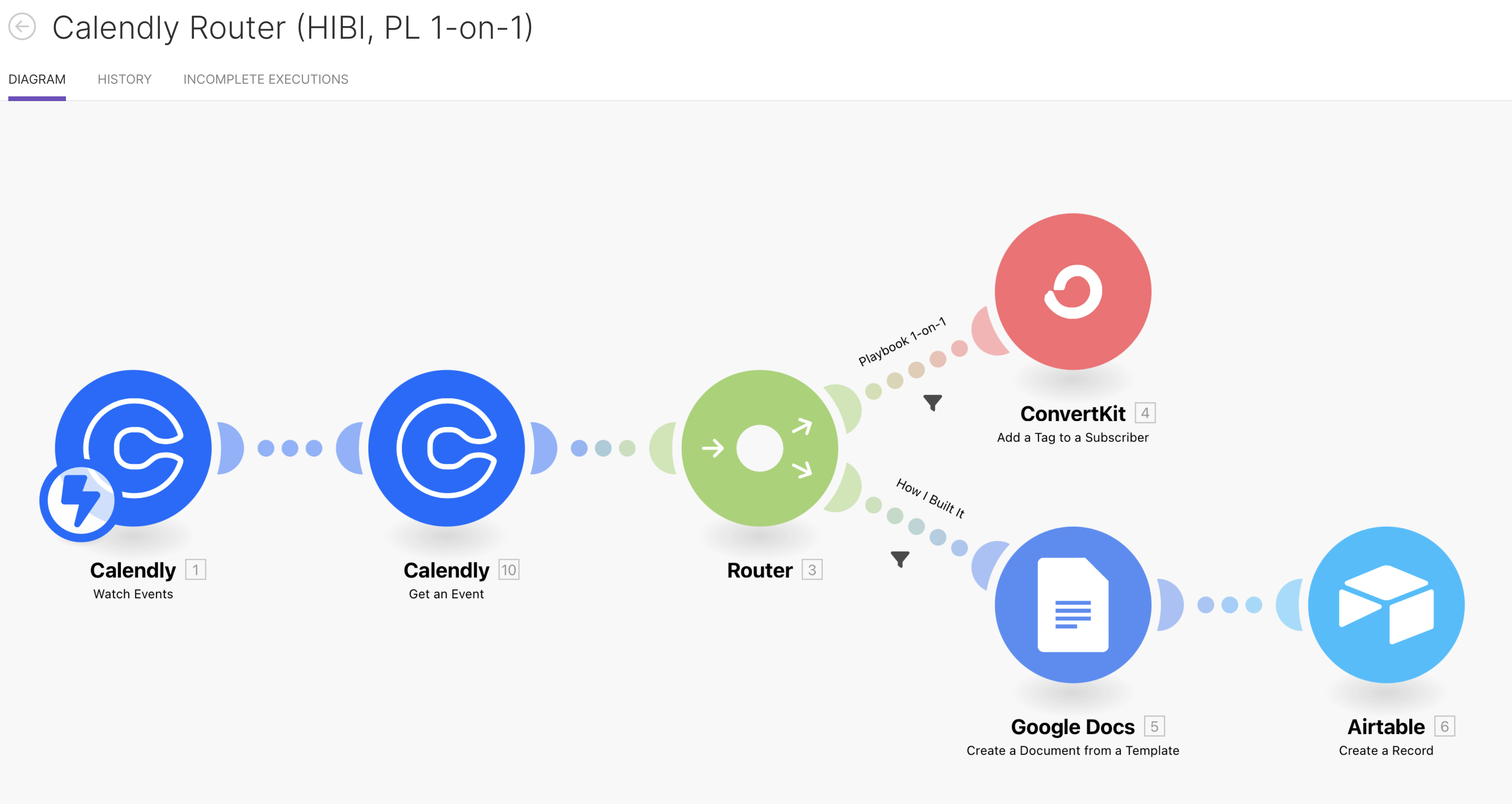
I really love the route building and general design of the scenarios better. The interface is much more intuitive. It’s easier to move things around, insert actions between other actions, create filters, and add routes.
MUCH. Easier.
You do need a little more know-how than with Zapier. Zapier has some tighter integrations with Dropbox and Google. For example, if you want to use your personal Gmail account, you need to spin up an API key for certain actions, instead of just authenticating.
It is a lot more secure though, as you’re not giving complete access to an app. You’re explicitly choosing the services you want the app to have access to.
Along what that know-how, you need to be mindful of how often your scenarios run. Since Make charges per operation, you can’t just let your automations run wild. I ended up hitting the 10,000 operation limit within 2 weeks.
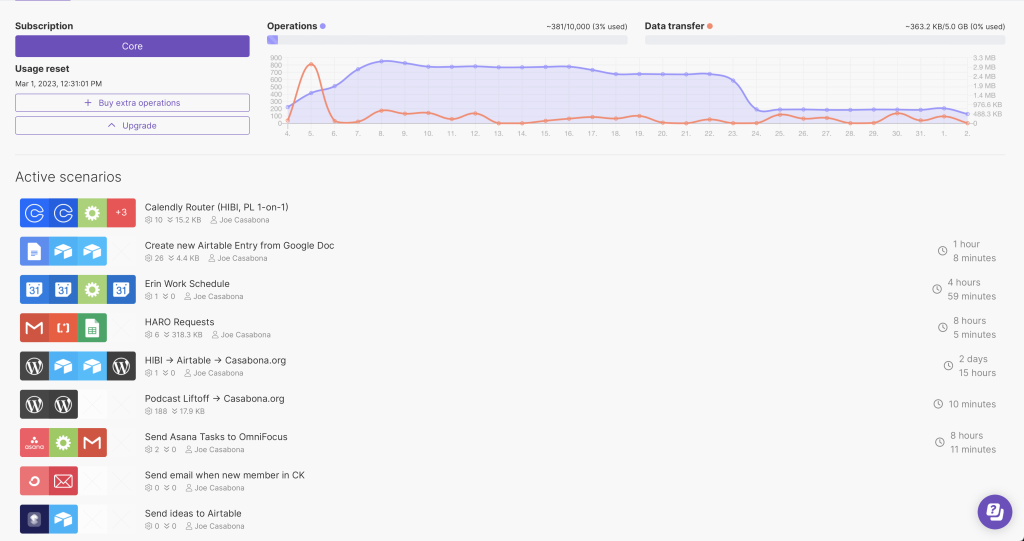
Luckily, I was able to dial them back a reasonable amount and now I’m well within the limits of 10,000 operations per month, giving me wiggle room to add even more scenarios. And for what it’s worth, Zapier has this baked into their much higher cost.
The way to manage operations is to not have them run as often. The default is 15 minutes. I have some run every 2 hours, and some that run every 2 days. This is perfectly fine for me. They still run often enough that it doesn’t bottleneck my workflows. The hardest part was coming to terms with knowing they aren’t constantly running.
Make is much more affordable. I’d need to pay for around 90,000 operations to hit the same monthly costs as with Zapier. If I doubled my monthly operations, I’m still saving $55/mo on the billed monthly plan.
Finally, thanks to re-evaluating my automations, I was able to create more efficient actions, as well as move some automations to the native apps. For example, Vimeo has direct integration with Dropbox. I don’t need Make or Zapier as a third party anymore.
If you have any questions about Make, feel free to leave them in the comments!
- I got a few people tell me that the time savings is worth the month. My friends, the wealthy didn’t get wealthy by wasting money. And IMO, using Zapier over Make if you have more than 5 automations is a waste of money. ?

One Comment
Comments are closed.