
Testing the iPhone + Rode Pod Mic Movie Setup
| |

Testing the iPhone + Rode Pod Mic Movie Setup

I’ve been experimenting with ways to easily use my iPhone as the main camera for my videos, and made some headway when I learned I could use my Zoom H5 as an XLR interface for iOS devices. In this video, we’ll see what my iPhone recording setup looks like, and how I’ll use it moving forward.

Watch the Video

Why an iPhone for Movies?

One of my goals starting with the Podcast Liftoff course is to be in-front of the camera more, and I want a nice looking setup. The best video camera I own is the iPhone 11 Pro Max, which records 4K 60fps on both the back and front cameras. Using it is a no-brainer.

I could set up the front-facing camera so I can monitor myself and the record, and talk away. The big question up until last week was the best way for me to use a good mic with the iPhone (without having to sync them later).

Enter the Zoom H5

Last week I discovered that I could use the Zoom H5 as an audio interface for my iOS devices. I tested it and it worked like a charm! So I picked up some gear (linked at the bottom of this post) to make the most of my SwitchPod.
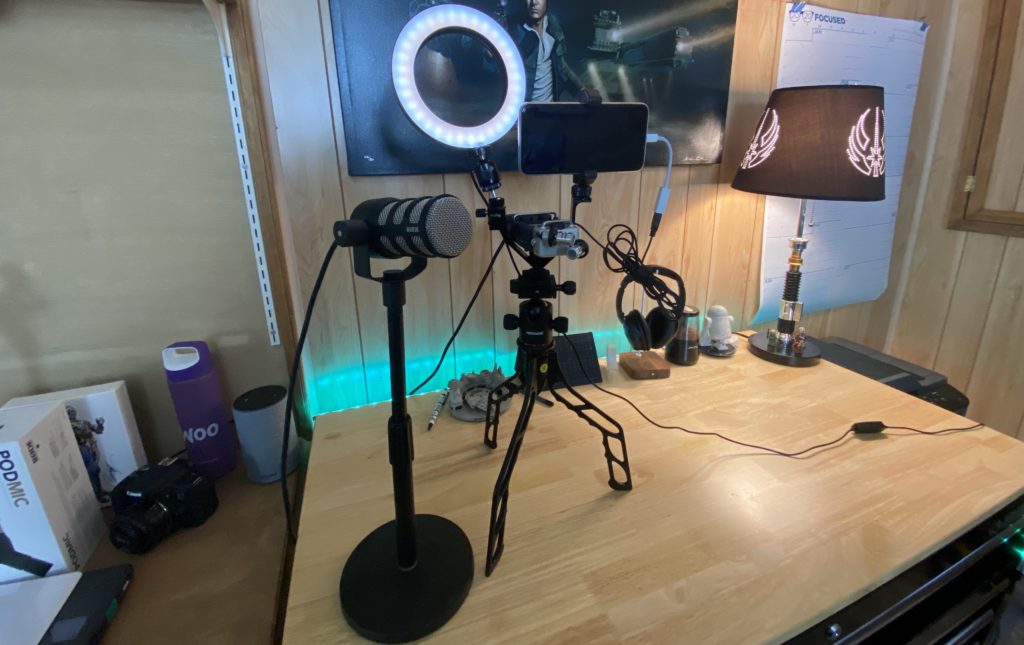
iPhone recording rig

The iPhone Recording Setup

Here’s the general rundown of the gear, from bottom to top:

I have the SwitchPod with a Neewer Ball Head / Hot Shoe. On top of that is a V-Shape Triple 3 Universal Cold Shoe Mount, which holding the recording stuff:

  1. A Ring Light
  2. The Zoom H5
  3. My iPhone

The iPhone is being held be a Studio Neat Glip tripod mount. There’s also some miscellaneous cold shoe threads and adapters, all linked in this iPhone Recording Rig Kit.

I’m using the Rode Podmic in this particular video.

The Workbench
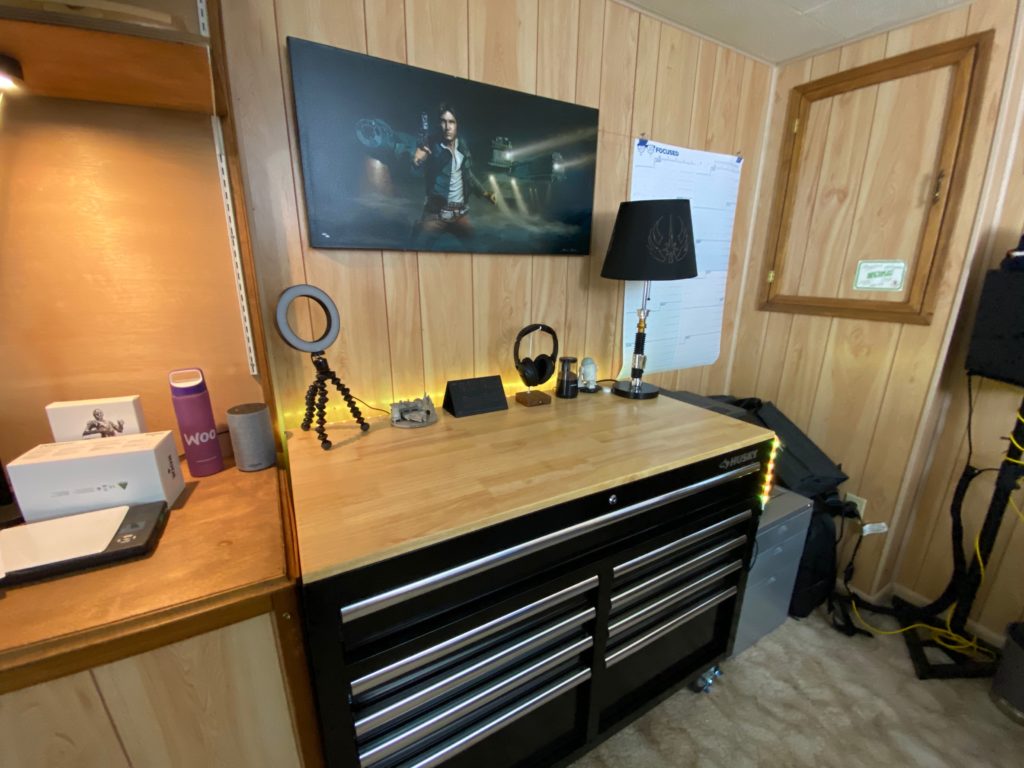
Husky 46" Workbench

I made one more major Cyber Week purchase: The Husky 46″ 9-Drawer Mobile Workbench. It’s spacious, happens to match my desk, and is on wheels.

My ultimate plan is to use the iPhone Recording Rig, perhaps with my full-size tripod, and roll the workbench out to use it as a desk.

Excited for 2020

With this set up in place, I’m excited for 2020! I think I’ll be able to take my videos, courses, and student engagement to the next level.

If you have any questions, leave them in the comments here or on the video. And don’t forget to like and subscribe!

https://kit.co/jcasabona/iphone-recording-rig

Similar Posts

  • | |

    Mobile Matters! Google to change Search Rankings

    If you’ve done a Google Search on your mobile device recently, you may have noticed that Google adds a bit of text in the search results alerting you to the fact that a website is (or is not) mobile friendly. This can have a big impact on your website’s search ranking.

  • | |

    The Switch: Week 2

    Note: This article was published while I was in my early 20s. I was much younger and dumber. Please don’t hold it against me. One of the perils of having a 20+ year old website! About 10 days in and I am enjoying my Mac experience more and more. I don’t know if it was…

  • |

    Should we Charge Extra for IE Development?

    The exact question was worded this way: Has the time come to charge clients extra for getting their site to work in any version of IE? It’s an interesting question to say the least, and one that comes up every so often when a developer is frustrated with something that works fine in Chrome/Firefox/Safari but not…

  • Social Media Kills Original Thought

    What does social media do to your brain? Rot…obviously. Just ask Amanda Goetz, who said this on my podcast: “ I used to open social media first thing in the morning…And just like that, my brain stopped coming up with original ideas. Instead, I’d find myself scrolling through everyone else’s thoughts.” As a creative—someone who…

  • | |

    My Thoughts on Sparrow

    Note: This article was published while I was in my early 20s. I was much younger and dumber. Please don’t hold it against me. One of the perils of having a 20+ year old website!Sparrow is a Mac only desktop email client specifically for GMail. They way they describe it on their website  is this…

  • | |

    Deleting 3 Million Spam Comments from a WordPress Database

    Over at the Crowd Favorite blog, I wrote up a post about an interesting problem I solved recently. I laid out everything you need to know there, but it involves downloading a HUGE database and putting WP-CLI to good use. If you haven’t used it before and you do development with WordPress, it’s super valuable….