
Manifest Development Redesign 2011: The Portfolio
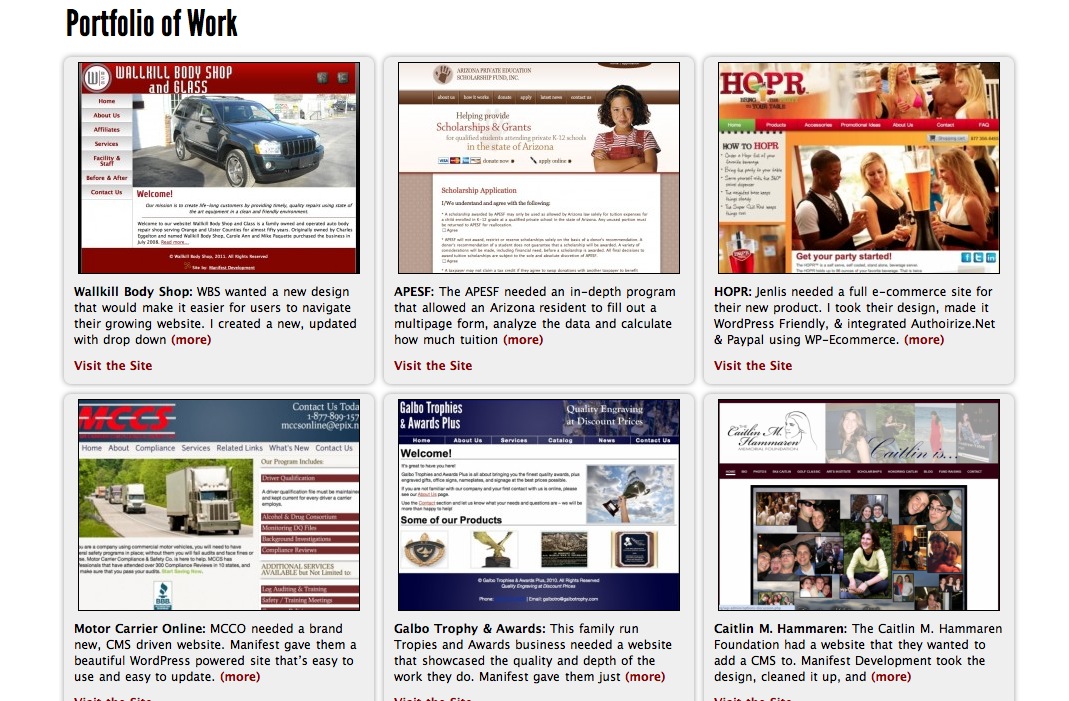 For the second part of this series, I want to talk about putting my new portfolio together. The portfolio is the most important area for a web developer because it gives the user insight into the type of work he or she does, so I wanted to do it right. It’s now in two places, and is managed a completely different way on the backend. Â Let’s take a look.
First, as I said in part 1, my featured projects are now on the homepage in a picture slider; the slider includes a description and link to the project. I placed it here because most visitors to the site will be looking for work samples, and I didn’t want them to go too far to find them.
On the portfolio page itself, I broke from my normal portfolio design, which consisted of a series of small thumbnails the user could click on to bring view a larger screen shot with description and link. I wanted a full page with good content and a nice overview of all of my projects without the user clicking anything. Now, each project gets its own “card” with a nice sized thumbnail so the user can actually see the project, an excerpt of the description, and a link. To view a bigger screen shot and full description, the user can click on the thumbnail or on “View more,” which will bring up a lightbox of the project. Moving through each project can then be done through lightbox, so closing it is not required to view a different one.
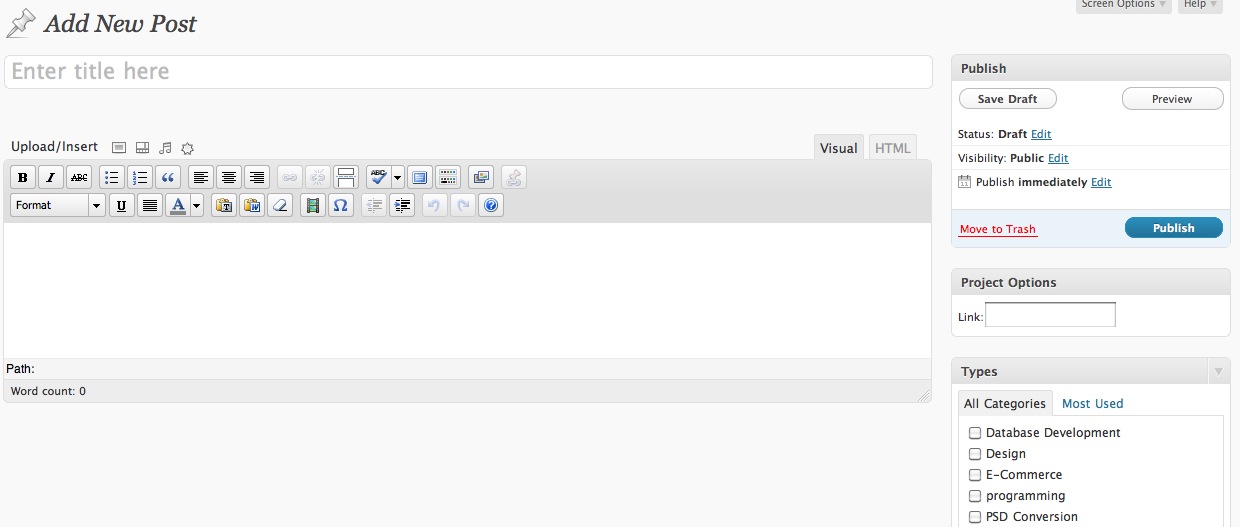
The portfolio also saw a big overhaul on the backend. In previous designs, I used a plugin called NextGen Gallery for WordPress to manage a photo gallery of my recent work. This lent itself nicely to the way I was doing my portfolio; however, with the page redesigned, it was time for a change. I made use of WordPress’ (3.0+) Custom Post Types and made a custom type called “Projects.”
Because of this, I had the benefit of adding projects the same way I would add a blog post, which allows each project to have a time stamp, custom URL, category, and the benefit of a rich text editor to format text. While I don’t currently use all of these features, this is a much better way to do things for SEO purposes, and they may come in handy in the future. I also added a custom section called “Link,” so I can easily add a link to the project. I was very happy with the way this turned out, and plan on released it as a plugin later this year!
The portfolio is the most important assest to a web developer (or any freelancer!) so I had to make sure mine got proper treatment in the redesign. I think the new version gives the user a much better picture of my work than the older one did, and because of the changes on the backend, it’s much easier to work with now, and in future iterations of my site.
