Favorites of 2009

I did this last year for 2008, where I alluded to a possible annual post; here we go! This time around I’m covering: toy, website, service, moment, and book.

I did this last year for 2008, where I alluded to a possible annual post; here we go! This time around I’m covering: toy, website, service, moment, and book.

With all the news in politics happening lately, I’ve almost forgotten why I started this blog: to talk tech. It’s what I know best. Well, here you go: My thoughts on Apple’s newest iteration of the iPod Shuffle.
I’ve posted thoughts on Apple and their precious iPod before, but this is pretty baffling. This shuffle is the smallest it’s ever been at 1.8″ tall and 0.3″ in thickness. That’s smaller than a key, which is pretty cool. However, when you need a guide to controlling the thing, there is a problem. 1 click to play/pause, 2 clicks to go forward, 3 clicks to go back. Other controls to traverse through playlists. I mean it’s cool that it talks to you and all since there is no screen on the device, but there is actually nothing on the device.
Right- the controller is actually on the headphones, and that is where my main problem lies. This new shuffle is limiting you to using Apple’s proprietary headphones or paying extra to buy an adapter to use your own. You need an adapter to use different headphones for your own mp3 player.
Apple touts all of this as innovative- small because it should be small; convenient, easy-to-use controls. But nixing a back and forward button is not innovative- it’s making something overly complicated and saying it’s innovative because no one has done it. And believe me, there is a reason.
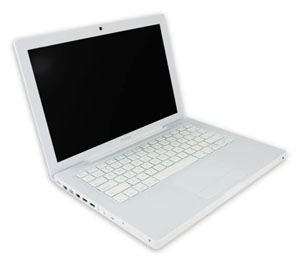
Those of you who’ve known me for a while know I used to take a hard line against Apple. It was mostly the fan boys who would buy things solely because they were made by Apple that annoyed me. Then a little over a year ago, I made the switch from Windows to Mac. I was caught up in the shine of this new relationship and new OS and everything was new and excited, and new. But I’ve got some news for you: the Mac is just another computer.
Let me start by saying this: I like my Mac. It’s nice- it’s got great features and very cool ways to navigate through applications and Coda, a Mac only program, has changed my life. However, I miss Windows’ superior file system and resource management, as well as it’s overall compatibility with more things. Essencially, though, I think the Mac is just a grossly overpriced PC.
Anyone who has ever said they’ve never had a problem with their Mac falls into one of three categories: They just got it, they don’t use it that much/for that much, or they are a liar. I’ve had to restart mine several times because it has frozen on me, I constantly get bothered for updates, and sometimes it runs slow as hell. Two of friends, whom I see on a regular basis, have had theirs crash on them. That’s just the nature of having a computer, and a Mac is just a computer.
It’s for that reason that I still don’t recommend them for general use. If you’re doing some very specialized thing, maybe it’s for you. Good luck upgrading it when you want to though- that is a huge problem for me. I will keep my Mac until it dies and I can’t say for sure if I am going to buy a new one. I am building a new PC soon, and am very excited to try Windows 7. If Windows 7 works for me, probably not. I can guarantee that I will probably never be a solely Mac OS person.
So this may be a little late, but hey- I wanted to be sure about what I was writing; and this year there were a couple late-in-the-game entries. Here is my first [annual?] favorites post. Covered this time around: new tech toy, website, software, movie, music.
So there you have it. My five favorites of 2008. What do you think?

I could go on to talk about all of the nuances in Android, what I have seen and why I think it’s better than the iPhone, but I feel that would be an exercise in futility. Those in the iPhone camp will think what they want about the user interface (UI) and features no matter what. That goes the same for people in the Android camp. However, there is one very important thing Google did that Apple did not. They made Android completely and unconditionally Open Source (OS). What does this mean for the consumer? Well before I get to that, I want to talk about what it means for the developer.
As a developer, I really like ease of use and writing an application for the iPhone is anything but. I have to apply to the iPhone Developer’s program. I have to download a pretty hefty program (called a Software Development Kit or SDK) in order for me to write an application. And there are limitations as to what I can access on the iPhone to write my app. Then if I want to submit it to the iTunes App Store (the only place I am allowed to distribute my app), I have to pay the iPhone Developers fee. They will also take 30% of my asking price. Oh and by the way, I can only do all of this if I have a Mac. Then I have to hope Apple lets me keep my app in the store. While this is likely, there have been a few incidences where apps have been taken out of the app store with no reason given. My point is this: Apple holds a pretty tight leash on the entire development process. This is in stark contrast to developing for Android.
I was up and running in literally minutes with Android’s SDK. Download the fairly lightweight program, follow the direction on the Android SDK’s site, and moments later, I had the sample program running. I can write an app to do whatever I want; even replace the dial screen, address book, or anything. When the G1 debuts, developers will be able to add their app to the Android Marketplace at no cost. However, if you want to distribute your app via some other avenue, that’s fine too. The point: it’s all up to the developer. So back to the original question- what does this mean for the consumer?
There is more incentive to release free apps. iPhone developers face a higher financial risk because it’s costing them money right off the bat. Why should they write an app for free? With Android, there is no risk. The only cost to the developer is time. Plus, there are virtually no restrictions on developing for Android. I can write an app on any computer (PC or Mac), to do whatever I want, and distribute however I want. That’s convenient for the developer and therefore convenient for the consumer.
My bottom line is this- Android gives developers the power to do whatever it is they want to do with Android. That means the world’s first phone that can be tailored precisely to your liking. I think it was Morgan Freedman who said it best- “My my, isn’t that something?”
*This was originally published on Oct. 2nd in my school’s student run newspaper, The Aquinas.
Update: The G1 is out today! And, Google has released Android’s Source Code

Recently a couple of my friends got macs and have been asking me for tips. Another one is getting his soon and will undoubtedly also be calling me. I’ve had mine since January (actually six months this week) and I’m very happy with it. I also had some guidance from friends who’ve been around the block Mac-wise and were willing to offer some tips. I’m going to break this post down into four sections- the Dock, Finder, Apps, and Widgets.
The Dock– Like the Windows Start Bar, it’s where there most important stuff will go. As well as all of your running programs being there, you can keep program icons there for quick and easy access. To do that just open up your Applications folder and drag the apps you want onto the dock. I have ten there at all times, the big ones being Firefox, iTunes, Adium, Finder, and Quicksilver. You can also hide your dock by clicking on the Apple icon in the top left, and going to Dock>Turn Hiding On. Then it will only appear when you mouse over the bottom part of your screen. I did this for more screen real estate.
Finder– The file system of sorts for your Mac. From Finder you’ll be able to access all of the files on your computer. One thing to note is you start in your user folder (username that is, mine is joe). Directly from there, you can get to Applications, Music, Pictures, Movies, Documents and a bunch of other things. You can also customize the “Places” section of Finder to include the folders you frequent most. Just drag that folder and drop it under “Places.” Mine contains Desktop, joe, Documents, Applications, iTunes Music, Widgets, and Fonts. The last three I added myself because I found myself copy and pasting or dragging and dropping to those folders the most.
Apps– The biggest question I get is, “What Apps should I download?” It really depends on what you’re into, but a few (either built-in or free) that I have found useful are:
Widgets– The final feature I want to talk about is the Widgets. On newer Macs, by default press F4 and you will be presented with your ‘Dashboard,’ with all of your widgets. Ones like weather, calc, etc. come pre-installed, but there are literally hundreds of widgets out there to download for free. The only one I really recommend is Maintidget, which will run clean up and maintenance scripts on your Mac weekly. I am personally a fan or the PHP, Movies, and Lyrics widgets.
Besides my short rambling, Lifehacker writes quite frequently on how to make your mac-using life easier, including a guide to switching. MacUpdate is also a great site for free Mac software.

When I first got my Mac, my friend told me to immediately download QuickSilver, citing it will ‘change the way you work.’ A few weeks in to really using it and I have realized it as a very useful app, and I feel as if I haven’t even scratched the surface.
Since using it I have realized it not only as quick and easy way to open programs, but as a pretty quick and easy file manager as well. Much faster than opening Finder and navigating through my documents that way. However, I feel there is so much more. There has got to be a reason LifeHacker has dedicated an entire category to it, right?
Over the next couple of days (probably weeks, looking at my schedule), I will be testing some of the better functions of QuickSilver. Of course if you have any suggestions for me, I am always willing to listen.
About 10 days in and I am enjoying my Mac experience more and more. I don’t know if it was just the hardware, but going onto my brother’s Windows machine I realized how slow everything really is. In defense of Windows though, the computer is a Dell.
The past 10 days using this computer has been pretty great and I’ve got to say I am mostly happy. Besides the things I pointed out last week, I am finding the whole experience of using a Mac aides productivity. For instance seldom do I every have to wait for a program to boot up. And I can run way more at once than I could on my PC. Again, I do have better hardware on this. On the same token, it just seems the cohesion of the OS and the hardware on the Mac is so much better. iTunes, while I’m still not a huge fan, is manageable, especially since I was able to download most of the album art. It really adds to the program’s navigation, but I feel the same about any other music program.
My top 3rd party programs: Coda for web development, Things for task management and Microsoft Entourage for life. The Mac equivalent to Outlook is better solely due to the project management feature it offers. This program has already set me up to have a more organized semester for when I teach. I will likely review each of these programs on their own.
Even with all of the praise for this machine, I do have some gripes…
If RIM and Microsoft could pony up and support Macs a little better, my life, as far as the switch goes, would be complete. I unfortunately do not see that happening anytime soon. I wonder if this is why so many people use only Apple products- not for superiority in other markets, but lack of support by other companies.
Surprise, shock and amazament are just some of the reactions I got when I told my friends this: “I made the switch to a Mac.” Now I’ve express my excitement about Macs before, but never actually thought I’d make the switch. The catalyst was that my third Windows laptop in 5 years crapped out on me. I knew it was time for a change.
There are probably numerous articles out there about ‘making the switch’ and peoples’ experiences, good and bad, about it, So I won’t do that. I will be writing more frequently about stuff for Mac, and more than likely comparing them to stuff for Windows, because deep down I’m still a Microsoft man. But at four days, I will give my first impressions.
Well those are my first impressions. I’d like to do a write up on Coda, Things, and some other applications when I have time, but with the Spring semester starting in less than two weeks, I can’t promise anything.

It’s the match up of the century. Or at least of right now. I write this post not as just a topic, or to announce to the world how big of a MS Fanboy I really am (you should know that already). I write this because I honestly believe the 2nd generation Zune is a better product. It’s not just about interface, size, etc. either. There are three major features the Zune offers that the iPod does not. But that’s all in due time.
The Basics: This point is kind of moot, because people will strongly disagree with me, fanboys and not-so-fanboys alike. However, I feel the entire GUI of the Zune is better than the iPod’s. I can navigate through my files much faster because of the button and menu layout. The click-wheel of the iPod is nice, but the touch 4-way direction pad is nicer and the GUI is nicely complimented by it. The Zune Player is better than iTunes. First, it’s lighter- less going on, eats up less memory. It’s also very slick. The transitions are nice and the way everything is laid out is simple and intuitive. Truth be told, I still don’t know how to make a playlist in iTunes. Everything just feels cluttered in iTunes. And auto syncing the library the first time a new iPod connects to it is a train wreck. Zune Player prompts you every time a new Zune is connected. But now, onto the real stuff…
Two-way Syncing: This is something iTunes/iPod desperately need. When I connected a second Zune to my computer, I was able to copy songs from the Zune to my music library no problem. Quick and simple. Why hasn’t Apple done this yet? As of right now, you need a 3rd party program if you want all your music copied correctly.
Wireless Sync: Have a WiFi network? Set your Zune up to connect to it and add music to it from anywhere within range. Even with the iPod Touch and iPhone, Apple hasn’t made this feature available, and I think it’s very useful. Even if your Zune isn’t directly connected to your computer, it’s still being synced whenever you change a playlist or get a new podcast. Speaking of…
Podcasts: This is a surprising featuring, in the sense that they offer it and that I use it. The Zune makes it extremely easy to get and sync podcasts with your Zune. Just subscribe to a podcast with Zune player and when a new one is made available it’s automatically downloaded and synced to your Zune. As far as I know, this is not a feature offered by iTunes.
The Social: I think this is the coolest feature. For Zunes in range, you can see what they are playing and send them songs, pics, vids and podcasts. Sure, there is the three-play rule on songs, but there are also ways around that. The idea of sharing music on the fly like this is pretty awesome. My friend wanted me to hear a song the other day so he just sent it to me and I listened to it right there. If Apple isn’t planning on releasing something like this, they should- especially because the iPod is much more popular than the Zune.
So there you have it. Five (at least three solid) reasons why the Zune is better. Of course this is based on my limited interaction with the iPod/iTunes, so if I am mistaken on some things, or they have changed, please let me know in the comments!
You want to build better systems, but you don’t know where to start. That ends today. Get 4 systems every solopreneur needs, the exact tools to create those systems, and automations + AI prompts and skills to get you to a calmer, more reliable business faster.

That ends today. The Solo Systems Starter Kit will give you 4 systems every solopreneur needs to run a less chaotic business, the exact tools to create those systems, and automations + AI prompts and skills to get you to a calmer, more reliable business faster.