The Feed

  • Randy Pausch’s View of Self-Esteem

    last-lecture

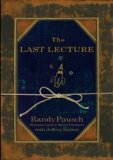
    I’m currently reading The Last Lecture by Randy Pausch, a very influential computer scientist who passed away over the summer due to cancer. I’m about 100 pages in and wanted to comment on his football coach and his view on Self-Esteem.

    There’s a lot of talk today about giving children self-esteem. It’s not something you can give; it’s something they have to build. Coach Graham worked in a no-coddling zone.

    These are words that really ring true with me. I find too many times today that kids are getting coddled. Hell, adults get coddled too. Anytime we withhold something in fear of offending, we are coddling. People don’t know how take criticism- they see it as an attack, or as “you’re being too mean.” Really, they are trying to help you become a better person. The reason I am the way I am today is because my parents didn’t coddle me. Yes, they spoiled me. But I knew my place. And when my homework was crap, or my grades were crap, or I played like crap, they made sure I knew it. But you know what? That made the times when I made them proud so much better, because I knew I worked hard to do it, and it showed. That’s how I gained self-esteem.

    If I had grown up thinking everything I did was good enough, I guarantee that I would not be where I am today. And that’s something I fear for younger generations. Randy laments in that chapter that Coach Graham- an old school guy who pushed his kids to the limit- would never survive today because parents coddle their kids too much. And that’s a shame.

    He knew there was really only one way to teach kids how to develop [self-esteem]: You give them something they can’t do, they work hard until they find they can do it, and you just keep repeating the process.

    That sounds like the kind of leadership we need with our kids today. I feel the idea of hard work is quickly dying because kids are taught that what they do is good enough. My parents, Coach Graham, and Randy Pausch knew what kids needed- let’s hope more people follow their lead.

  • The 2000’s Rock Style

    nickelback

    The other day I was thinking about this: What band shaped music this decade the same way Nirvana did for the 1990’s? There is no denying that Nirvana inspired possibly hundreds of bands, and rock music for a decade. If they didn’t invent grunge, they certainly made it cool. But grunge as the 90’s knew it died out. Rock music has certainly changed (and NOT for the better). And that’s when I realized it. Nickelback (a band I loathe), shaped rock music for this decade.

    Nickelback was around in the 90’s but hit the mainstream with their song, “How You Remind Me” in 2001, which is early enough in the decade to inspire other bands. If you’ll remember, “Smells Like Teen Spirit” by Nirvana came out 10 years eariler, in 1991.  Since Nickelback hit the scene, lots of other similar (read: exactly the same) bands started popping up. Here is just a short list:

    • Hinder
    • Buckcherry
    • Breaking Benjamin
    • Thrice
    • Three Days Grace
    • Puddle of Mudd

    My next question was Why? Well, much like Nirvana, there isn’t a lot of talent in Nickelback. Say what you will about either band, but their music is not hard to play, nor do/did they have any singing ability. It’s easy to imitate and a lot of bands probably figured if Nickelback can play and make it big, so can they. And then they do.

    SO if you are sick of all these crappy sounding bands that all sound exactly the same on the radio, you have Nickelback to thank for it. Comments are open.

  • The Mac is Just Another Computer

    mac.jpg

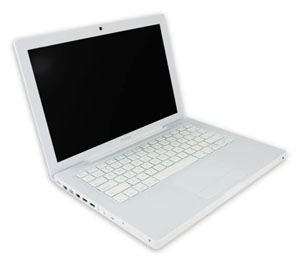
    Those of you who’ve known me for a while know I used to take a hard line against Apple. It was mostly the fan boys who would buy things solely because they were made by Apple that annoyed me. Then a little over a year ago, I made the switch from Windows to Mac. I was caught up in the shine of this new relationship and new OS and everything was new and excited, and new. But I’ve got some news for you: the Mac is just another computer.

    Let me start by saying this: I like my Mac. It’s nice- it’s got great features and very cool ways to navigate through applications and Coda, a Mac only program, has changed my life. However, I miss Windows’ superior file system and resource management, as well as it’s overall compatibility with more things. Essencially, though, I think the Mac is just a grossly overpriced PC.

    Anyone who has ever said they’ve never had a problem with their Mac falls into one of three categories: They just got it, they don’t use it that much/for that much, or they are a liar. I’ve had to restart mine several times because it has frozen on me, I constantly get bothered for updates, and sometimes it runs slow as hell. Two of friends, whom I see on a regular basis, have had theirs crash on them. That’s just the nature of having a computer, and a Mac is just a computer.

    It’s for that reason that I still don’t recommend them for general use. If you’re doing some very specialized thing, maybe it’s for you. Good luck upgrading it when you want to though- that is a huge problem for me. I will keep my Mac until it dies and I can’t say for sure if I am going to buy a new one. I am building a new PC soon, and am very excited to try Windows 7. If Windows 7 works for me, probably not. I can guarantee that I will probably never be a solely Mac OS person.

  • Learning a new Skill

    Recently I took it upon myself to learn JQuery. I’m toying with the idea of a redesign of both this site and my company’s site, and would like to do some cool stuff. I’ve written before on learning a new programming language but not new skills in general. I’m a big fan of the “learn by doing” approach.

    The web is ubiquitous with tutorial sites (see envato for some great ones), which makes it easy to learn by doing. For JQuery, I will be doing one or two tutorials a week to get myself acquainted with it, then adapt what I learn to my own sites. This has worked well for me in the past- find good tutorials and it should be pretty easy (at least to learn the basics).

    The key is to find some good, linear resources for doing tutorials. While the web is good for finding a specific tutorial to do, if you’re just starting out you should start at the beginning. I’d recommend picking up a book for that. As far as they go, there is no be-all-end-all series for anything. For programming, I like the Absolute Beginner books. For Adobe products, the Classroom in a book series is very good; but it’s really up to you to find something you’re comfortable with.

    I’d say the hardest part is sticking with it. Learning something new can be time consuming and frustrating, especially when you have other things you need to do. However, once you do learn it you’ll be pretty happy you did. 

    Finally, I only touched on resources for computer-based skills because that’s what I know best. If you have some “real life” skill, like how to build a deck, feel free to leave how you learned in the comments!

  • Fox News Redesign

    Fox News

    A couple of months ago, I wrote about how I would redesign Fox News. Yesterday, they rolled out a new design, and I really think it looks great.

    The first thing I notice is the use of much better colors- they are more neutral and not harsh on the eyes. Also, the navigation bar conforms with itself and the site, and they placed all the shows in an “On Air” drop down button, which I did in my design. The most important part is everything now looks like it belongs- In my last post on this matter I mentioned that everything looked like it was just thrown on the page. That is no longer the case.

    The stock information is something CNN and MSNBC have front and center for the users to easily find, and I’m glad Fox News followed suit. Finally, a lot of their boxes with several types of information have moved to a tabbed interface, which is a nice touch.

    All-in-all, it’s still a lot of  information, but it’s definitely up to par with the other major news networks now. I’m glad the design will no longer be a deterrent for me visiting their site.

  • Gloss WordPress Plugin

    Today, I officially released my first public WordPress plugin, Gloss. Gloss is a dictionary/glossary management plugin I decided to build which upgrading Manifest Development (more on that later).

    It’s a fairly simple plugin that’s still very much in beta as I’m looking to do user testing on it, since all my WordPress blogs are 2.7 and on the same server. I’ve created a page for it here with some extra instructions, to do list, and feedback form. If you have WordPress, give it a try! It’s much appreciated and I’d love to hear your feedback. Thanks!

  • Standard WordPress Plugins

    wplogo

    Over the last few weeks I’ve been working a lot with WordPress. Between a new job I started, Freelancing the Net, and converting Manifest Development over to WordPress (more on that later), I’ve set up or worked on between 6-10 blogs in the last 2 weeks. Over that time I’ve compiled a list of WordPress plugins I’ve used for all of them:

    I will also be working on two plugins of my own this week. Maybe if I deem them good enough, I’ll release them here.