

Eliminating Slack as a Distraction to Work Better
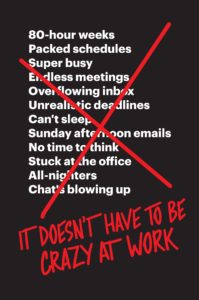
One of my goals is to read 21 books this year, and I’m doing super well so far. After finishing the super dense (and very thought provoking) Homo Deus, I’m flying through It Doesn’t Have to be Crazy at Work. While the hubris of Jason Fried used to drive me crazy, I’ve read all of his and DHH’s books, and they’ve all been excellent. The hubris is well-deserved. In any case, I’m almost done with that book and I’ve decided to take my first action: turning off Slack notifications.
Slack Kills Productivity
This might sound crazy to people in my space, as Slack has become the de-facto standard for communication for the lot of us. But it’s also a HUGE distraction. In the book, Fried and DHH talk about how distractions kill productivity, and just because I’m not in an office, I’m not immune. Slack makes it very easy for people to take you out of the moment – it’s the virtual knock on the door and, “hey you have a minute?”
[bctt tweet=”Slack is the virtual knock on the door and, “hey you have a minute?”” username=”jcasabona”]
I should note that they don’t call anyone out by name, but I’ve definitely felt like they were talking to specific people or companies at certain points.
Slack Creates the Pressure of Immediacy
Aside from that, it creates pressure to respond right away. I mean, it’s “instant” messages, after all, right?
That means that even if I’m in the middle of something and decide not to respond right away, I’m still thinking about those messages. I’m not fully committed to what I’m doing anymore.
So what am I doing to combat that? Well, a couple of things.
Turn off All Notifications
First, starting today I’m turning off all notifications. I’m going to treat Slack like email and only check it at certain times throughout the day. I need to make sure I cover my bases (because Slack is an asshole and doesn’t make this easy):
- Log out of most Slack teams. There’s maybe 4 I feel I should be logged into.
- Turn off notifications on mobile. Thankfully iOS does make this easy.
- On my desktop, turn off notifications for each team
- Turn off badge indicators. I actually have no idea how to do this:

Eventually I intend to log out of Slack on the desktop, but I’m taking baby steps to see if this really works for me, and I don’t miss anything of importance.
[bctt tweet=”To eliminate distractions, I’m turning off all Slack notifications” username=”jcasabona”]
Mark Myself Away Most of the Time
In order to help others realize I won’t be in Slack a whole lot, I’m going to keep myself marked away for most of the time. That way they know I’m not monitoring, and they shouldn’t expect a response in the immediate.
Most Emergencies Aren’t
“But Joe,” you might say. “What if someone needs you?” Much like the book says, most emergencies aren’t actually emergencies. I’m not doing any work where lives depend on it, and I set most of my own deadlines. If someone needs me right this moment, one of us has the relationship dynamics wrong.
[bctt tweet=”Most emergencies aren’t actually emergencies, and they can wait.” username=”jcasabona”]
That said, I’m taking one more step.
Changing my Slack Status
Starting today, my Slack status will always be, If you need me, email is better…, and then my email address.
This is a clear message to everyone that if it’s “urgent” they can email me and I’ll likely see it sooner. To that end, I also have more control over my inbox. I respond when I want to, it’s considered “async communication” and not synchronous, and their messages won’t be lost in the eather.
Again, it also helps me manage expectations. “Don’t rely on Slack as the best way to get ahold me.”
[bctt tweet=”My new Slack status tells people email is the best way to get a hold of me.” username=”jcasabona”]
I’m Excited About These Changes
Basically since I’ve started using Slack, I feel like it’s ruled me. Part of that is the culture, part of it is my need to address issues as soon as they come up. Part of it is how it was treated it in other organizations I’ve been a part of.
I’m thankful for It Doesn’t Have to be Crazy at Work. It’s reinforcing a lot of what I believe, and it’s making sure I’m adhering to those beliefs.

Can you clarify perhaps which Slack systems you are a member of? I work remotely with an agency and then am in a few Slacks for products I use as well as the Make WordPress Slack. I pop in there for training team meetings mostly.
I use each differently. I get super granular about which Slack systems and even channels within can notify me. I also try to get more mindful when I need blocked out time to just get stuff done and to stay focused with them time that I am present in Slack as well.
Are you using Slack as an internal business tool for your podcast or client work?
Totally agree on Slack. I hate knowing there’s a bunch of threads I should be following. And decisions seem to be made in 10-60 minutes in Slack when they should be more considered. This makes me want to check all relevant channels and make sure nothing is being decided without my input.
I’m in 10 Slack groups and only check maybe 2-3 of them. And of those it’s usually 2-3 times a week. But with this frequency I wonder if it’s worth using at all. I sometimes think email would be better than logging into slack a couple times a week.
I’m not part of an agency, though I am in a few places where people rely on that as a means of contact for me – it’s both an internal tool and for client work.
If I were still at an agency, I’d propose everyone on my team read the book, and I’d do the same things – make it clear when I am and am not available, encourage email, etc. As for decisions, I’d weigh in when I could, and I’d promote that perhaps important decisions should be made at a specific time of the day, in Slack. Especially in a distributed team.
I wonder the same thing. Like it’s nice that our MM can chat asynchronously, but how often do we really do that? I feel like a PM tool like Freedcamp would actually be better. That allows 2-way email, tracks discussions, and has meeting reminders.