
|

Initial Impressions on the Kindle Scribe

I’ve long considered getting a reMarkable 2 but have never pulled the trigger on it.

Part of the reason was I’ve always been partial to reading Kindle books and taking notes on them, and my iPad Mini does that fine.
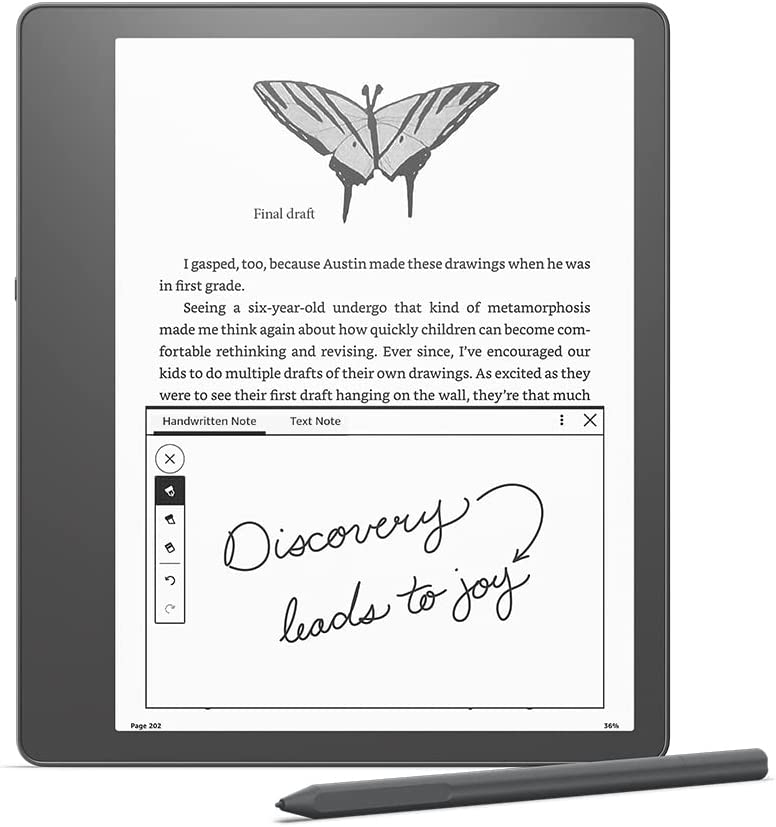
Then Amazon announced the Kindle Scribe. More affordable, initial deal for Prime members and a good trade-in price for my Kindle Oasis and the $500 device got down to $280. So I bought it. Here are my initial impressions:

  • It’s big, but I don’t think too big. And I love the extra space on one side to grip the device.
  • Reading on it is nice. I can crank up the font size without feeling crowded.
  • I love the notebooks feature. I’ve been using it as my primary note taking device this week and it’s been great.
  • The pen is light and super neat. There’s an “eraser” on the other end, and a shortcut button you can configure. I use mine to highlight.
  • Writing on it feels the most paper-like I’ve experienced on a digital device.
  • If there is lag, I don’t notice it.
  • You can directly markup PDFs. So. Good.
  • The battery life is incredible.

If there’s one shortcoming, is the lack of ability to get my RSS feeds on the device. I’d love to make this my one and only reading device, but it’s tough.

That’s not really the Kindle’s fault either. Articles written for the web don’t work well on a book medium.

If you’d like to see a video demo, become a How I Built It Pro member.

Similar Posts

  • | |

    Considering a Different Calendar App

    My long-time favorite calendar app1, Fantastic, is raising its prices come January from $40/year to $60/year. Now, $40/year is already steep for a calendar app, but I love their natural language processor, the calendar sets, the 2-week view, and the widgets. I’ve also defended charging for good software. But $60/year feels like they are trying…

  • |

    The 2 year swing

    Note: This article was published while I was in my early 20s. I was much younger and dumber. Please don’t hold it against me. One of the perils of having a 20+ year old website!It is no secret that I am kind of a tech geek. What this means is I ‘need’ lots of cool…

  • How is Software Different from Jeans (Or Why You Should Pay for Good Work)

    [audio src="https://episodes.castos.com/5f436edb798df2-94459192/how-is-software-different-from-jeans-or-why-you-should-pay-for-good-work-.m4a" /]

    Delicious Brains caused quite an incident when they asked their lifetime subscriptions to consider switching to annual to continue supporting development. Then a certain YouTuber found this to be so offensive that he had to fuel the fire…a missed opportunity in helping WordPress users see what good value to dollar ratios look like. Well, I’m not going to miss that opportunity.

  • | |

    The Yankees and the World Series

    Note: This article was published while I was in my early 20s. I was much younger and dumber. Please don’t hold it against me. One of the perils of having a 20+ year old website! Since the last time the Yankees went to the World Series in 2003 I’ve: Graduated college (MS and BS), started…

  • |

    Teach yourself how to program

    Note: This article was published while I was in my early 20s. I was much younger and dumber. Please don’t hold it against me. One of the perils of having a 20+ year old website!As some of you may know, I have taught myself a lot of the programming I know. It started with HTML,…

  • Building a Better Business Part 1: Understanding Your Customers

    [audio src="https://episodes.castos.com/5f436edb798df2-94459192/1/3881a5ac-3eb0-4dcf-9e55-d02db9eb7988/040-bb1-understanding.mp3" /]

    Welcome to Building a Better Business: Part One. This series will be 3 parts, all designed to help you build and launch a better product, service or business. Part One is all about understanding your customers. I’m excited to share it with you, so let’s get into it! 

    Brought to you by GoDaddy Pro .  Get all of the show notes, and a written to be read article over at https://wp-review.castos.com/40