

Paying Attention to 1Password’s Watchtower
1Password 8 is out now, and despite Apple’s Keychain/password manager getting better, I still prefer to use 1Password for most things1.
The redesign is fantastic, and I’m excited to see even more integration into macOS and iOS. But one feature I’ve always ignored is Watchtower.
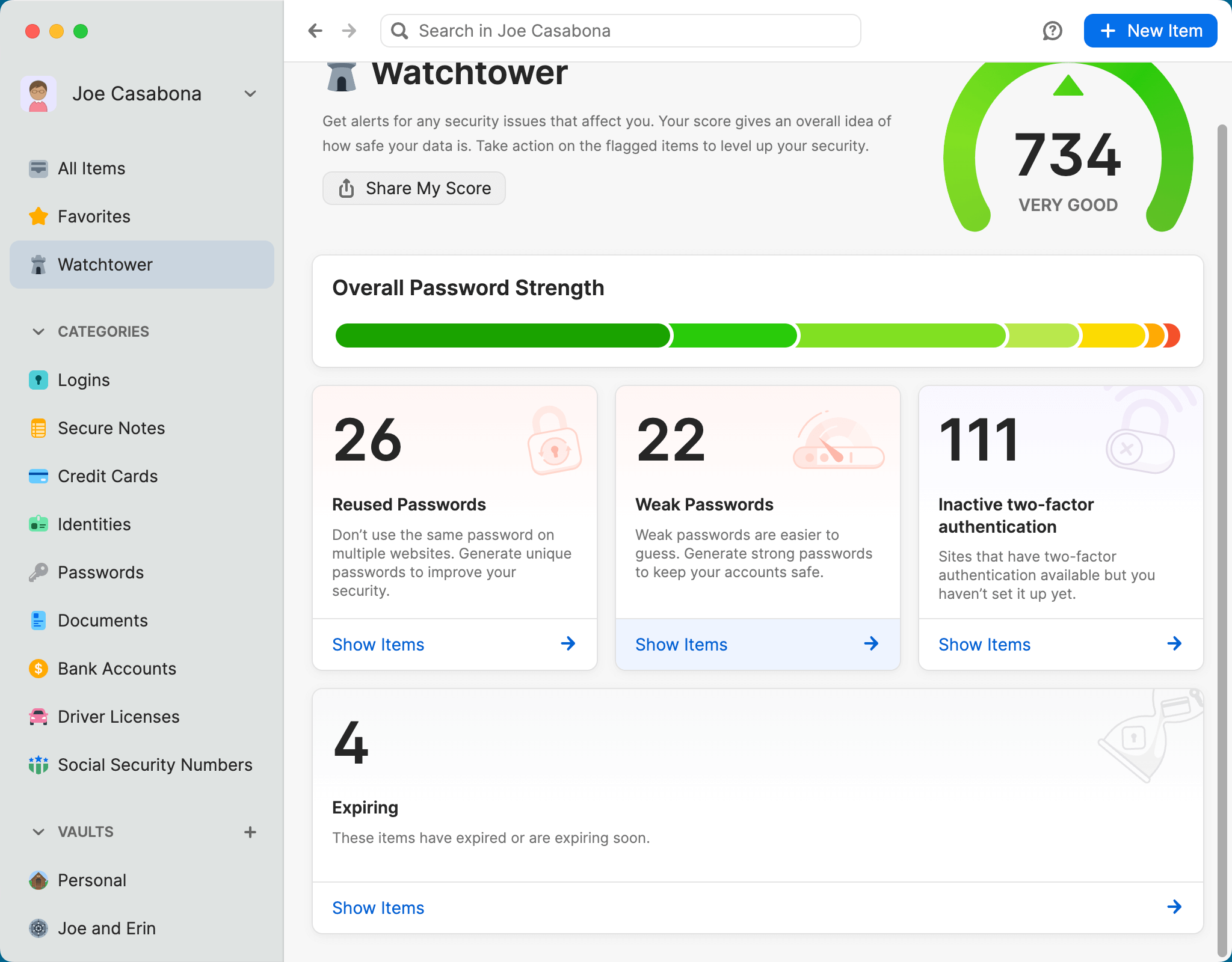
Watchtower gives you a “credit score” for your security. It will notify you if there’s a breach on a site where you have an account, which is excellent. But it will also tell you how many times you’ve reused passwords, how many weak passwords you have, and sites that allow for Two-Factor Authentication (2FA) where you’re not using it.
Something that always bothered me about the reused passwords section was that sometimes the same account works across multiple URLs, so I never paid much attention to it. But then I realized that 1Password smartly allows you to list multiple websites for a single username and password:

So over the weekend, I spent some time cleaning up my accounts, deleting old ones, and making all of my passwords unique.
I’m pleased with my progress and continue to be super happy with 1Password as my password manager.
- One strong reason is there’s not stand-alone app for Apple’s solution. The other is a family plan I can use with my wife. ?