
|

Book Review: HTML5 for Web Designers
Note: This article was published while I was in my early 20s. I was much younger and dumber. Please don't hold it against me. One of the perils of having a 20+ year old website!

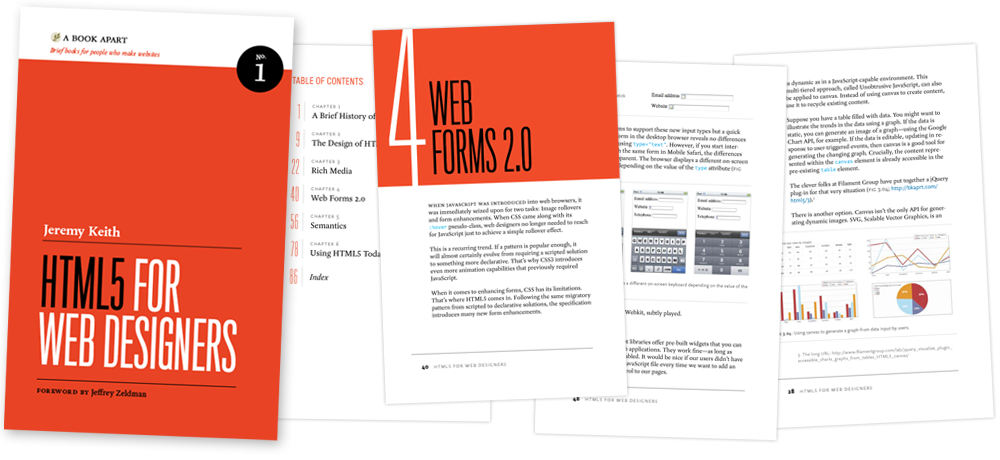
HTML5 for Web Designers by Jeremy Keith is a book I pre-ordered when it was first announced and I finally got around to reading it last week. I got it because it looked short & sweet, A List Apart does great work, and up until that point I didn’t know much about HTML5.

HTML5 for Web Designers is a lite (85 page) read that covers the more important points of HTML5, the latest and greatest iteration of the markup language that makes the web a hoppin’ hang out. The book is very well written, and does not read like an overview of a spec. It’s conversational, quirky, and  informative. It also got me very excited about HTML5.

Keith gives us a little historical background on not only HTML5, but HTML in general, and in a bit more detail, the “war” between XHTML 2.0 and HTML5. Anyone who’s spoken ill about either should absolutely read that part of the book. Then he gets into the crux of the matter: the new stuff in HTML5. He doesn’t only cover mark-up either; he goes into detail about the semantics of it all (which, for anyone who knows me, knows that makes me very happy). Finally, he talks about how we can implement some of the new stuff now.

I’d strongly recommend the book for anyone who uses HTML (or XHTML) as this will become the de-facto standard for making web apps in the not-to-distant future.

Get HTM5 for Web Designers Here

Similar Posts

  • King Arthur…3.5

    Note: This article was published while I was in my early 20s. I was much younger and dumber. Please don’t hold it against me. One of the perils of having a 20+ year old website!It was decent. I mean, every war movie follows a template. Hero who is trying to find inner self. Aragorn- king…

  • | |

    My Everyday Things, Part 1: Workflow

    Recently I started following Everyday Carry, a blog dedicated to showcasing the items that people must have on an everyday basis. I decided that in an effort to blog more, I would do a short, 3 part series on the stuff I use everyday. The series will be broken up into 3 parts: today’s installment…

  • |

    My Review on the iPad

    Note: This article was published while I was in my early 20s. I was much younger and dumber. Please don’t hold it against me. One of the perils of having a 20+ year old website! A couple of weeks ago I picked up the 16GB 3G iPad as sort of a birthday gift from me…

  • Dodgeball – Good, Funny- 5

    Note: This article was published while I was in my early 20s. I was much younger and dumber. Please don’t hold it against me. One of the perils of having a 20+ year old website!Let me tell you all something about movies, as im sure at least one will have a problem with me rating…

  • |

    Make wp-caption the same (responsive) width as the Image

    I was working on a problem last week in WordPress where the caption for an image was extending the whole width of the container, not staying the width of the image. This make sense – the image is inside the .wp-caption container. So how to we fix it? Let me tell you!

  • |

    April 9th: Articles Round Up

    Since I’ve been travelling and sick for the last few weeks I haven’t really done a good job of promoting some articles I’ve written across the web. In-case you missed it, here are some of my better works! Redesigned USA Today is Better than Ever: I review USA Today’s latest release for Android, focusing on…