
Using AI to Generate a Podcast Promotion Schedule, then Importing it to Notion
One of the forcing functions for me to try new and interesting things is the fact that I’m a LinkedIn Learning instructor.
For example, I just finished writing the scripts for my next course all about generative AI for podcasters. We’re covering a wide range of use cases for podcasters to leverage AI to make their lives easier.
Earlier this week, I wrote about using Chat GPT to create listener avatars. But yesterday, I did something incredibly cool using Chat-GPT and my former nemesis, Notion.
Creating the Production Schedule
Quick programming note: I’m using Raycast’s AI integration with Chat GPT-4 for these results.
The first thing I did was create a prompt that would create a production schedule for me. This one was pretty straightforward:
I'd like to publish a weekly podcast starting on Monday Aug. 21, 2023. Please create a schedule with episodes from that date until the end of the year.
As you can imagine, this created a simple list of dates and episode numbers:
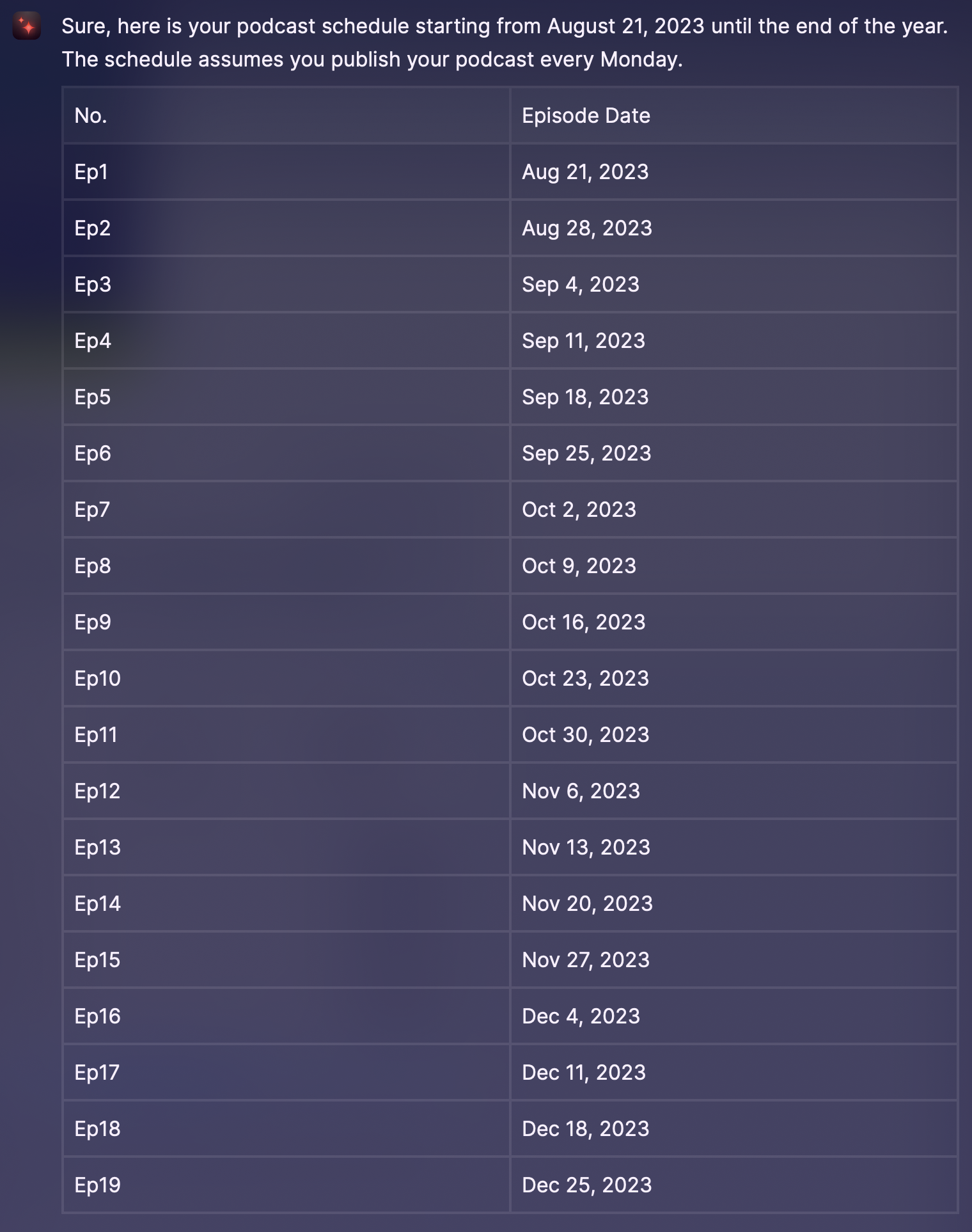
Next, I had it use that schedule to create a schedule of dates for Twitter, Newsletter, and LinkedIn Posts:
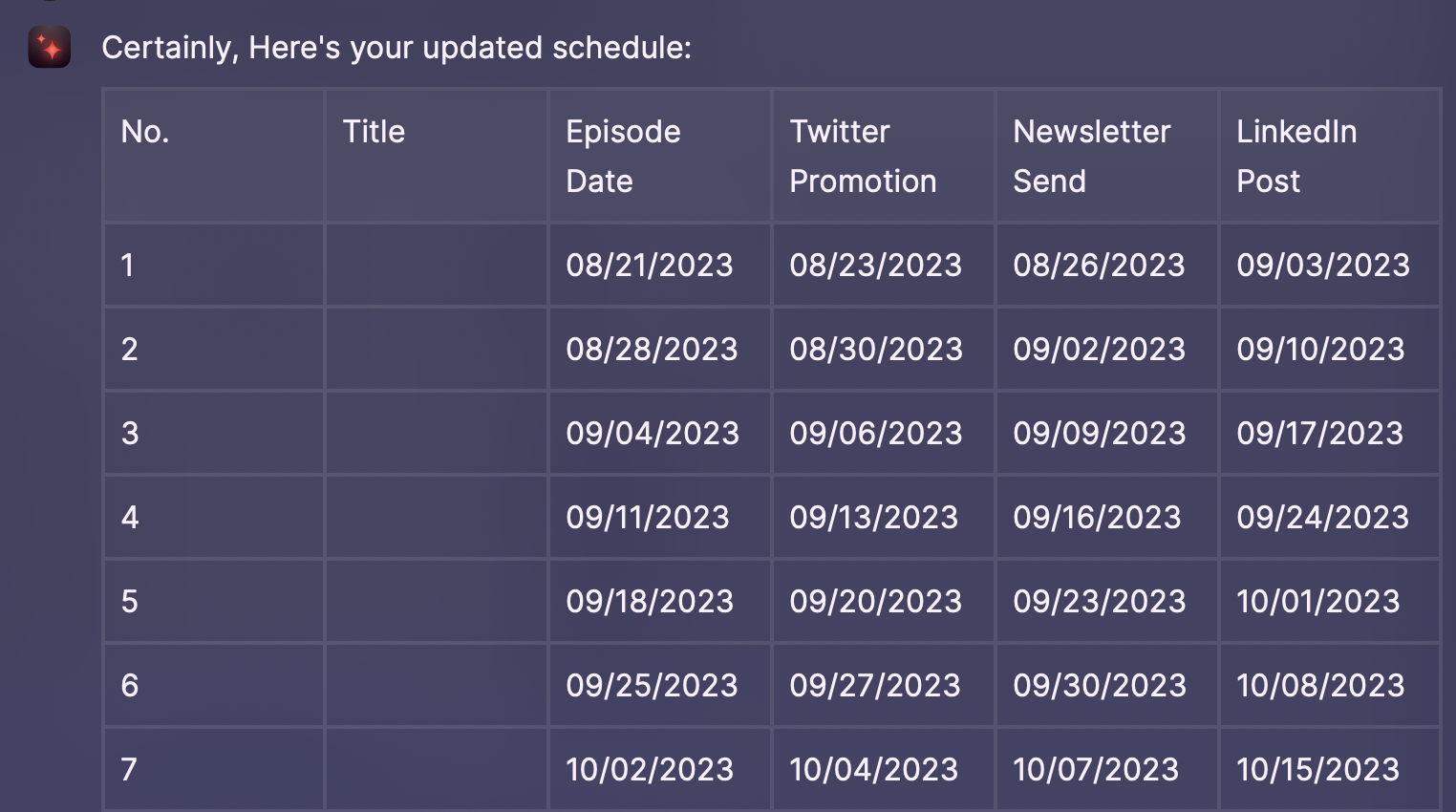
Using this schedule, create a promotional schedule where, for each episode, I promote on Twitter 2 days after publish, send a newsletter 5 days after publish, and post on LinkedIn 13 days after publish.
Here’s a snippet of those results:

Pretty impressive! I’m really pleased with that, and want to add it to Notion now.
Prepping the Data for Notion
There’s a couple more things I need to do before this is ready for Notion:
- Add a title column so that I can add actual episode titles instead of just number
- Convert the dates to a more “date friendly” format in Notion:
MM/DD/YYYY. This is crucial for converting the text to an actual, usable date for calendars. - Optional but doable: remove Ep from each episode number.
Here’s the prompt:
Update the table to include a blank "Title" column after the No. column and change the date format to MM/DD/YYYY

Can you remove Ep from each episode number?
And the final result:
Putting the Data in Notion
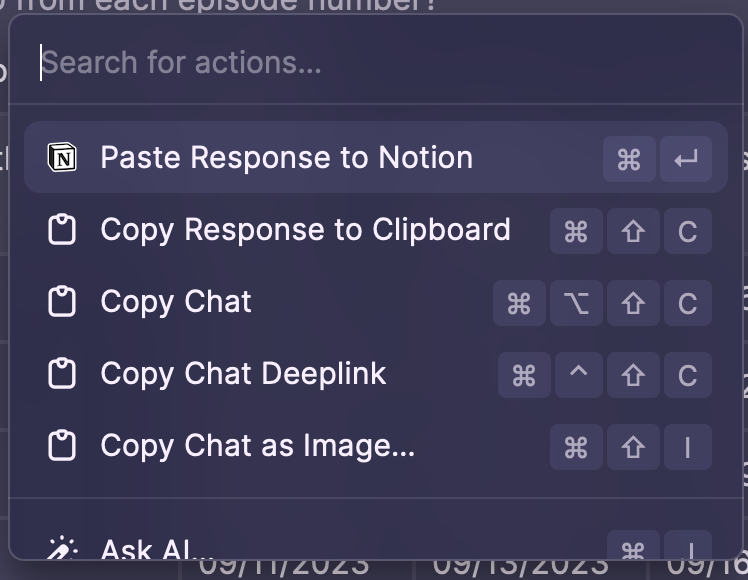
Now there’s a little magic here because Raycast / Chat GPT generated these results using a Markdown table. So I open a new page in the Notion app, go back to Raycast and press Cmd+K.
My default action is to paste the results in the last used app:
That gives me this:

From here, we use some Notion magic to turn this into a database.
It’s worth noting at this point that I’m very green to Notion, so I’m not sure if there’s a better way to do things. But this worked for me.
Here’s what I did:
- Clicked on the table, clicked options, and set a header column and header row. This will make the database conversion easier.
- Then I clicked the 3 dot icon next to Options and converted the table to a database.
- I clicked on the header property for each date, clicked Edit Property, and converted it to a date. Thanks to our format choice of
MM/DD/YYYY, this made the conversion seamless.
Now I have a workable database for my production schedule:

Why is this better than a standard table?
Because you can create Calendar views, which I’ve done for each publish set:

I’m super pleased with the way this turned out, and while I don’t think this will replace Airtable (the automation stuff still isn’t there), it’s another way to view data and keep organized, and it was all generated with AI.
As I explore Notion more, I suspect I’ll be able to make one calendar with all the dates (maybe using the Rollups).
What do you think? Are you using AI for anything cool? Let me know!