

How I Built the “WordPress: Year in Review” Website
Earlier this month I launched WordPress: Year in Review, a content project where I’m wrapping up everything that happened with WordPress and in the community this year through an eBook, podcast, and video series. It’s an immense undertaking, so I decided to seek community support through sponsors and crowdfunding. We’re 3 weeks into September and I’m nearly 2/3 of the way to my crowdfunding goal which is exciting! I thought I’d take some time here and explain how I built the site.
Nearly Vanilla WordPress
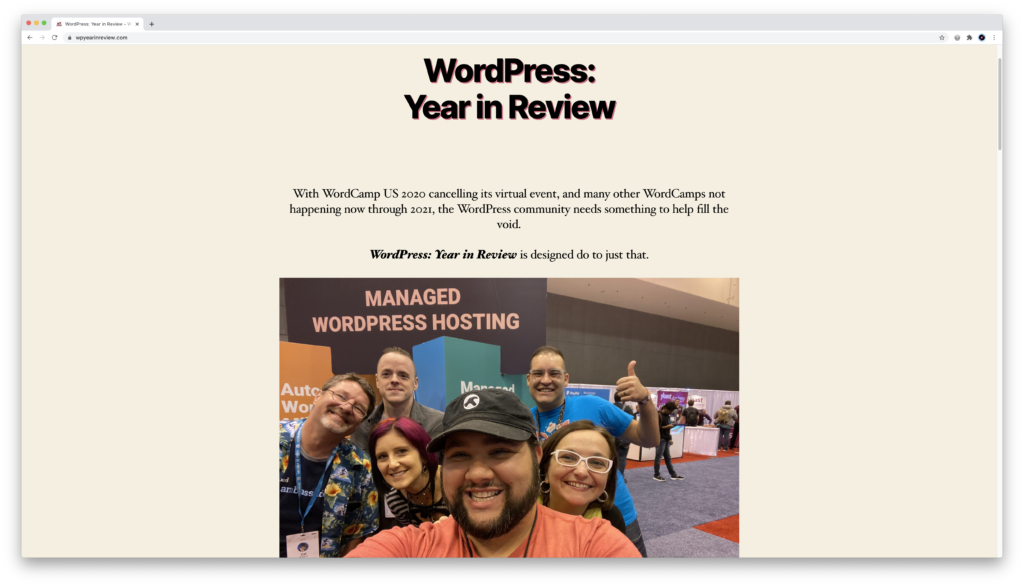
Since this is a project highlighting everything that’s changed in WordPress, I wanted to make sure to use as few outside tools as possible. That means no custom code, no 3rd party theme, block editor only (no page builders). SO how did I do?
Theme: Twenty Twenty
The theme was a pretty easy choice. Twenty Twenty is beautiful and simple and perfect for the kind and amount of content I have on the site.
I’m using the full width page layout in most cases so I can use the block editor to it’s maximum potential (more later). As for custom code, there’s a tiny bit of CSS to add a text shadow to all h1 tags, and to make the CTA button in the nav readable. But that’s it – I promise!
Block Editor
Happily, I’m not using any page builder, nor at any point did I feel I needed to. The block editor’s flexibility has worked out very well for me.

That said, there are a couple of block plugins I added to make things a little simpler for me, as well as nicer for the users:
- Ultimate Addons for Gutenberg: This is a free plugin from Brainstorm Force (the same people who make Astra and the other Ultimate Addons plugins). I chose this one because it has a fantastic timeline block that beautifully lays out my plans for the project.
- Atomic Blocks: Another great block pack – I chose this one because it has a nice Pricing Table that I could use without too much fuss.
Accepting Donations: GiveWP
One feature that definitely is not included in vanilla WordPress is the crowdfunding aspect. I could have used something like WooCommerce, but that kind of feels like a fire hose when I really need a water fountain.
Instead, I decided to go with GiveWP. Their feature set is perfect. I could accept “donations” at different levels, through both PayPal and Stripe. Plus I could list the donors with a Donor Wall block. And the best part is it’s all free.

I did buy the
Another fantastic benefit of GiveWP is they are excellent stewards of the community – involved, helpful, and all around a great team.
As an aside, if this turns out to be popular enough for me to do next, I will definitel get the pro package. Lots of great stuff there.
Pledge Levels
I did want to add a quick not on the pledge levels I chose and why:
- $2: Small enough that anyone could pledge to support the project.
- $5: Seems like a sweet spot for projects like this. Most people are willing to part with $5 for good content.
- $19: Covers the cost of the printed book while allow the project to get some money. At present, this is second most popular.
- $100: I wanted to give small businesses (which are plentiful in the WordPress space) an opportunity to support the project without needing to shell out for a $3,000 sponsorship. So $100 gets their logo and link on the site and in the book, as well as a thank you tweet. I’m super happy I added this level because it’s the most popular and has been instrumental in getting close to reaching my funding goal.
Contact Form: Ninja Forms
Another feature I needed that isn’t in vanilla WordPress is contact forms. I decided to go with the free version of Ninja Forms since I just need a simple form for people (and potential sponsors) to get in touch.
And again, the plugin is free, lightweight, well done, as a block, and Ninja Forms has been kind to the WordPress community!
Hosting: LiquidWeb / Nexcess
Finally, I decided to go with LiquidWeb / Necess for hosting. I had a slot in my Managed WordPress Hosting account, and the site works very well – super performant, and it’s safe!
And in a thrilling bit of “synergy,” after I launched the site, they decided to sponsor the project!
Support WordPress: Year in Review!
Like I said at the beginning of this post, I’m about 60% of the way towards my goal. I’d love to reach it by the end of September so I can fully focus on content from October – December. Your support would mean a bunch to me.
