I read a rather annoying article last week about why 2013 was a bad year for tech. I felt was lazily written; the main reason is it only highlighted the major news stories, didn’t add any analysis, and didn’t mention any of the good to go along with the bad. It was a very one-sided article that provided no insight, and in all honestly, was probably a grab for end of the year blog traffic. Well in my feeble attempt at a grab for end of the year blog traffic, here’s why I think 2013 was a great year for tech.
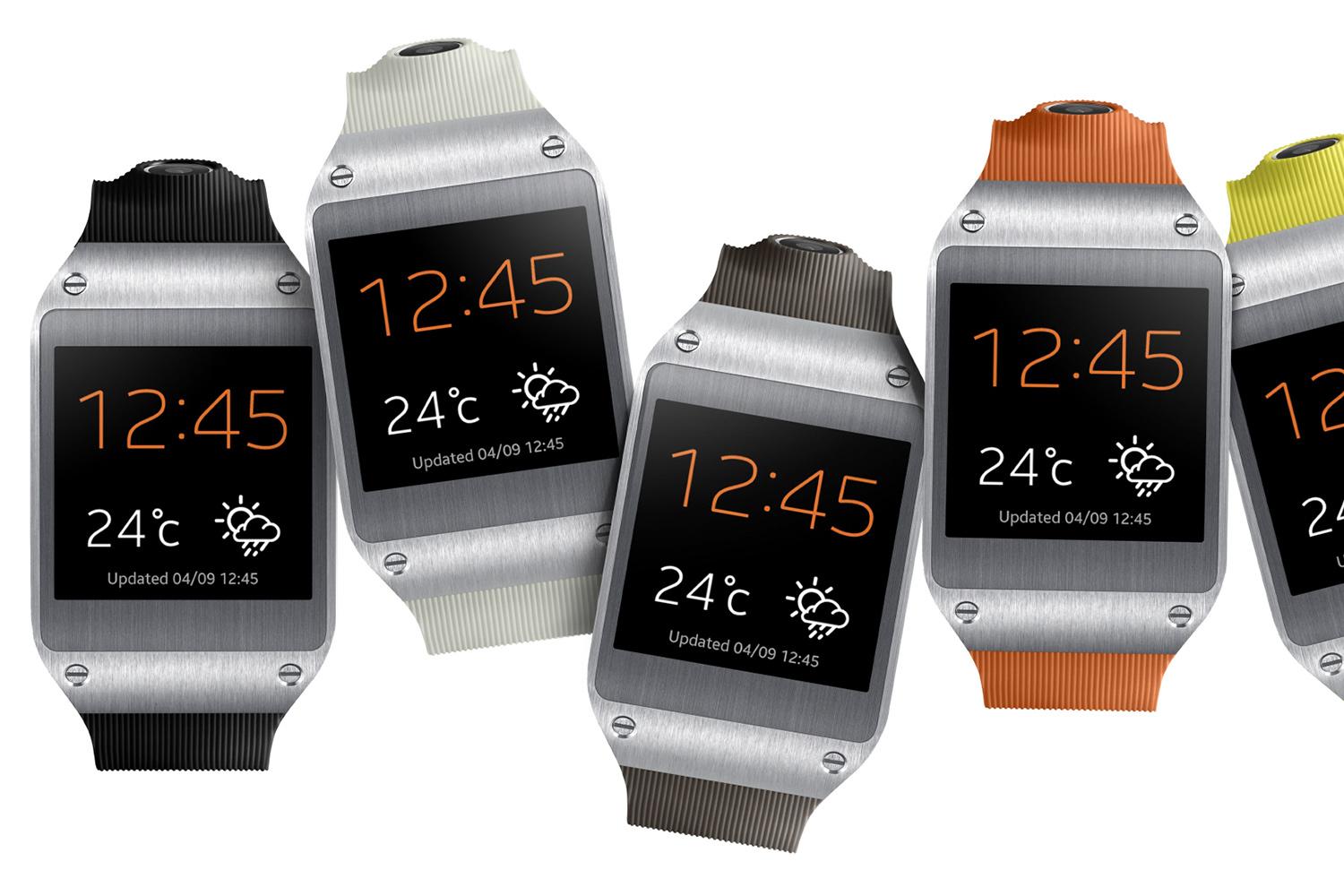
Going through my feeds this morning, I came across a link to a story on Engadget talking about how the Samsung Galaxy Gear was hacked to browse the web. With this, another screen/device that can view websites enters the fray, making Responsive Web Design as important as ever.
Yesterday on Twitter, I saw @ugmonk tweet saying he had just pre-ordered his @coin. Curious, I clicked to see what it was. I watched the quick 2 minute video (linked after the jump) and was sold! I pre-ordered mine right then and there. The link spread like wild fire across social networks and everyone chimed in with their opinion. I’ve decided to do the same. So…what is the Coin?
According to their website:
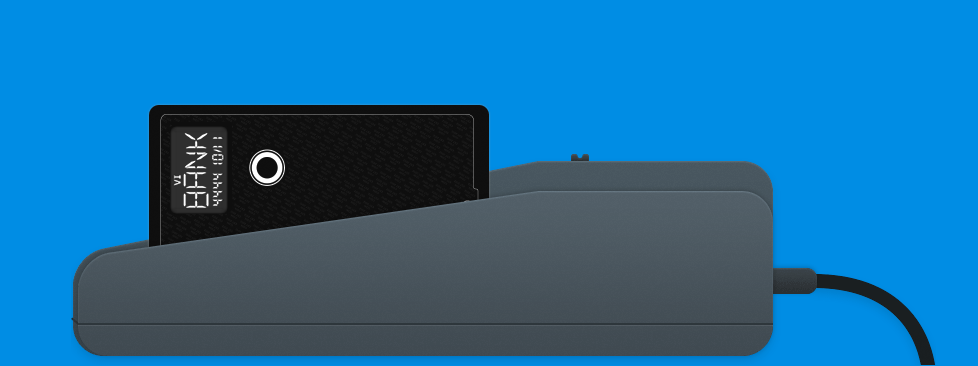
Coin is a connected device that can hold and behave like the cards you already carry. Coin works with your debit cards, credit cards, gift cards, loyalty cards and membership cards. Instead of carrying several cards you carry one Coin. Multiple accounts and information all in one place.
What does that mean? In essence, Coin can reduce your massive, George Costanza Wallet down to a single card. You use a device that comes with the to swipe your cards, and that information is sent via the Android or iOS app to your Coin. You then use the button on the front to select the card you want swiped, and hand it to the cashier like any other credit card. During the pre-order process, it costs $50+5 shipping, and you can order it here.
Of-course, as this picked up speed, lots of people weighed in on the device; the most common concern is security. What’s to prevent this company from stealing or selling our information? What happens if they get hacked? What if someone uses the Bluetooth device to grab our info? Well, the fine folks at Coin have answered most of these questions in the FAQs section. All data in encrypted using 128- or 256-bit encryption, you can deactivate your Coin if it’s stolen, and it’s no more susceptible to data skimming than a regular credit card. As far as them stealing the data- if it’s encrypted they can’t (depending on when). I know there have been a lot of revelations in the last year that make a lot of people weary of things like this, and I’m pretty skeptical, but these guys are betting a lot on this and screwing it up will be devastating for them.
The reason I ordered it is out of general interest, and $50 is a pretty low barrier of entry for something that could potentially be a game-changer. It looks fantastic and incredibly convenient. I’m glad to say I’ll be part of the early adopters who get to see how people will first react to it.
If you’re interested, you can read more about it on their website, where you can also pre-order it. Full disclosure: that’s my referral link. Help a brother out!
Yesterday, Web Design Tuts+ (@wdtuts) published a somewhat lengthly article I wrote about designing websites for Google Glass. I cover quite a bit, from device usage, to UX, to Mobile First and RWD. From the article:
…we as web developers should be mindful of how we develop our websites. As it turns out, the principles I’m going to discuss aren’t all that new, but suggest a future-friendly approach to web design; important as devices like Glass (or even Apple’s fabled iWatch) are released to the market.
I will also be releasing an e-book sometime in the near future delving more into this topic, along with some sample code. For now, if you’re interested, check out the article!
I’ve had Google Glass for just over a week now and while I’m working up several articles on my thoughts, I did want to address some FAQs I’ve been getting from people. A lot of them are coming from the very same people you’re seeing over at People Reacting to Glass!
How much do they cost? $1500 and come with the device, an eye “shield”, sunglass attachments, and a charger. It’s rumored that when they are released to the public, they’ll be closer to $300-500.
Can anyone buy them? Not right now; they are currently only available to people who applied and were invited to the Glass Explorers program, which is now closed.
Can you use them while driving? I’d say it’s slightly less distracting that an cell phone. I wouldn’t recommend it, and some people are saying they fall under the “Texting while Driving” laws in select states.
Do you need a data plan to use them? No- as a matter of fact, Google Glass doesn’t have the ability to take on a data plan. Wifi is built in, and when you aren’t on Wifi, Glass tethers via bluetooth to your phone, using your phone’s data.
Do they work with your glasses? My glasses, personally? No. Mine have really thick frames. In general, I’m told Google Glass can be sized over your glasses. I was told they are also working on prescription versions.
How’s the battery life? The battery life is ok. It lasts about 7-8 hours on normal use. If you’re tethered to your phone all day, you might see your phone’s battery drain more quickly.
Have other questions or comments? Leave them here! The good ones may even get featured on the new blog.
“It’s not working” is terrible feedback. It tells me nothing about what you were doing, what you were trying to do, and what the app didn’t do. It’s akin to looking at menu items without descriptions of the dishes. When you run into an issue and need to fill out a bug report or support ticket, try to answer these questions…
Over the last year or so I’ve been involved with a few major projects that required responsive design/development. One of the most important things to remember about a responsive design is that it’s not just good enough to make sure your design shrinks with a smaller browser on your computer. Presumably, you’re doing this because people will be accessing your website on mobile devices. Therefore, you have to do device testing! In this post I will outline what I think is proper testing practice.
Device Testing
I know this can be difficult since not everyone can get their hands on a wealth of devices. You may be lucky enough to be close to an Open Device Lab, but if not, you should try your best. Note: If you’re an “agency” or a “firm” that’s advertising being skilled in RWD, you need to pony up and buy the devices. RWD isn’t just a buzzword and it should be done right.
iPhone 4, 5
iPad 2 or new iPad
Android 4.0+ Phones: Galaxy Nexus, Galaxy Note II, S3 or S4, Droid Incredible (one of them), Droid DNA or Razor Maxx
Of-course, do this at your discretion and based on your own analytics. If 0% of your users are using Gingerbread, pre-4.0 phones might not be an issue for you. My list for Android device testing is based on some cursory stat-searching, including LifeHacker’s most common phones and stats directly from Google, which you can view on the Android Dashboards page (these update in real(ish) time). Finally, when it comes to RWD, device testing isn’t the only aspect. You also need to consider speed.
This should be nothing new, but with the whole host of new devices, it might be worth while to check out these browsers now:
The device’s native browser (Safari, Browser, etc)
Chrome on Android and iOS
Mobile Opera
Dolphin
Mobile Firefox
Also, make sure to test in IE 8,9, and 10! If you take a Mobile First! approach, keep in mind that IE8 does not support media queries.
Speed Testing
You cannot assume that everyone will have your great 70mbps connection (that’s a real max speed for me). People could be getting less than 1mbps at times, and that’s terrible if your site is huge. I would recommend testing on:
Broadband (wired or wifi connection)
4G (on multiple carriers if possible)
3G (on multiple carriers if possible)
4G and 3G while traveling
Wrapping Up
I understand that this can be cumbersome and cause a lot of work, and admittedly I haven’t been as diligent as I should be either. There are, however, way you can do this sort of testing without breaking the bank. Aside from what Brad mentions, you can do things like an open or closed beta, inviting people with different devices and connections to test on their devices and report back. I will generally have my friends and co-workers test designs for me. Or hey, you could always start an open device lab
I’m currently sitting on an Amtrak train from NY Penn to Exton, PA (the Philly-ish area). The ticket taker was coming by on his nifty device scanning tickets, which would then check a database of purchased tickets to confirm the purchase and the identity of the purchaser. However, when we hit a tunnel (and therefore no data connection), the device stopped working; any scans returned “Ticket not found.” You would think that whoever developed this system for a subway/train company would have considered that at times there might not be a data connection, but that didn’t seem to be the case. This is a bit of a dilemma for anyone developing apps for mobile.
8 Months in Microsoft, I Learned These: This is a post by a kid out of college and working at Microsoft. It’s a little scary, the disparity between what you’re taught and what happens in the “real world.” Some of these things are understandable, but some are outright wrong.
The Missing Linc’s E3 Coverage: Over at my friend Joe’s blog there is fantastic coverage of the E3. You should definitely check it out!
Also announced this week: iOS7 and PS4. I may do bigger write-ups on these, but my initial thoughts are that:
iOS7 looks really nice, if not incredibly familiar (*cough Android* *cough Windows Metro*)
PS4 is doing it right. It’s like they took away everything everyone complained about regarding the Xbox One and removed it. It looks like they’ve also learned a lot since the launch of the PS3.
I have a theory about 3rd gen consoles with the announcement of the Xbox One; it’s a lot like a musician’s sophomore slump. The Xbox 360 is incredible and Microsoft seems to miss the mark (despite my defense of them a couple of weeks ago).
Since the Samsung Galaxy SIV was announced, I was pretty much waiting on baited breath for its release for Verizon customers; I was so excited I went out and picked it up the day after it was released, the soonest I could (I had actually pre-ordered it on May 18th through Amazon, but due to some issues I cancelled the order and picked it up at my local Best Buy). I really liked the form factor, features, and of-course, the amazing 13MP camera it touted. So does the phone live up to my expectations? Let’s see.
You want to build better systems, but you don’t know where to start.
That ends today. The Solo Systems Starter Kit will give you 4 systems every solopreneur needs to run a less chaotic business, the exact tools to create those systems, and automations + AI prompts and skills to get you to a calmer, more reliable business faster.