Microsoft

  • Interesting Links for Friday

    The Offline GlassThis is fantastic. A glass that will only stand up if a cell phone is under it. This is needed in all bars.

    Google Robot helps boy throw out first pitch: This is ridiculous and amazing. Google is doing things that are truly changing the world. And the story isn’t too bad either 😉

    8 Months in Microsoft, I Learned These: This is a post by a kid out of college and working at Microsoft. It’s a little scary, the disparity between what you’re taught and what happens in the “real world.” Some of these things are understandable, but some are outright wrong.

    Connecting Custom Post Types: I gave this talk twice this week. Here are the slides and resources.

    The Missing Linc’s E3 Coverage: Over at my friend Joe’s blog there is fantastic coverage of the E3. You should definitely check it out!

    Also announced this week: iOS7 and PS4. I may do bigger write-ups on these, but my initial thoughts are that:

    • iOS7 looks really nice, if not incredibly familiar (*cough Android* *cough Windows Metro*)
    • PS4 is doing it right. It’s like they took away everything everyone complained about regarding the Xbox One and removed it. It looks like they’ve also learned a lot since the launch of the PS3.
    • I have a theory about 3rd gen consoles with the announcement of the Xbox One; it’s a lot like a musician’s sophomore slump. The Xbox 360 is incredible and Microsoft seems to miss the mark (despite my defense of them a couple of weeks ago).
  • Links Round Up for 03/20/11

  • Links Round Up for 02/6/11

    Some other news:  Today is Super Bowl Sunday (go Pack!), as well as Ronald Reagan’s birthday. Also, I worked on a simple Reading List plugin for WordPress this week. You can see it in action on my blog here, though I have made some changes that I will release this week.

  • Great Tech Gifts 2010

    This is something I’ve wanted to become more consistent with, as I usually post these lists sporadically and at poor times. I figure Black Friday is a good day to settle on this type of post, since it is the official start of Holiday Shopping.

    Amazon Kindle: This is number one on my list of recommendations. E-Readers have been around for a few years now and I think the Kindle has proven king. It’s a great way to read books (it’s a lot like reading a real book), it’s easy on the eyes, and with apps for Windows, Mac, iOS, and Android, you can keep your books with you and synced at all times. Plus, they are also offering a very affordable Wifi Only version. I truly love mine, which I got last Christmas. ($189 for 3G + Wifi, $139 for Wifi only)

    (more…)

  • Tis the Season for Video Games

    ps3When I started playing video games again in September, it was after almost a year of not playing (I’m back on wagon?). In my defense, there was a lot of great video game going-ons this season. Between the tried and true Xbox 360 and their online environment, and the newly priced Ps3, there is a wealth of choices for the video gamer this holiday season. Here is a rundown of what could be some great video game gifts this year.

    (more…)

  • The Mac is Just Another Computer

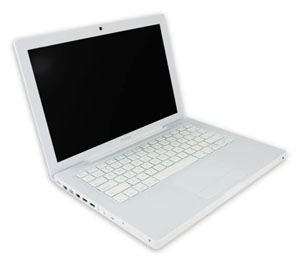
    mac.jpg

    Those of you who’ve known me for a while know I used to take a hard line against Apple. It was mostly the fan boys who would buy things solely because they were made by Apple that annoyed me. Then a little over a year ago, I made the switch from Windows to Mac. I was caught up in the shine of this new relationship and new OS and everything was new and excited, and new. But I’ve got some news for you: the Mac is just another computer.

    Let me start by saying this: I like my Mac. It’s nice- it’s got great features and very cool ways to navigate through applications and Coda, a Mac only program, has changed my life. However, I miss Windows’ superior file system and resource management, as well as it’s overall compatibility with more things. Essencially, though, I think the Mac is just a grossly overpriced PC.

    Anyone who has ever said they’ve never had a problem with their Mac falls into one of three categories: They just got it, they don’t use it that much/for that much, or they are a liar. I’ve had to restart mine several times because it has frozen on me, I constantly get bothered for updates, and sometimes it runs slow as hell. Two of friends, whom I see on a regular basis, have had theirs crash on them. That’s just the nature of having a computer, and a Mac is just a computer.

    It’s for that reason that I still don’t recommend them for general use. If you’re doing some very specialized thing, maybe it’s for you. Good luck upgrading it when you want to though- that is a huge problem for me. I will keep my Mac until it dies and I can’t say for sure if I am going to buy a new one. I am building a new PC soon, and am very excited to try Windows 7. If Windows 7 works for me, probably not. I can guarantee that I will probably never be a solely Mac OS person.

  • Use Google Docs to convert MS Works to Word

    A lot of people who use Windows have access to Microsoft Works, Microsoft’s free ‘solution’ to Office. Today my brother asked me how he would convert a Works word processing document (.wps) to a Word document (.doc), since he did his homework using Works but didn’t have access to that at school- they only have Office. I have Works and was going to convert it using that when I noticed GMail gave the option of opening the .wps using GoogleDocs. As it turns out, GoogleDocs supports .wps documents, which you can then convert to .doc by going to File->Download file as->.doc. It’s as simple as that!

    While it may not always be an option people go to (since you can save a .wps as a .doc in Works), it is one that is readily available just so long as you have an Internet connection. I feel it’s one of many smaller features Google adds into the products that give the user a whole lot of convenience.

  • Zune vs. iPod

    Zune vs. iPod

    It’s the match up of the century. Or at least of right now. I write this post not as just a topic, or to announce to the world how big of a MS Fanboy I really am (you should know that already). I write this because I honestly believe the 2nd generation Zune is a better product. It’s not just about interface, size, etc. either. There are three major features the Zune offers that the iPod does not. But that’s all in due time.

    The Basics: This point is kind of moot, because people will strongly disagree with me, fanboys and not-so-fanboys alike. However, I feel the entire GUI of the Zune is better than the iPod’s. I can navigate through my files much faster because of the button and menu layout. The click-wheel of the iPod is nice, but the touch 4-way direction pad is nicer and the GUI is nicely complimented by it. The Zune Player is better than iTunes. First, it’s lighter- less going on, eats up less memory. It’s also very slick. The transitions are nice and the way everything is laid out is simple and intuitive. Truth be told, I still don’t know how to make a playlist in iTunes. Everything just feels cluttered in iTunes. And auto syncing the library the first time a new iPod connects to it is a train wreck. Zune Player prompts you every time a new Zune is connected. But now, onto the real stuff…

    Two-way Syncing: This is something iTunes/iPod desperately need. When I connected a second Zune to my computer, I was able to copy songs from the Zune to my music library no problem. Quick and simple. Why hasn’t Apple done this yet? As of right now, you need a 3rd party program if you want all your music copied correctly.

    Wireless Sync: Have a WiFi network? Set your Zune up to connect to it and add music to it from anywhere within range. Even with the iPod Touch and iPhone, Apple hasn’t made this feature available, and I think it’s very useful. Even if your Zune isn’t directly connected to your computer, it’s still being synced whenever you change a playlist or get a new podcast. Speaking of…

    Podcasts: This is a surprising featuring, in the sense that they offer it and that I use it. The Zune makes it extremely easy to get and sync podcasts with your Zune. Just subscribe to a podcast with Zune player and when a new one is made available it’s automatically downloaded and synced to your Zune. As far as I know, this is not a feature offered by iTunes.

    The Social: I think this is the coolest feature. For Zunes in range, you can see what they are playing and send them songs, pics, vids and podcasts. Sure, there is the three-play rule on songs, but there are also ways around that. The idea of sharing music on the fly like this is pretty awesome. My friend wanted me to hear a song the other day so he just sent it to me and I listened to it right there. If Apple isn’t planning on releasing something like this, they should- especially because the iPod is much more popular than the Zune.

    So there you have it. Five (at least three solid) reasons why the Zune is better. Of course this is based on my limited interaction with the iPod/iTunes, so if I am mistaken on some things, or they have changed, please let me know in the comments!

  • Microsoft’s take on 1337

    Microsoft: Software Publisher, Gaming System Creator, Computer Industry Giant….teacher. Here is Microsoft’s take on “Leet Speak” and its break down for parents, so they know what their kids are saying. But Honestly, how many people use this? I especially like how under Leet words possibly indicating illegal activity: is pwn, followed by “Online video game bullies or “griefers” often use this term.” I guess that makes me a ‘griefer’ and I partake in possibly illegal activity. So there you go. Later.

    idk what to w4rez on sat. Ill pron warez something i pwn.