Sparrow is a Mac only desktop email client specifically for GMail. They way they describe it on their website  is this way:
Sparrow is a minimalist mail application for Mac. It was designed to keep things simple and efficient. No fancy stuff here… just your mail and nothing else.
I decided to take it for a spin; I’m not a huge fan of Apple Mail (or most desktop clients), but Sparrow seemed different since it’s specifically for GMail.
The other day I installed Sparrow, a GMail desktop client for Mac (review on that soon). Without thinking anything of it, I put in my username and password. When it told me I had the wrong username and password, even though I did not, I started to get a little worried (turns out it’s because I didn’t have IMAP enabled in GMail). You see, I was willing to give this brand new software a try without knowing anything about the developers or the software, except that it looked cool, and I willingly gave the username and password to my primary email account of the last 6 years. That got me thinking about how many of us just trust 3rd party applications.
A few weeks ago, my Motorola T505 died on me. While it did serve me well, it was a bit of a frustrating device for a few reasons, the main one being I couldn’t choose which FM channel I wanted to transmit too. Because of that I knew it was time to find a new Bluetooth FM transmitter, one that looked nicer, but also had better functionality. I found that in the Jabra Cruiser Bluetooth Car Kit.
For today and tomorrow only, YouTube will be testing live broadcasting with 4 of their partners. The most interesting part about this test is the ability for live comments, which lets users interact directly with the broadcaster.
I think this will be a very interesting test, I think it will do well, and I think coupled with Google TV, it will change the way live TV is done. Check it out!
In Wired Magazine’s latest issue they proclaim, “The Web is Dead. Long Live the Internet.” I was pretty intrigued by this and decided to read the article (and subsequently subscribe to Wired. Well played, Wired). It’s divided into 2 parts, Blame Us (consumers) and Blame Them (corporations), and is very well written. I decided I’d have my students read it so we could discuss it in class; I wanted to get their perspective as college freshmen- people who have been using the Internet probably since 2003 or 2004 (age 11 or 12). I think it was around here that we really started to see the web change (MySpace was 2003, Facebook 2005), so it would be interesting since what we have today is the Internet as they know it. This will work  the same as the last class discussion on Facebook Places. I’ll pose my questions, write the class consensus, and then my thoughts.
I was talking to a friend yesterday who told me his parents booted him and his brother off their family plan and set them each up with their own, and how much more expensive it is. Let’s look at some numbers. I am on a family plan so I pay: $10 for my line + $10 for unlimited texting + $3.50 for visual voicemail (which I need to cancel) + $30 for the data plan. Thats $53.50. Assuming he is doing the minimum number of minutes, with text, and data (he’s getting the Droid 2), his plan looks like this: $60 for talk and text + $30 for data. That’s $90. Of-course, with Family Plan with his brother, his plan would look like this:
$100 for talk and text + $30(x2) for their data plans = $160 or $80/person. $10. Big Whoop. However, if you bump it up to the next plan for each person, it would be $110 vs $90. $20/month saved. Close to (essentially) a free data plan. If they add one more person to the plan, it would be $170/mo ($10 for the extra line), which divided by 3 is $56.60 per person. Plus, monthly charge savings tend to add up!
Seems like a no brainer at that rate. You will save a good amount of money by playing your cards right with a family plan.*
*note: These numbers are using Verizon Wireless’s plans. Results from other providers may vary.
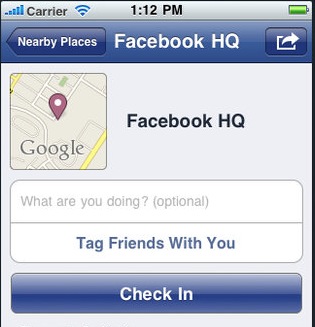
A couple of weeks ago Facebook announced the latest service in their social networking scheme, Places. It allows you to ‘check-in’ using your iPhone or the mobile web and post your location to your Facebook profile. You can also tag friends and see who is nearby. I asked my students- college freshmen- what they thought of Facebook Places and got some pretty good replies. Let’s take a look!
When it came out some time last year that Hulu was going to start charging for their service, people were up in arms about it. I decided to wait it out to see how they would do it, stating that if they kept their then free service and charged for value added stuff, it wouldn’t be at all bad. Well, Hulu Plus was announced a few days ago and they did just that.
It must be that time of year, because I’ve been getting a lot of questions from people about what cell phone they should upgrade to. This is likely because I switch phones entirelyoften, so I’ve seen my fair share. I will generally ask whoever is asking me to consider the following (after the jump of course).
The good people over at Nettuts+ have published a tutorial I wrote for them called Rock-Solid WordPress 3.0 Themes using Custom Post Types. In it I cover how to leverage 3.0’s new custom types to make it easier on yourself and on clients when creating different types of posts for you website. Head on over there and check it out!
You want to build better systems, but you don’t know where to start.
That ends today. The Solo Systems Starter Kit will give you 4 systems every solopreneur needs to run a less chaotic business, the exact tools to create those systems, and automations + AI prompts and skills to get you to a calmer, more reliable business faster.