Simplifying my iPhone Home Screen

Last updated: January 7, 2023

Since widgets came out with iOS 15, I’ve been obsessed with finding the right amount of information to fit on that screen…the perfect combo of accessibility and glanceability.

I had multiple pages, customizable by focus modes, with widgets galore…until a few days ago.

I came to a realization that I wasn’t using most of the widgets and the multiple pages made it harder for me to find what I wanted quickly.

So I decided to do 2 things:

  1. Simplify my home screens to be 1 page + the App Library1
  2. Make use of the hidden “Today” screen for widgets I want to reference or use but don’t always want to see.

The result is this:

My Today screen and sole Home Screen page

The left shows the Today screen, which includes the big calendar widget with all of my appointments and such. It also includes:

  1. Drafts’ quick actions widget for fast input
  2. A shortcuts widget for commonly used shortcuts I don’t keep on my Home Screen.
  3. And then below the fold, a number of Home+ widgets for controlling my home and scenes.

The right show’s my sole Home Screen page, which includes:

  1. A medium widget stack with CARROT Weather, another calendar widget with just the date and upcoming appointments, and recent Drafts
  2. A small widget stack with links to my Dashboard and the Today note in Craft
  3. A small widget stack with Apple Music and Overcast.

The icons, from top to bottom and left to right are:

  1. The Phone
  2. PCalc (the best calculator app)
  3. The “I have an idea” shortcut, which takes text or voice input and adds a Draft and a note to Craft
  4. The “Read” shortcut, which gives me a list of reading apps, including Reader by Readies, Substack, Kindle, News, and a link to my unsorted notes in Craft
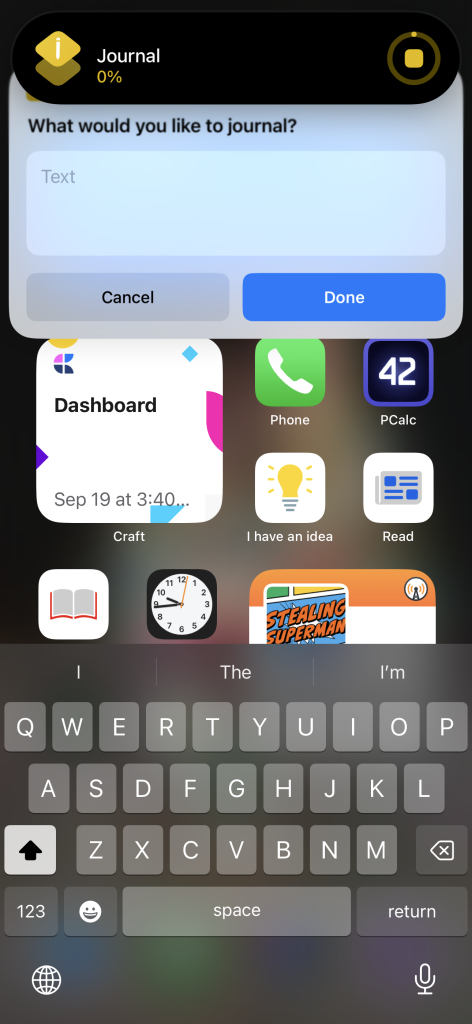
  5. The “Journal” shortcut, which takes text or voice input and adds a bullet item to my today note in Craft2
  6. The Clock app, so I can see the time down to the second.
  7. The “Add Task” shortcut, which creates a new task in Omnifocus
  8. The “Money” shortcut, which gives me a list of all the financial apps I check each morning

And then the dock: Safari, Messages, Craft, Omnifocus.

A couple of bonus screenshots:

I’d love to know: what does your iPhone home screen look like? Do you use widgets? And what about the Lock Screen?

  1. I still have some specific pages for Focus Modes like Travel and “Green Zone,” but the same rules apply. ?
  2. I’m trying to journal more but not in any kind of formal process. Just random thoughts throughout the day. ?

Similar Posts

  • A Story is Worth More Than Your Prototype (Building a Better Business Part 3)

    [audio src="https://episodes.castos.com/5f436edb798df2-94459192/-a-story-is-worth-more-than-your-mvp-building-a-better-business-part-3-.m4a" /]

    For many in the WordPress space, when an idea strikes it’s easy to drop what you’re doing and spend a couple of days building a prototype or MVP. But if you’re actually going to try to build a business off of this idea, should you whimsically work on it and release it to the world? I would argue no. In fact, crafting a story is more important than crafting a product at first.

    Brought to you by GoDaddy Pro . Get all of the show notes, and a written to be read article over at https://wp-review.castos.com/43.

  • |

    A Clockwork Orange…no rating…

    Note: This article was published while I was in my early 20s. I was much younger and dumber. Please don’t hold it against me. One of the perils of having a 20+ year old website!There are only so many movies that will seriously make you reflect on your life, and then the movie, on what…

  • |

    How to Handle Interruptions During Your Talk

    Maybe this has happened to you. You take the stage. The slides are peeped and displayed. Your talk starts. The nervousness subsides and you’re getting into a good flow. Then, when you’re finally comfortable, someone just has to interrupt you. This has happened to me more times than I can count. It even happened recently,…

  • My Travel Schedule for Fall 2019

    Every year there seems to be a season where I travel more than usual, and this year it starts today! Here’s a list of conferences (or cities) I’ll be visiting now through the end of the year. If you’re going to be around at the same time, let me know!

  • | |

    Live on YouTube

    Note: This article was published while I was in my early 20s. I was much younger and dumber. Please don’t hold it against me. One of the perils of having a 20+ year old website! For today and tomorrow only, YouTube will be testing live broadcasting with 4 of their partners. The most interesting part…

  • Webinar Registrations: Simplifying Overcomplicated Automations

    Last updated: February 4, 2025Back in May, I shared with you how I decided to roll my own webinar registration software that allows me to “easily” integrate with ConvertKit, use Zoom Meetings, and more. Something else you should know about me: automating too much is my toxic trait. I think that it’s fun to see…