
Exploring Calendar Scheduling Alternatives
I’ve faced a few calendar-related frustrations this week, from not realizing meetings were declined, to wanting to set up a Calendly link that added a meeting to something other than my default calendar.
Turns out you can’t do that in Calendly.
In-fact, I’ve been increasing disappointed in what Calendly does vs. what alternatives to.
So I might be switching — here’s what I’m thinking, some of the hurdles I’d have to overcome, and the temporary solution.
SavvyCal has become a much better contender since I last wrote about it. They’ve gotten better Zapier support, their own Workflows, and post-event emails.
They also have direct integration with SquadCast, which is something I’ll very likely end up switching to in the coming weeks. That’s a big plus.
They also let you choose, per event type, what calendar a meeting is added to. That’s a solution to a frustration I had earlier this week.
I want my compatriots at RSS.com to be able to grab a time on my calendar, and have it added to my RSS.com calendar. With Calendly, you can only add events to the default account (which is one of several dumb, limiting things).
So +2 for SavvyCal there!
However, they don’t have Make.com integration yet — which brings me to the biggest hurdles.
I have a lot of technical debt with Calendly.
I have a whole “Calendly routing” automation in Make that I’d have to rebuild somewhere else.
But also, when someone fills out my guest form, I save that info in my database, and pass it along to Calendly — so I’d have to rebuild those links. Something that’s doable, but time consuming.
…not to mention all of the time I’ll have to spend rebuilding my events.
So what should I do?
Well, I will spend $15 to evaluate SavvyCal and see if they’re worth switching to.
But in the meantime, I think I have a decent solution — all thanks to Fantastical.
They have a feature called “Openings,” which until this point I thought was kind of pointless, as I also pay for Calendly.
BUT, they have a scheduling feature that actually allows me to add events to a specific calendar.
It’s super clean, and I only need it for scheduling.
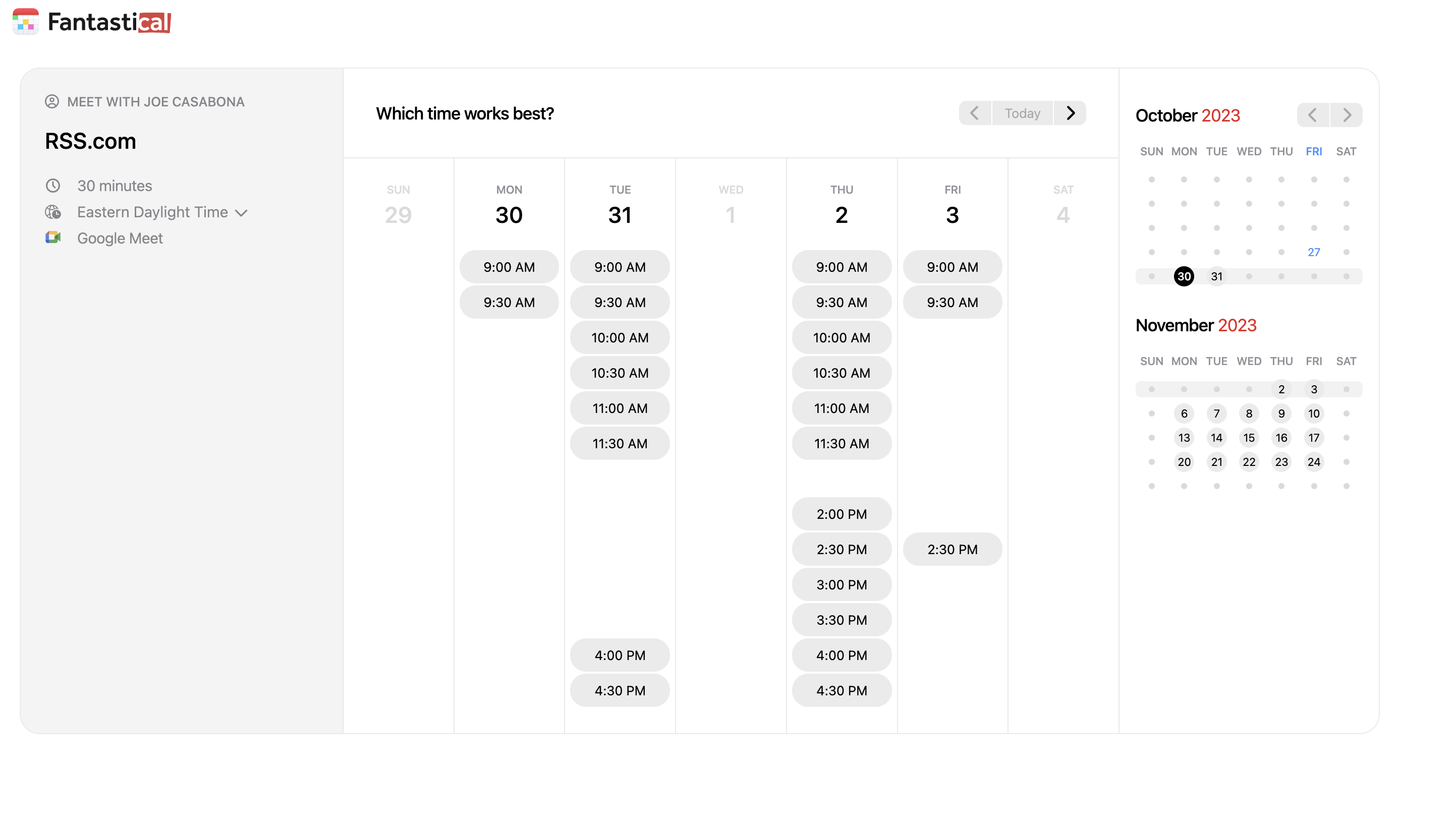
Yet another reason Fantastical is well worth the money for me.
So I called this a temporary fix — but given how much work it would be to switch to SavvyCal, it’s likely this will be the long-term fix.
Unless SavvyCal makes a very compelling argument.
