
blackberry

  • Favorites of 2008

    So this may be a little late, but hey- I wanted to be sure about what I was writing; and this year there were a couple late-in-the-game entries. Here is my first [annual?] favorites post. Covered this time around: new tech toy, website, software, movie, music.

    Favorite Tech Toy: Blackberry Storm
    This was a tough one considering: A- I’ve only had the Storm for 1.5 weeks and B- I got my first Mac this year. But the Storm is the best little device I’ve ever used. The UI is easy to get used to, it’s very versatile, and it can do a lot. I love the full browser and 3.2MP Camera, which my old blackberry lacked. And I know, the iPhone has had it forever. But it doesn’t have a click-screen or several options for an onscreen keyboard, which IMHO is a big plus. Because of the Storm, I could sell my old Blackberry, and my iPod Touch.
    Favorite Website: Freelance Switch
    As a freelancer, I am constantly looking for advice and tips on accounting/financial, legal, and client issues. Freelance Switch is a great resource with authors writing about all that and more. Plus, they have freelance job boards, forums, and ebooks, making the site a one stop shop for any freelancer.
    Favorite Software: Coda
    The ultimate Web Development IDE and one of the top reasons I’m a Mac user. Along with your run of the mill highlighted syntax, it suggests php functions, HTML tags, and CSS elements and attributes. It also has a visual CSS editor, built in shell for SSH, access to ebooks, and built-in FTP. It makes web development 100x more efficient.
    Favorite Move: The Curious Case of Benjamin Button
    All the way up until Christmas, when I saw this movie, I was sure The Dark Knight was my favorite movie of ’08. However, Benjamin Button is a fascinating story that takes you through the 20th century via the tale of a boy born an old man and aging backwards. It’s skillfully done, Pitt and Blanchett are awesome, and the movie raises some interesting points about relationships of all kinds. A must see.
    Favorite Music: Anberlin
    I’ve liked Anberlin as long as I’ve heard of them, but 2008 was different. They put out a new album, which I love. I saw them at an amazing show in Philly, and they are actually getting radio play. My brother will be disappointed I didn’t pick Guns N’ Roses and the release of their long awaited CD, Chinese Democracy (which I’d also recommend), but Anberlin wins it this year.

    So there you have it. My five favorites of 2008. What do you think?
  • Tech Lust

    Hi. My name is Joe Casabona, and I have an technology addiction. Over that last few weeks I’ve been accumulating a list of tech stuff I really want, and subsequently try to justify buying. Of course, money is also a contributing factor, but I can probably move some funds around, right?

    The short list of stuff includes:

    • The Dell Mini PC– This one I think I can justify buying because it’s a cheap laptop that runs Windows, an OS I currently lack. I have reservations about dual booting my Mac or running a program like parallels. I want to keep the two separate and run them simultaneously. This would allow me to browser test in IE, as well as do somethings I can’t do (or do well) on my Mac (I’m talking to you, Blackberry). Speaking of…
    • The Blackberry Bold– I am waiting on baited breath for the day this phone comes to Verizon Wireless users. This phone has literally everything my Blackberry does not- better (full) browser, updated OS, camera, WiFi, regular sized headphone jack. I cannot wait for this one.
    • Sega Dreamcast– I was in my local video game shop the other day, reserving The Force Unleashed, which I got a feeling of nostalgia for the great but underrated gaming console. Looks like I’ll be scouring ebay soon.

    Of course, there are plenty of other things, like a bluetooth receiver for my iPod Touch, etc, etc. Those things I can probably buy on a whim depending on how good I fee. And what, might I ask, are the tech things you really want to buy?

  • Facebook for Blackberry

    FB App

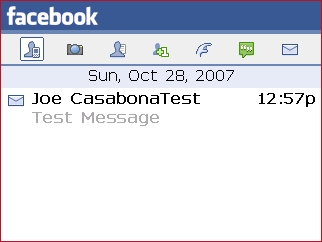
    About a week ago I downloaded the new Facebook for Blackberry application by RIM. The app allows you to get notifications on wall posts, messages, pokes, friend requests, etc. right to your blackberry in a nice, clean interface.

    Overall, I think the app is really nice. I’m a bit of a Facebook addict, partially because I do business through it, but also because of the fun factor. With this app, I don’t have to go to Facebook’s mobile version of the site to send/receive messages and the like. The way they set it up was really nice too- you can change the notification settings in your sound options, like you would for your ringer, text, and email notifications. When you get a Facebook notification, the app icon appears at the time, next to where a text/email notification would go (pictured).

    FB Notification

    You can also have the app delete the email you would get, alleviating some of the pressure in my inbox.

    However, every good thing leaves you wanting more. One thing I would really like to see is the ability to view the profile right from the app instead of bringing up the browser to view a profile. On top of that, there are pretty frequent requests for the ability to view your entire wall and inbox right in the app, which would also be a very nice addition. These three features would increase the functionality of the app exponentially. All-in-all, however, it’s a great app that broadens the scope of use for my blackberry If you have a Blackberry, I strongly recommend this app.

    Go to Facebook for Blackberry

  • Blackberry Software

    bb8830.jpg

    Since getting my Blackberry, I have been scouring the Internet, looking for fun/free/useful software. There are a few programs I use everyday, but most of the useful stuff comes in the form of mobile websites.

    Let’s start with the software. The best of the blackberry software is Yahoo! Go. This is a clean, easy to use interface that nicely integrates your Yahoo! Account into your blackberry. Go allows you to get your news, sports scores, finance info, weather, email and even Flickr. On top of that it gives you your calendar and syncs your contacts right with your device. Also ranking on the free software list is TwitterBerry, which I mentioned in my Twitter post. Quickly and easily update your Twitter and get your friends timeline. The last piece of software is JiveTalk. This multi-client instant messaging program, while not free, is the best I have seen for AIM, MSN and Yahoo!. It also supports Google Talk, but I usually use the mobile version of GTalk for that. I did leave out the Google Mobile package, which comes with GTalk, GMail, Search and News. Frankly, while the GTalk and GMail programs are very nice, Yahoo! Go wins out for news and search.

    But as I said, most of the stuff I use is mobile web stuff. The sites I frequent on my blackberry include Facebook, Plaxo, MLB.com and Remember the Milk, all of which have very nice mobile sites. ESPN and CNN also rank on the mobile site list. Full functionality of these sites on my Blackberry is nice and convenient, especially with Remember the Milk and MLB. I love getting the play-by-play which I can’t catch the game on the TV or Radio.

    I have still yet to find: a good mobile FTP program (for free), a good version of Wikipedia for mobile use, and while I am not a huge fan, a mobile version of MySpace. I refuse to pay extra for a site I use for free.

  • The 8830: Multimedia and Tethering

    Media Player on the Blackberry

    Week 2 into being a Blackberry user and I am still very happy with the device. Two major things I have tested since the last post are using the device for multimedia and tethering it to my computer to use it as a modem.

    Multimedia
    One thing to note about the 8830 is you need a microSD card to add music, video, mp3 ring tones and photos to it. This I feel is a pretty good precaution to protect the on board memory, which is 64MB, and should be reserved for applications and the OS. I was able to buy a microSD extremely cheap on Amazon. Once that came, I went right to work. After figuring out the media manager program for the Blackberry, I loaded my old ring tone onto it, an album and a number of 7 megapixel photos (1 or 2 MB each). The music player is a pretty nice program and playing music in the background doesn’t really slow the device down (not to the point where it’s frustrating anyway). The pictures, however, did take a long time to render on the device, though working with smaller images was much faster. If you shrink photos you want on the device down, there is no problem there either. As far as battery life while using the media player, that is something you need to look out for. It does not drain extremely fast, but faster than normal. My philosophy on the matter is while it’s nice to have both combined, I’d still keep phone and mp3 player as separate devices.
    Tethering
    One feature I was really excited about was using my Blackberry as a modem. This is something you do have to pay extra for through Verizon, and I figured at $15/month, I’d give it a shot for one month (we don’t have cable set up in the new house at school yet either, so it’s applicable). After activating it on my account, and installing the VZAccess software, connecting was as easy as connecting the blackberry to the computer. VZAccess automatically connects to the internet.
    Now of course this won’t be as fast as say cable, but it wasn’t as slow as I thought it would be. I was able to visit most websites I normal visit with little lag, and I was able to ftp (though that took longer than I would have liked). I’m not so sure I’d enjoy do work over this connection because of the longer load times and ftp times, but it’s nice to know I’d be able to if I had to.

    My over all experience with the two functions were good ones, and two more reasons the 8830 is worth the buy, and much better than my Treo. My friend just picked up an 8830 also, so I will probably be doing a write up on Blackberry to Blackberry communication, including using Blackberry Messenger.

  • My Weekend with the 8830

    blackberry 8830

    I’ve been using my Treo now for just about two years. Don’t get me wrong; when I first got it, it was like nothing I’ve ever used. It was new and exciting. The phone before the treo was boring and bland. It didn’t give me what I needed. The Treo changed all that. But now, nearly two years into it, things have gotten boring; stagnant. That’s when I saw the Blackberry 8830. Smaller than the treo and so many more features. After spending the weekend with it, here are some of my thoughts.

    • The usability is great That ball is amazing and makes everything so much easier to navigate.
    • Syncing: I admit it took me a while to start the syncing process with my computer (more specifically, Outlook). But once I got my number sitched over, everything became easier. Syncing with Outlook is a sinch.
    • Application Installation: Really easy. Most of the time I can do it right from the Blackberry.
    • Email: I was set up in litterally 2 minutes flat. Much easier than emailing on the Treo. Plus, email to the blackberry is instant, and even beats it to the inbox sometimes. I also picked up GMail for the Blackberry, which is excellet. If I want to access my physical gmail box, it’s now an application on my phone.
    • Messaging in general: All messages go to one place. I like this. Missed call? Voice Mail? Email? TXT? All under “messages.” I don’t need to be clicking around to view everything. And with the “Today” theme that comes on the phone, all I need to do is press one button.
    • Did I mention how awesome that ball is?
    • Instant Messaging: I have the ability to use Google Talk, and through an app called JiveTalk, AIM, Yahoo! and MSN. These applications are very nice looking and easy to use. Plus they look like the real apps, which makes the experience even better.
    • It comes with a Password Keeper application. How cool is that?
    • Battery Life: I haven’t charged this since 10:00am. Going on 14 hours, and moderatly heavy use (I was testing battery life today), the batter stands at 65% full. The Treo can’t match that in the least.
    • Size: Noticably lighter and thinner than the Treo. While slightly wider, you don’t notice that in your pocket, just when it comes to looking at the screen.

    As you can see, I am quite a fan. It hasn’t frozen on me yet either, which is a big plus considering I was running a lot on it today. In the coming days/weeks, I will be testing out the multimedia side of the 8830- as soon as my microSD card comes in. I also plan on looking into using the tethering feature to see if I can actually use this bad boy as a modem, and the built-in GPS feature that’s advertised.

  • Taking the Plunge?

    Blackberry 8830

    Maybe it’s “Smart phone envy” I’m getting from seeing all of the iPhone coverage (none of which I’ll link here). For the record, I do not like the iPhone. I think it’s too expensive, and too…for lack of a better word, ‘trendy.’ Or maybe it’s the fact that I am growing tired of my Treo 650. I like it. It’s by far the best phone I’ve ever owned. But there is so much more out there. And I made the horrible mistake of playing with the Blackberry 8830 last time I was at the mall.

    It had some nice features, and I am going back tonight to talk to a Verizon rep about data packages, the EDGE network, etc. etc. From what I have read, many people have very happily switched from the Treo to the Blackberry. I like familiarity, and I’ve worked with the Palm OS since I was a freshman in HS. However, I am also a tech geek. Show me something better, and I will give it a try. The 8830 looks great, much more functional, has built in WiFi and is smaller and sleeker than the brick that is the Treo 650. And looking at the upcoming Treo devices, I’ve got to say I’m not impressed. If anyone has any advice, I’d love to hear it!