Automatically Sending Tasks in Bear Notes to Todoist
There were two notable things I did this weekend: spend it with my kids, as it was my wife’s weekend to work (she’s a nurse and must work one weekend per month), and build a series of clever automations using Apple’s Shortcuts app.
I love using the Bear Notes app for most things, like quickly logging tasks. This includes my 5 Critical Actions for the week, and any open threads I have at the end of the day*.
But Todoist is my main task manager, with reminders, subtasks, and the whole 9 yards.
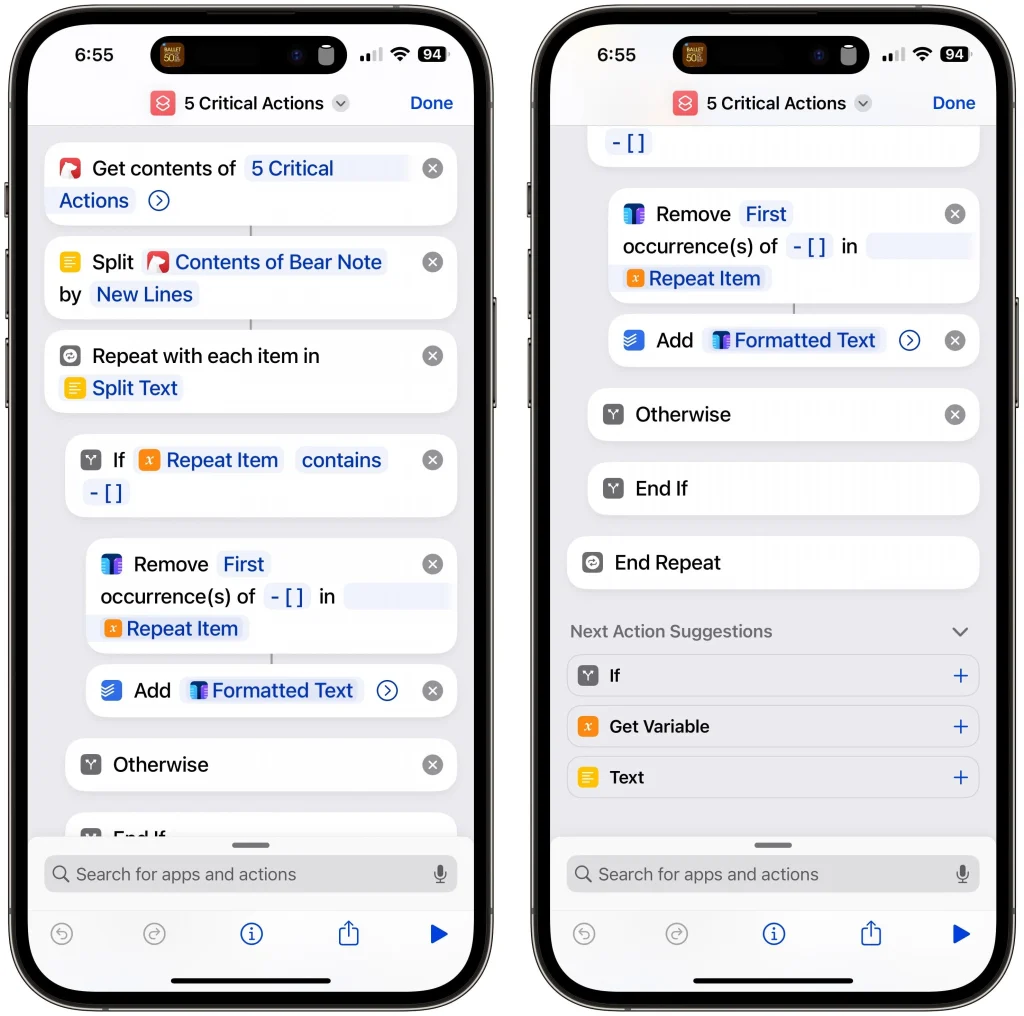
So I ended up building 3 Shortcuts to send tasks from Bear to Todoist:
- Process tasks specifically in the 5 Critical Actions note. I did this so I can properly label the tasks as such…Todoist doesn’t let you create create labels on the fly.
- Process any note via the Share Sheet
- Process every note, looking for tasks in all of them, and creating the tasks plus a link back to the original note for context.
I’ll share the first one with you here…the other two are reserved for members.