
|

I Love Bear Notes, but it Doesn’t Have Shortcuts Support on Apple Watch (or Does it?)

Something I’ve been toying around with a lot more since the iPhone 15 Pro came out is the Action Button.

Right now on my phone, it simply adds a new task to Things 3 via Shortcut.

But on my Apple Watch Ultra, I always felt the perfect use case was to dictate a note?—?also via Shortcut, where I explicitly have the Dictate Text action. Otherwise, the watch inexplicably defaults to the swipe keyboard.

Press a button, say some stuff, and know it will be safely stored in my favorite notes app, Bear.

This shortcut has great utility in the car as well. I can just shout, “New Note” into the void and capture an idea.

But there’s one problem: Bear Notes doesn’t support Shortcuts on Apple Watch.

It feels pretty wild to me, because their Apple Watch app is well-thought out, if not good.
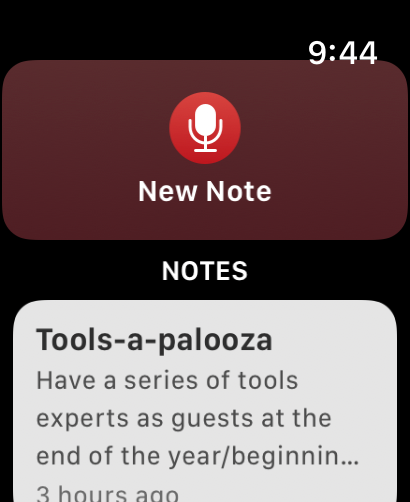
But alas, when I try to use the new note Shortcut, I get an error message because Bear Notes presumably doesn’t support Shortcuts on Apple Watch.

However, while writing this article, I made a discovery. Bear has 2 ways to create notes: “Create Note,” and “Create Bear Note.”
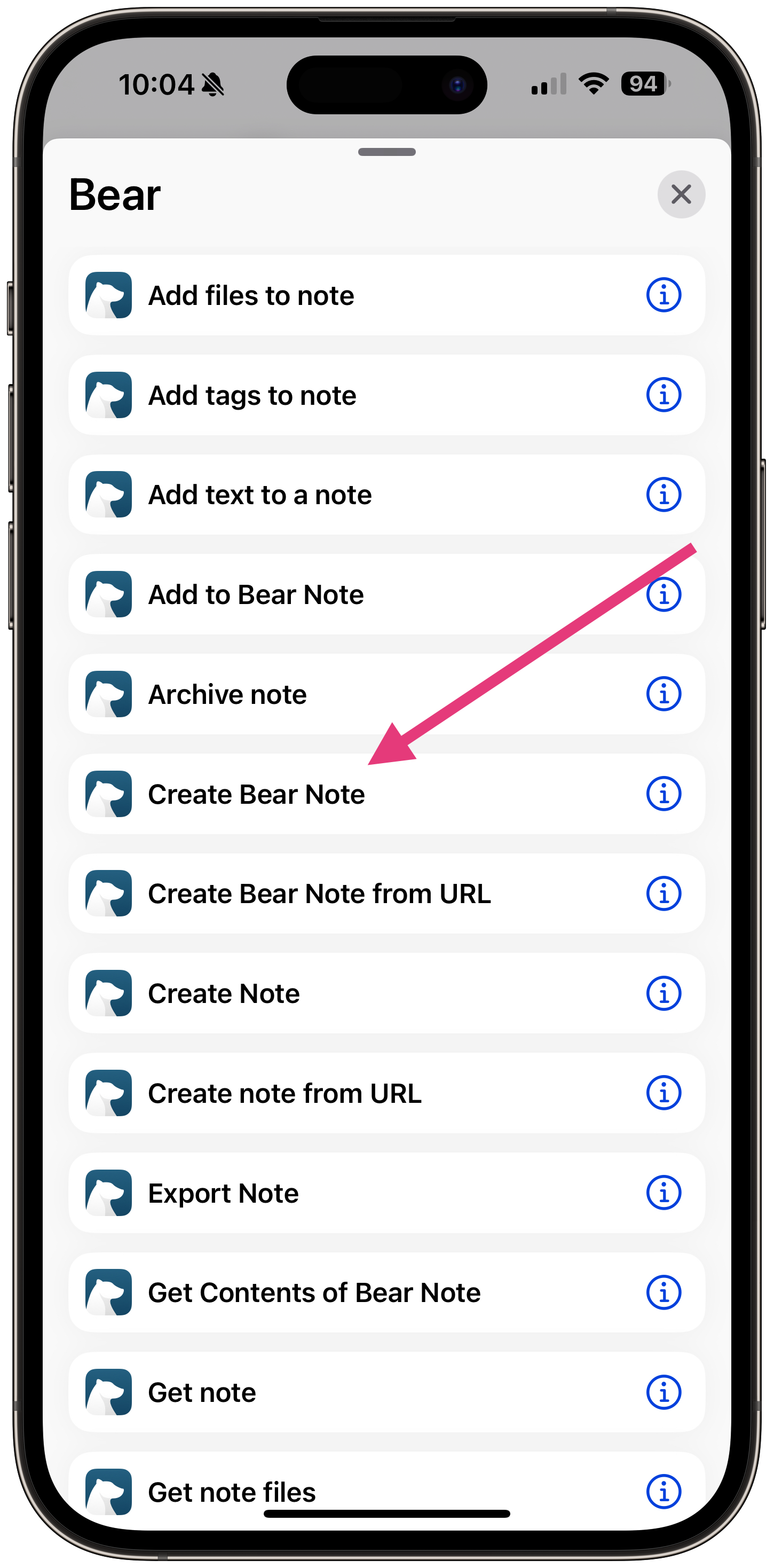
The Create Bear Note Shortcut action works on the Apple Watch.

That’s a huge relief, as my workaround was:

  1. Make the note using Apple Notes
  2. Create a Shortcut that imports all Apple Notes to Bear, then delete the Apple Notes
  3. Create an Automation to run that Shortcut every time I open Bear.

Less than ideal.

But the plot thickens. On Bear’s own Shortcuts support page, they have this message:

Apple sometimes automatically creates “legacy actions” for apps that are not under our control. We recommend avoiding these actions: Create Bear Note, Create Bear Note from URL, open Bear Note, and Search in Bear.

SO they want us to use the “Create Note” action?—?even though it doesn’t work on Apple Watch.

I’m not sure what the moral of the story is. Use Create Bear Note at your own peril?

I’ve reached out to Bear support and will update this if I find out anything new!


I Love Bear Notes, but it Doesn’t Have Shortcuts Support on Apple Watch (or Does it?) was originally published in The Automated Solopreneur on Medium, where people are continuing the conversation by highlighting and responding to this story.

Similar Posts

  • How Will You Use WordPress in 2022?

    [audio src="https://episodes.castos.com/5f436edb798df2-94459192/how-will-you-use-wordpress-in-2022-.m4a" /]

    As we reflect on 2021 and prepare for 2022, I want to pose a question to you: What will you use WordPress for in 2022? The mission of this show in 2022 is helping small business owners in the WordPress space grow beyond the WordPress space.  And as much as we should serve our WordPress community, WordPress needs to serve us. So I’m posing the question again: what will you use WordPress for in 2022? Plus, my picks of the year.

  • | |

    The Mac is Just Another Computer

    Note: This article was published while I was in my early 20s. I was much younger and dumber. Please don’t hold it against me. One of the perils of having a 20+ year old website! Those of you who’ve known me for a while know I used to take a hard line against Apple. It…

  • The WordPress Podcast Website Toolkit

    This episode marks the start of an important shift in the content here at WP Review — something I’ll dive more into after ConvertKit’s Craft + Commerce conference at the end of June. But suffice to say, creators, are growing wary of WordPress. I personally think that WordPress is the perfect tool for the growing creator economy, so here at WP Review, we’re going to spend many of the next episodes talking to creators about how WordPress can help them more than any other platform. And we’re going to start with a type of creator near and dear to my heart: the podcaster. 

    Brought to you by GoDaddy Pro

  • Paid Substack Podcasts Now Available on Spotify

    Late last week, Spotify and Substack announced a new partnership that will bring both free and paid Substack podcasts to the Spotify platform: With just a few clicks, podcast creators on Substack can add Spotify distribution to their podcasts to grow their audiences while retaining full control over their subscriber bases, their content, and their……

  • |

    Can You Go 2 Hours without a Screen Every Day?

    When I was down in Florida, my brother and our friends told me about something they started doing every day: 2 Hours of No Screen Time. The idea is that for 2 hours every day, they forget about their phones, their computers, the TV, and any other screen they otherwise spend too much time in front…