
Month: January 2008

  • The Switch: Week 2

    mac.jpg

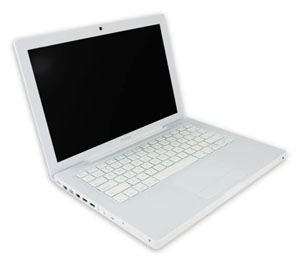
    About 10 days in and I am enjoying my Mac experience more and more. I don’t know if it was just the hardware, but going onto my brother’s Windows machine I realized how slow everything really is. In defense of Windows though, the computer is a Dell.

    The past 10 days using this computer has been pretty great and I’ve got to say I am mostly happy. Besides the things I pointed out last week, I am finding the whole experience of using a Mac aides productivity. For instance seldom do I every have to wait for a program to boot up. And I can run way more at once than I could on my PC. Again, I do have better hardware on this. On the same token, it just seems the cohesion of the OS and the hardware on the Mac is so much better. iTunes, while I’m still not a huge fan, is manageable, especially since I was able to download most of the album art. It really adds to the program’s navigation, but I feel the same about any other music program.

    My top 3rd party programs: Coda for web development, Things for task management and Microsoft Entourage for life. The Mac equivalent to Outlook is better solely due to the project management feature it offers. This program has already set me up to have a more organized semester for when I teach. I will likely review each of these programs on their own.

    Even with all of the praise for this machine, I do have some gripes…

    • Syncing with my Blackberry is a pain. I feel this is in part RIM’s fault; they still don’t have support for Entourage 2008, and when I try to sync my Tasks with iCal tasks PocketMac, the syncing program, crashes. If/when RIM solves this problem, I will be a very happy person. Also, RIM is releasing a boatload of updates that I have been wanting for some time, including web management. However, the desktop is only PC compatible. What gives RIM?
    • Syncing my Zune. I knew this would be a problem from the get go, but come on Microsoft. Why alienate part of the market by not making your software for Mac. I could use Parallels (I think) to alleviate the problem, but A) I need to get a copy of Windows, and B) I have a feeling it’s not going to be very easy.

    If RIM and Microsoft could pony up and support Macs a little better, my life, as far as the switch goes, would be complete. I unfortunately do not see that happening anytime soon. I wonder if this is why so many people use only Apple products- not for superiority in other markets, but lack of support by other companies.

  • Since the Giants last made it to the Super Bowl

    NY Giants

    Since 2000, the last time the Giants made it to the Super Bowl I’ve…

    • Learned how to develop websites
    • Started and stopped playing drums
    • Gone to my first concert
    • Gone to over 50 other concerts
    • Started my own business
    • Graduated High School
    • Gone to Ireland
    • Totaled a car
    • Held five different jobs
    • Graduated College
    • Started my Masters in Software Engineering

    It’s been a while. Let’s do this.

  • The Switch

    macbook

    Surprise, shock and amazament are just some of the reactions I got when I told my friends this: “I made the switch to a Mac.” Now I’ve express my excitement about Macs before, but never actually thought I’d make the switch. The catalyst was that my third Windows laptop in 5 years crapped out on me. I knew it was time for a change.

    There are probably numerous articles out there about ‘making the switch’ and peoples’ experiences, good and bad, about it, So I won’t do that. I will be writing more frequently about stuff for Mac, and more than likely comparing them to stuff for Windows, because deep down I’m still a Microsoft man. But at four days, I will give my first impressions.

    • This will obviously take some getting used to. The interface is drastically different from Windows and I was actually able to pick up on stuff pretty quickly. But the whole file system, app navigation, etc. is not native to me (but I’ve got to say the app navigation is awesome).
    • Spaces and Expose are my best friends. It makes app navigation so easy. Also, F3, which shrinks all of the windows so you can easily select one- genius.
    • The Dashboard. The widgets are great. I thought I had everything at my fingertips with a simple Google search. Now I literally have all the info I want with the push of a button.
    • As a programmer I feel the development environment will be very different, and hard to adjust.
    • However, with amazing Mac only programs like Coda and Things, I think I’ll survive.
    • I still hate iTunes. Sorry guys, I just don’t like it. I need to find a good alternative (hopefully Microsoft will get on releasing WMP 11 or Zune Player for Mac soon, but I won’t count on it).
    • Syncing my Blackberry seems to be a pain. I did it once successfully and now it gets stuck when I try to sync my Tasks. I’ll have to do something about that. I hope PocketMac supports Entourage 12 (2008) soon.

    Well those are my first impressions. I’d like to do a write up on Coda, Things, and some other applications when I have time, but with the Spring semester starting in less than two weeks, I can’t promise anything.

  • The Business: 2008

    Last year was a really great year for me business-wise. I made strides in getting my name out there, the types of projects I picked up, and over all became more confident in my work. I’ve set up some goals for 2008 that I feel will really put me out there professionally and will help me take bigger steps to the ultimate goal of being my own boss.

    • Rebranding: Late last year I began rebranding JLC Web Design, giving it a new name, logo, and scope as far as types of projects. I will be revealing all that hopefully soon. Right now I am going through the processes of registering my business as a Sole Proprietorship in the state of NY. After I get the officially registered name, I will be talking in depth about that process and recommendations for going about it.
    • Better Finance Management: In 2007, I realized as I got a more constant stream of projects, I needed a better way to keep track of invoices and expenses. This year I will be subscribing to Vebio, which offers online invoicing, statements and reports, and most importantly, expense tracking. This should be a little better than an excel sheet. I will also be talking to an accountant as far as filling for taxes goes, and separating my revenue for the business from my personal finances- something I should have done a long time ago.
    • Flagship Projects: I currently have two project in the works- an Open Source one and a commercial one. The commercial one, Into the Open, has launched. I am currently working on advertising and a new logo. I also need to get on the PR side of things to really get the site out there. my goal is to have that up in full swing by March. For the second project- the open source one, I have been working almost none stop on it for the couple of weekends. My plan is to solidify a name and get a beta release out by the end of the month.

    Once i have some official documents with my new name, I will be talking about that process, the switch to Vebio, progress on the projects, and some other topics- like having real business cards printed.

  • Zune vs. iPod

    Zune vs. iPod

    It’s the match up of the century. Or at least of right now. I write this post not as just a topic, or to announce to the world how big of a MS Fanboy I really am (you should know that already). I write this because I honestly believe the 2nd generation Zune is a better product. It’s not just about interface, size, etc. either. There are three major features the Zune offers that the iPod does not. But that’s all in due time.

    The Basics: This point is kind of moot, because people will strongly disagree with me, fanboys and not-so-fanboys alike. However, I feel the entire GUI of the Zune is better than the iPod’s. I can navigate through my files much faster because of the button and menu layout. The click-wheel of the iPod is nice, but the touch 4-way direction pad is nicer and the GUI is nicely complimented by it. The Zune Player is better than iTunes. First, it’s lighter- less going on, eats up less memory. It’s also very slick. The transitions are nice and the way everything is laid out is simple and intuitive. Truth be told, I still don’t know how to make a playlist in iTunes. Everything just feels cluttered in iTunes. And auto syncing the library the first time a new iPod connects to it is a train wreck. Zune Player prompts you every time a new Zune is connected. But now, onto the real stuff…

    Two-way Syncing: This is something iTunes/iPod desperately need. When I connected a second Zune to my computer, I was able to copy songs from the Zune to my music library no problem. Quick and simple. Why hasn’t Apple done this yet? As of right now, you need a 3rd party program if you want all your music copied correctly.

    Wireless Sync: Have a WiFi network? Set your Zune up to connect to it and add music to it from anywhere within range. Even with the iPod Touch and iPhone, Apple hasn’t made this feature available, and I think it’s very useful. Even if your Zune isn’t directly connected to your computer, it’s still being synced whenever you change a playlist or get a new podcast. Speaking of…

    Podcasts: This is a surprising featuring, in the sense that they offer it and that I use it. The Zune makes it extremely easy to get and sync podcasts with your Zune. Just subscribe to a podcast with Zune player and when a new one is made available it’s automatically downloaded and synced to your Zune. As far as I know, this is not a feature offered by iTunes.

    The Social: I think this is the coolest feature. For Zunes in range, you can see what they are playing and send them songs, pics, vids and podcasts. Sure, there is the three-play rule on songs, but there are also ways around that. The idea of sharing music on the fly like this is pretty awesome. My friend wanted me to hear a song the other day so he just sent it to me and I listened to it right there. If Apple isn’t planning on releasing something like this, they should- especially because the iPod is much more popular than the Zune.

    So there you have it. Five (at least three solid) reasons why the Zune is better. Of course this is based on my limited interaction with the iPod/iTunes, so if I am mistaken on some things, or they have changed, please let me know in the comments!

  • Microsoft Zune (gen II)

    Zune

    This Christmas I got an 8GB Zune, as my 2 Year Swing is rapidly reducing to the 1.5 year swing. After 18 months with the Creative Zen Vision:M I realized I didn’t really need 30GB of space for my music, and wanted a smaller model. I thought the new Zune looked excellent, and I was not wrong.

    I want to break this down into two parts- the Zune and the Zune vs. the iPod. The reason being people, I feel, buy the iPod solely because of name recognition. I honestly feel the Zune is a better product- but I will get to that later on. Right now, the Zune as a device.

    • Interface: Extremely intuitive. 3 buttons, clearly labeled, and the direction pad is touch making navigation very quick and easy. The software interface is excellent. One menu with bigger fonts and then top navigation for the sub-menus. Smart idea by Microsoft. And, it looks great. You really feel at home using the Zune.
    • Zune Player: I think even if I didn’t have a Zune, I’d use the player. It’s light weight, visually stunning and super easy to use. I’d also like to attribute my listening/watching podcasts to Zune player, as it makes podcasting (word?) very easy. Integration with any number of Zunes is a snap. And don’t worry about losing your music to autosync, because the Zune player prompts you for auto or manual sync. Furthermore, it allows two-way sync, which means I can take music from the Zune and put it on my computer.
    • Functionality: I could go on for days about the Zune’s functionality. The features it offer are second to none. First, the social. This function is awesome. You can tell what other Zunes are near, what they are playing and you can send music from your Zune to another Zune. Sure, it only allows for three plays, but you can’t scrutinize Microsoft for not wanting the RIAA on their back. This can really open up a lot of possibilities for the future of mp3 players, even if no one talks about it. The other awesome feature is the built in WiFi. If you have a wireless network in your house, just connect the Zune to that network (using Zune Player) and you can send music, videos and pics to your Zune wirelessly, anywhere the network reaches. Excellent.

    All in all it’s an excellent device. In the next post I will talk (in some detail) about why the Zune is better than the iPod, though you might be able to tell I set myself up pretty well in this post.